XML Namespaces
- 30 Jan 2026
- 1 Minute to read
- Contributors

- Print
- PDF
XML Namespaces
- Updated on 30 Jan 2026
- 1 Minute to read
- Contributors
- Print
- PDF
Article summary
Did you find this summary helpful?
Thank you for your feedback
Applies to: Lasernet Core 11
XPath 1.0 is unable to find nodes in a default namespace unless the namespace is mapped to a known prefix.
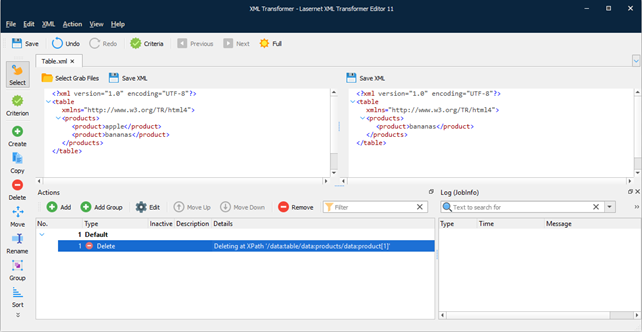
The picture below shows a default namespace. As can be seen in this example, no prefixes are used.
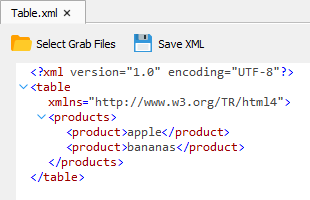
If you are to create an action (e.g. Delete) to any element of the output, it is not transformed. To correctly transform the file, you have to create a namespace.
To add a namespace, follow the steps listed below:
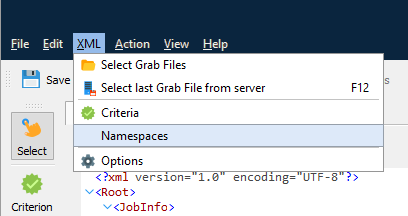
On the XML menu, click Namespaces.
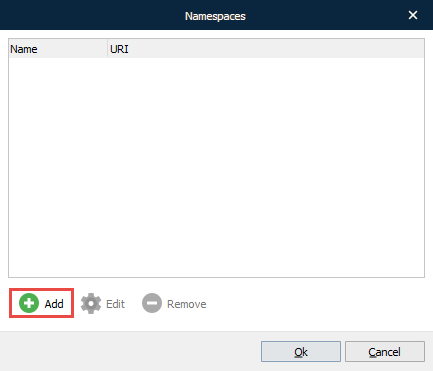
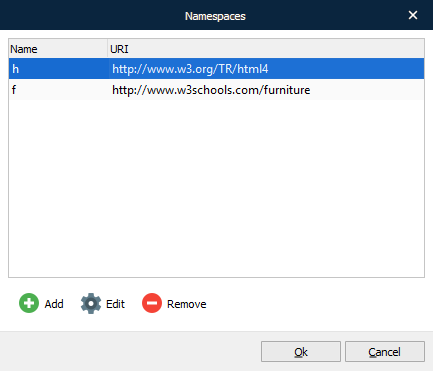
With the Namespaces dialog displayed, click the Add button.
With the Edit Namespace dialog displayed, type a name for the namespace which is a prefix and URI.
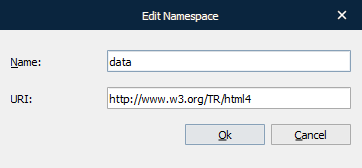
Once you are done, click OK.
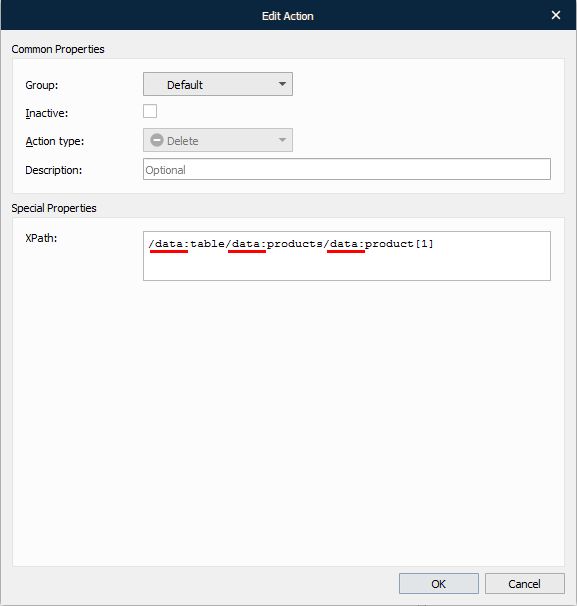
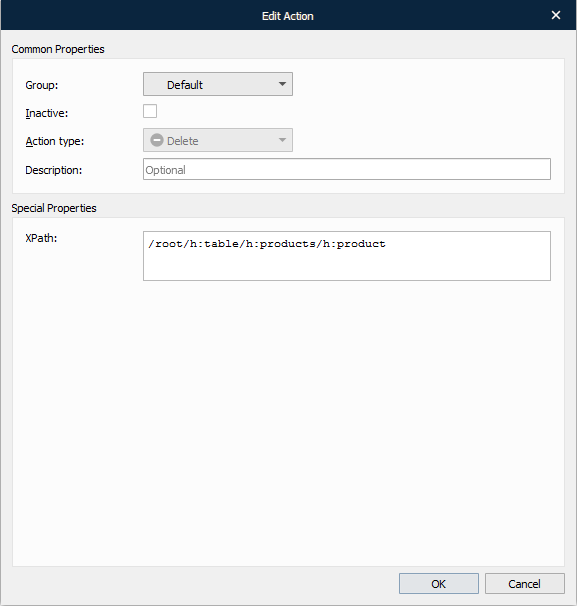
Next, edit the action you have created (e.g. the Delete action). Within the Add Action dialog, type a prefix in the XPath field for the node, as shown in the picture below:
As a result, the action is applied:
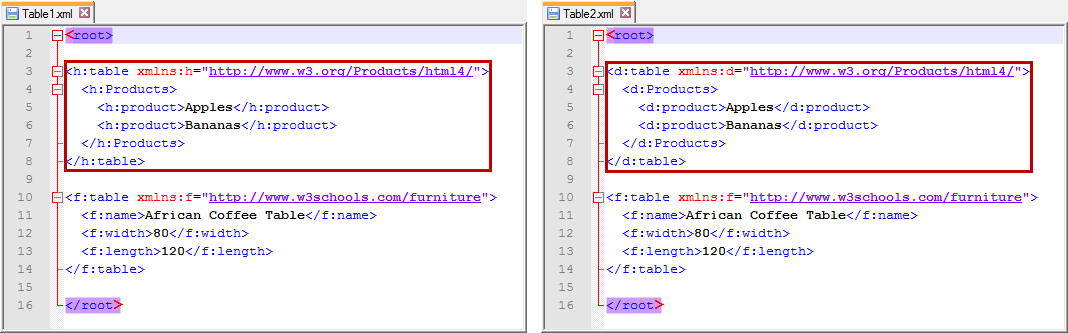
In addition, the prefix defined in the Namespaces dialog allows you to override any prefix defined in the XML file. This is useful when an incoming XML file uses a default namespace or when the prefixes in the incoming XML file vary from one document to another.
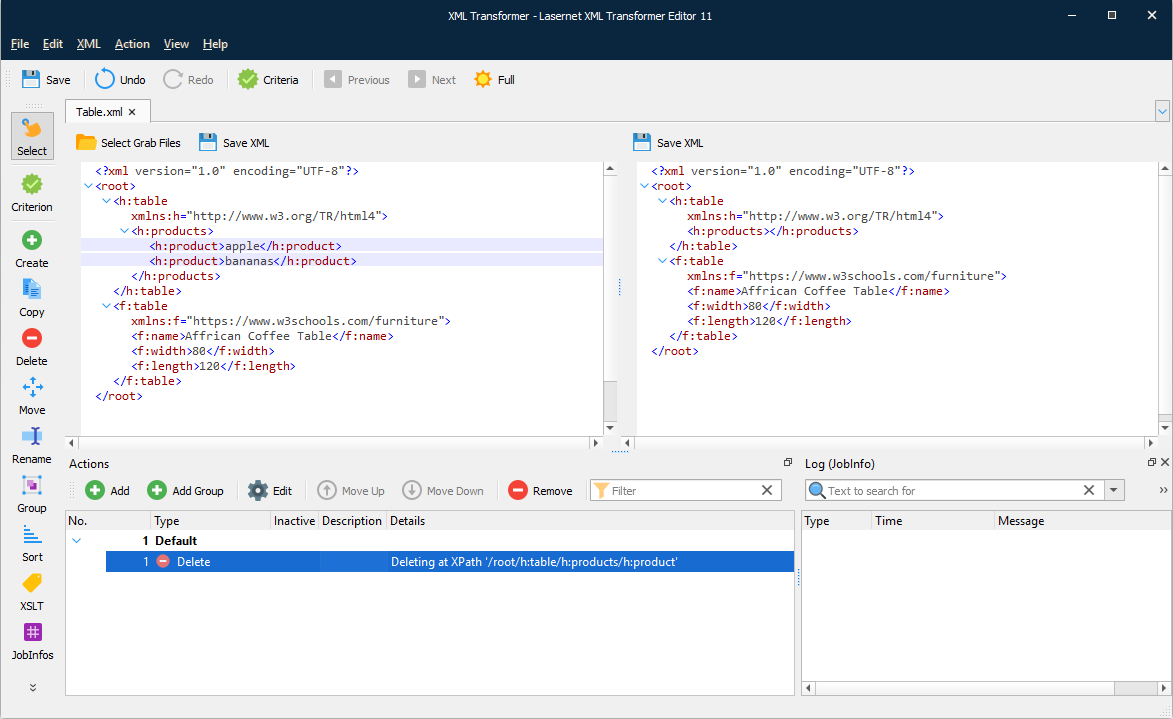
The picture below shows two XML files which contain a common URI and different prefixes.
To override prefix defined in the XML file, follow the steps listed below:
Open one of the available XML files by clicking the Select Grab Files button in the XML Transformer Editor.
Namespaces are automatically added. To access the list of namespaces which are automatically added, click Namespaces on the XML menu.
Create an action to apply it to any element of the output (for example, the Delete action), and the output is transformed accordingly.
Afterwards, the same action is applied to all documents regardless of the prefixes available. As the result, each file is transformed in the same way.