
SOAP Web Service Input (Act as Client)
- 13 Apr 2026
- 2 Minutes to read
- Contributors

- Print
- PDF
SOAP Web Service Input (Act as Client)
- Updated on 13 Apr 2026
- 2 Minutes to read
- Contributors
- Print
- PDF
Article summary
Did you find this summary helpful?
Thank you for your feedback
Applies to: Lasernet Core 11
This module is able to call methods published in a Web Service (act as a client).
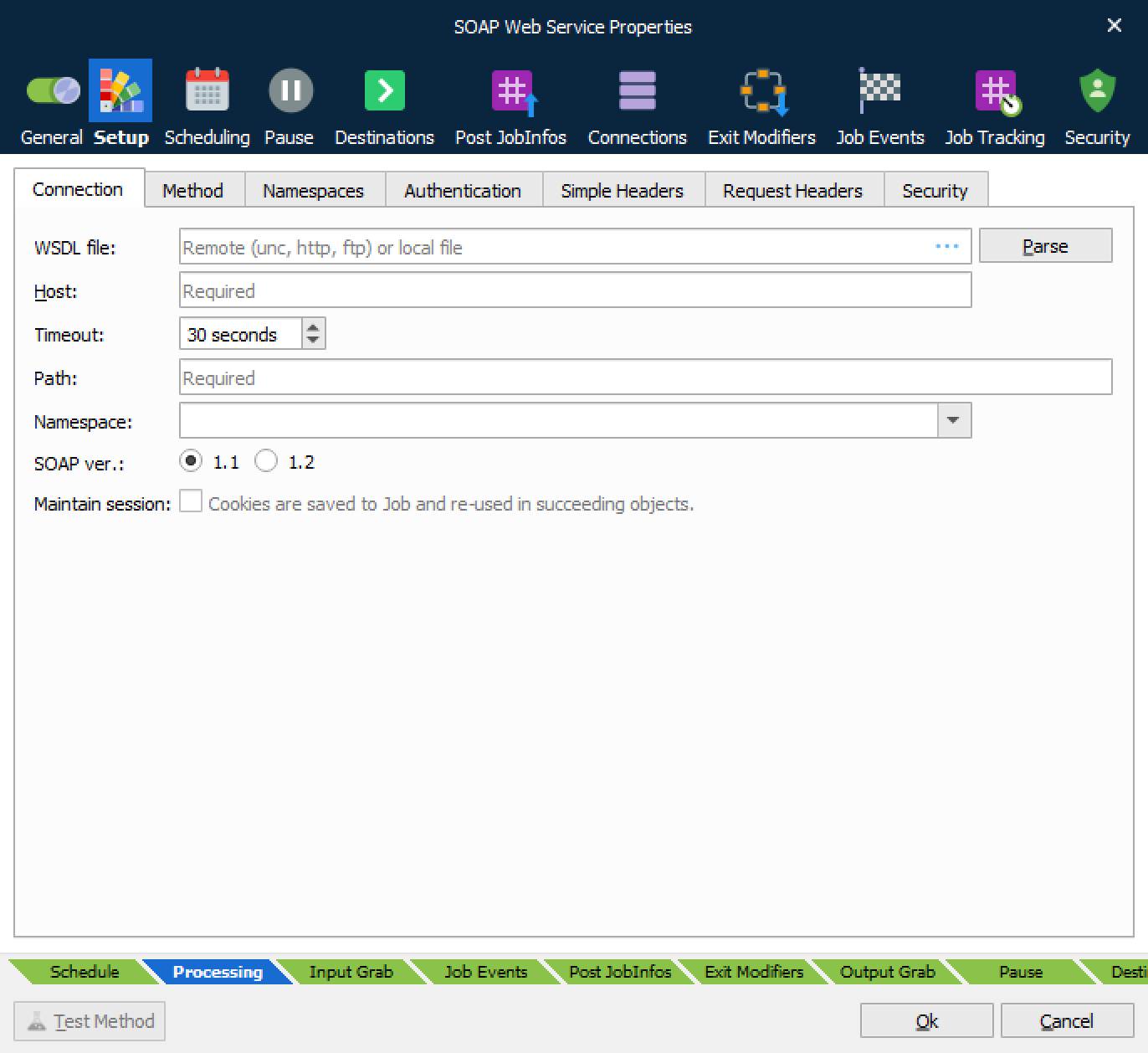
Connection and Method | Information about where the Web Service resides and the method in which it is called. Web Services Description Language file describes what the service can do. Lasernet Core supports parsing WSDL files from both the hard drive and web server, as shown in the example above. When Lasernet Core parses the WSDL file it gathers information about namespace, methods available and their parameters. Not all WSDL files are currently supported and the parsing of one is not a requirement to build a request. Return in tells Lasernet Core where to put the result of the Web Service request – either in JobData or in a JobInfo. All parameters are essentially strings inserted into an XML request. The Type can assist you in understanding the format of the string. Value is XML tells Lasernet Core to insert the string as an XML fragment rather than a string, so escaping is done properly. |
Namespaces | Gives support for specifying additional namespaces. |
Authentication | Enables support for supplying credentials. |
Simple Headers | This table makes it possible to supply key value pairs in the header of the request. Some Web Services require this for simple security/authentication. |
Security | When using HTTPS, an optional client certificate can be configured. It is usually not necessary to specify a client certificate and private key. If required, select Use Client Certificate, browse for a client certificate and select a filename with one of the extensions for X.509 certificates. |
Parameters
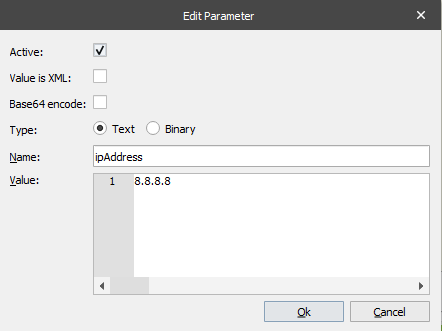
Simple parameters can be setup in the Parameters dialog. Complex parameters (data structures) must use XML as the value and Value is XML must be checked.
Both text and binary values (coming from JobInfo) can be automatically Base64 encoded (which is how binary data is carried in the SOAP envelope).
JobInfo substitution is possible using #JobInfoName# format.
View Request
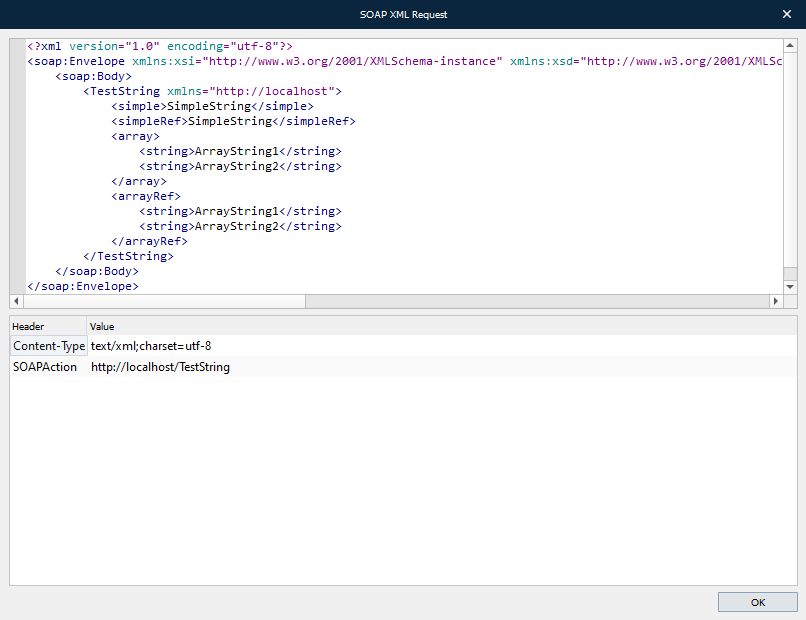
View Request shows the request and headers being sent to the web server hosting the service.
Actual JobInfo substituted parameters can be viewed in the Test Method window on the Request page after executing the method.
Test Method
From Lasernet Developer you can test whether the configured request is correct.
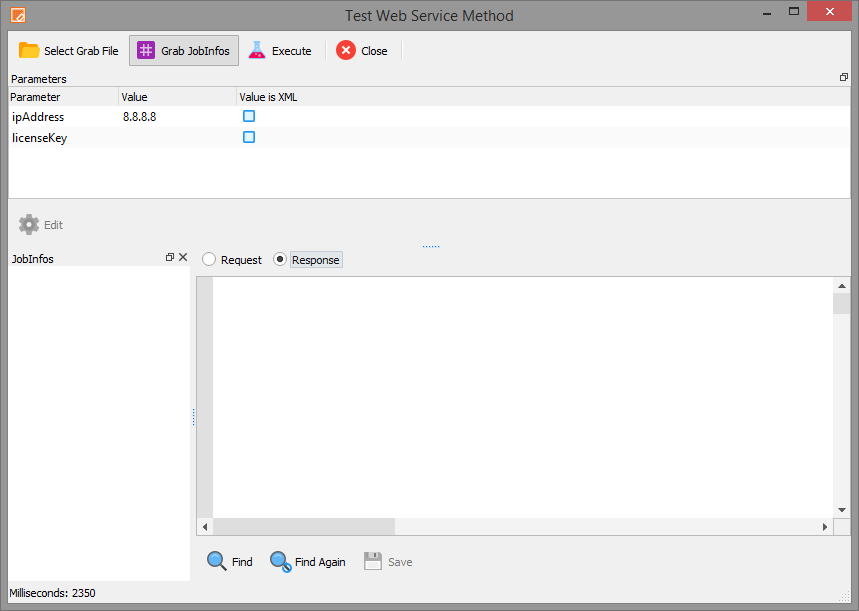
The result either shows the returned XML from the Web Service or information about any error that might have occurred.
The XML can be used in Form Engine or parsed as needed.
When using JobInfos as values for parameters, it is possible to load a grab .lnjob file and use or change JobInfos in it to test how the web service responds.
SOAP Faults
In case of an HTTP 500 error (internal server error) the following three JobInfos are set: WebServiceFaultCode, WebServiceFaultString and WebServiceDetail.
JobInfos
WebServiceFaultCode | The faultcode element is intended for use by the software to provide an algorithmic mechanism for identifying the fault. |
WebServiceFaultString | The faultstring element is intended to provide a human readable explanation of the fault and is not intended for algorithmic processing. |
WebServiceDetail | The detail element is intended for carrying application specific error information related to the Body element. The absence of the detail element in the Fault element indicates that the fault is not related to processing of the Body element. |