
Security Roles and Security Profiles
    • 30 Jan 2026
    • 2 Minutes to read
    • Contributors
    • PDF

    Security Roles and Security Profiles

    • PDF

    Article summary

    Applies to: Lasernet 11

    Security roles are used for specifying user permissions for the Lasernet Web Client or Lasernet Developer.

    Go to the Lasernet Config Server and manage your profiles, groups and users. For more information about this area of Lasernet configuration, see Configure Users, Groups, and Security Roles.

    The Security Roles page in the Lasernet Config web app.

    Security role members can be users or groups. On the Security Roles page of the Lasernet Config web app, the Client roles control rights for document management in Lasernet Web Client.

    The Members tab for a Web Client security role.

    The Client security roles can be added to any module available in the configuration (on the module’s Security tab). When a job is saved, Lasernet will refer to the Client security roles listed there; if the module has no security role listed, the job is visible to Web Client administrators only. Roles determine who is allowed to view and manage specific paused, scheduled or failed jobs in the Lasernet Web Client. You can add criteria to each assignment on the Security tab.

    In addition to adding security roles to the Security tab, you can also add security profiles. For more information, see Security Profiles.
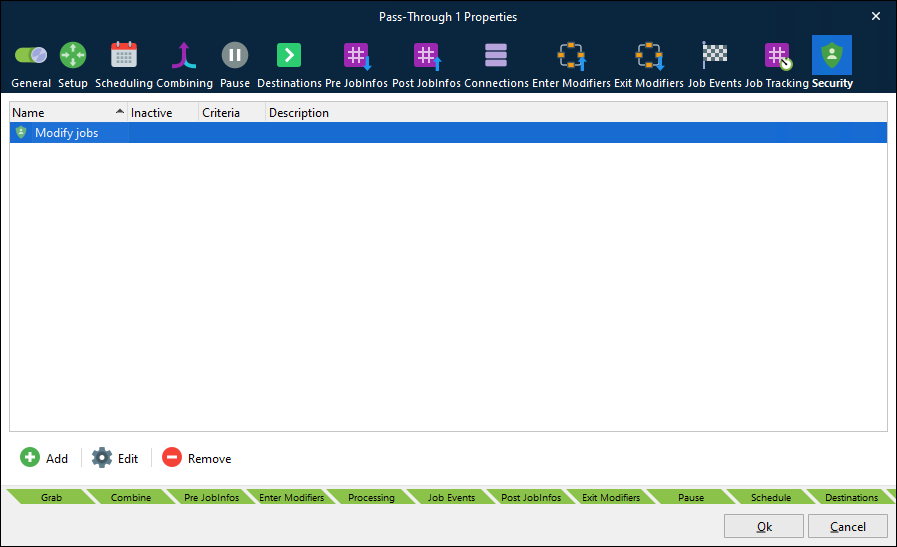
    The Security tab for a module.

    Security Profiles

    Security Profiles enable you to assign multiple security roles to a module as a single security profile.

    When you create a security profile, you can add multiple security roles to it. Also, you can add criteria to each of these security role assignments.
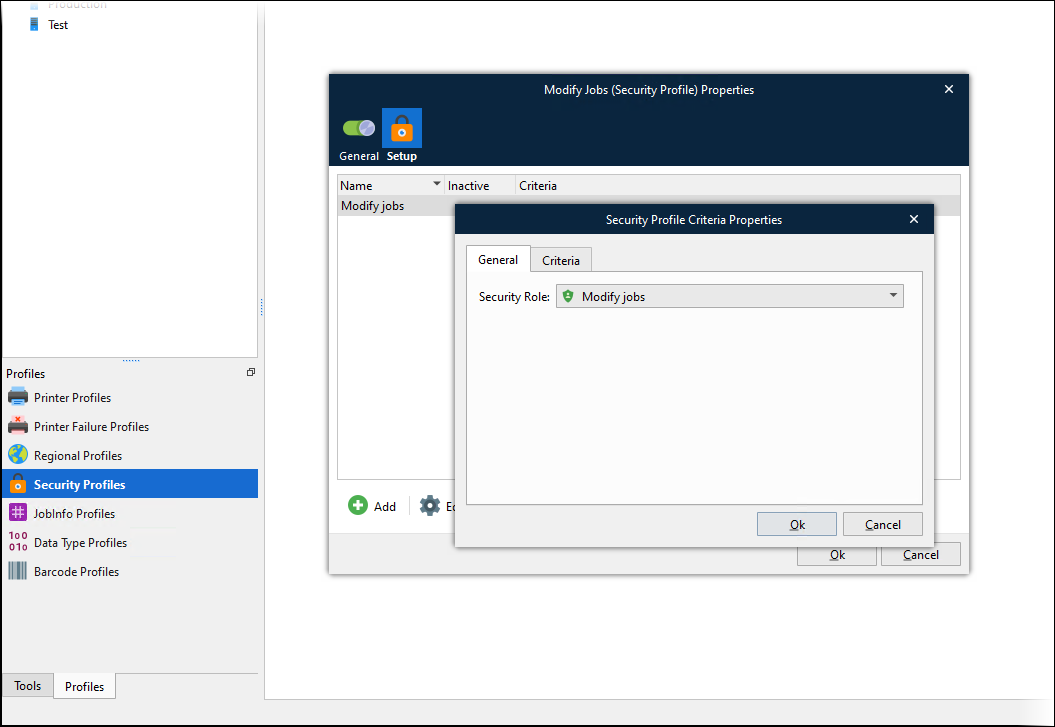
    The Security Profile Criteria Properties window for security profile.

    After you create a security profile, you can add it to a module’s Security tab (along with individual security roles).
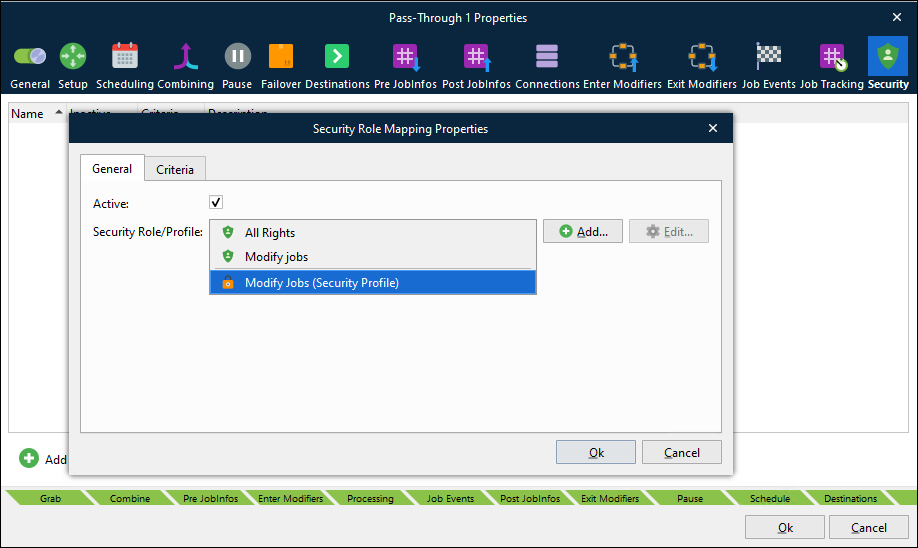
    The Security Role/Profile list for security role mapping.

    Users, Groups, and Permissions

    Note

    This section contain only summary information. For comprehensive information about Lasernet permissions and user, group, and security role configuration, see Configure Users, Groups, and Security Roles.

    Users

    In the Lasernet Config web app, create a user login and a password and then add the user to an appropriate group.

    If removing a user from the configuration, any jobs saved by the user can only be managed by an administrator in the Web Client.

    Groups

    A group can contain as many users as required and users can be removed if they do not need to belong to the group anymore. If removing a group from the configuration, any jobs saved by the group can only be managed by an administrator in the Web Client.

    Ensure that the group that contains the user belongs to the security roles that will give the group’s members the appropriate capabilities in Lasernet and the Web Client.

    Lasernet Developer

    Any user added to a security role in the Config Server and Developer category (on the Security Roles page of the Lasernet Config web app) is allowed to log into Lasernet Developer and view and configure the configuration. However, the specific capabilities that are available to them in Lasernet Developer depend on which checkboxes are selected in Lasernet Developer area of the security role’s Security tab, and which environments are selected on the Deployment tab.

    After adding a new user and assigning them to a group, re-open the configuration in Lasernet Developer. For Lasernet to display a log in window, there must be at least one user added to a security role that has Developer capabilities activated.

    The Lasernet log in page

    The user login for Lasernet Developer will enable the user to commit and revert objects. Any objects that are created or modified will have the user’s name saved against them (in the Created By and Modified By properties for objects).