List the Configurations That the Config Server Manages
- 16 Apr 2026
- 1 Minute to read
- Contributors


- Print
- PDF
List the Configurations That the Config Server Manages
- Updated on 16 Apr 2026
- 1 Minute to read
- Contributors
- Print
- PDF
Article summary
Did you find this summary helpful?
Thank you for your feedback
Applies to: Lasernet Core 11
To access a list of the configurations that the Config Server manages, follow these steps.
Manage
In the side menu, click System Configuration.
Click the Configurations tab.
This page lists all the configurations that the Config Server manages.
.png)
In this area, you can:
Lasernet Config Web App
Note
The Lasernet Config web app was provided with earlier versions of Lasernet Core. It is a legacy web app and will be deprecated in a future version of Lasernet Core.
Expand for information
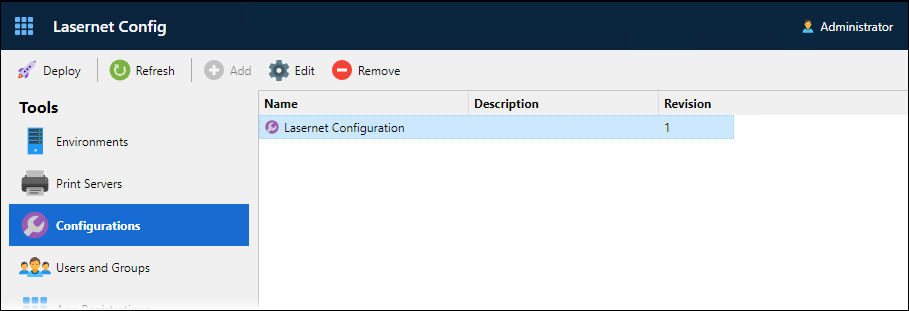
In the Tools menu, click Configurations.
This page lists all the configurations that the Config Server manages. The table displays each configuration’s name, description, and the revision number of its latest revision.
In this area, you can also: