
Lasernet Keep 11.0 Beta 1 New Features
- 01 Dec 2025
- 5 Minutes to read
- Contributors


- Print
- PDF
Lasernet Keep 11.0 Beta 1 New Features
- Updated on 01 Dec 2025
- 5 Minutes to read
- Contributors
- Print
- PDF
Article summary
Did you find this summary helpful?
Thank you for your feedback
Release version: 11.0 Beta 1
Release date: 1st December 2025
Introduction
This page describes the new features in Lasernet Keep 11.0 Beta 1.
Note
Watch the following video for a brief overview of this release:
New Features
As part of our ongoing initiative to consolidate all products within the Lasernet brand, Autoform DM has been renamed as Lasernet Keep. This version of Lasernet Keep focuses on refining core functionalities, enhancing performance, and delivering an improved user experience. It features an entirely new user interface, Search 2.0, a redesigned dashboard, and numerous additional improvements.
New User Interface
Search 2.0
The most significant update is a complete redesign of the Search user interface. The new interface delivers improved performance, enhanced usability, and provides a unified workspace for document inspection and modification within a single screen.
Remote Search is now fully featured rather than a simplified variant of the standard search. Users can configure searches through an integration link, execute them, and continue to leverage advanced capabilities, such as document editing and column sorting, without navigating away from the current view.
.png)
For additional information on these features, see Search the Archive and Integrate Third-Party Software with an Upload or Search Configuration.
Dashboard
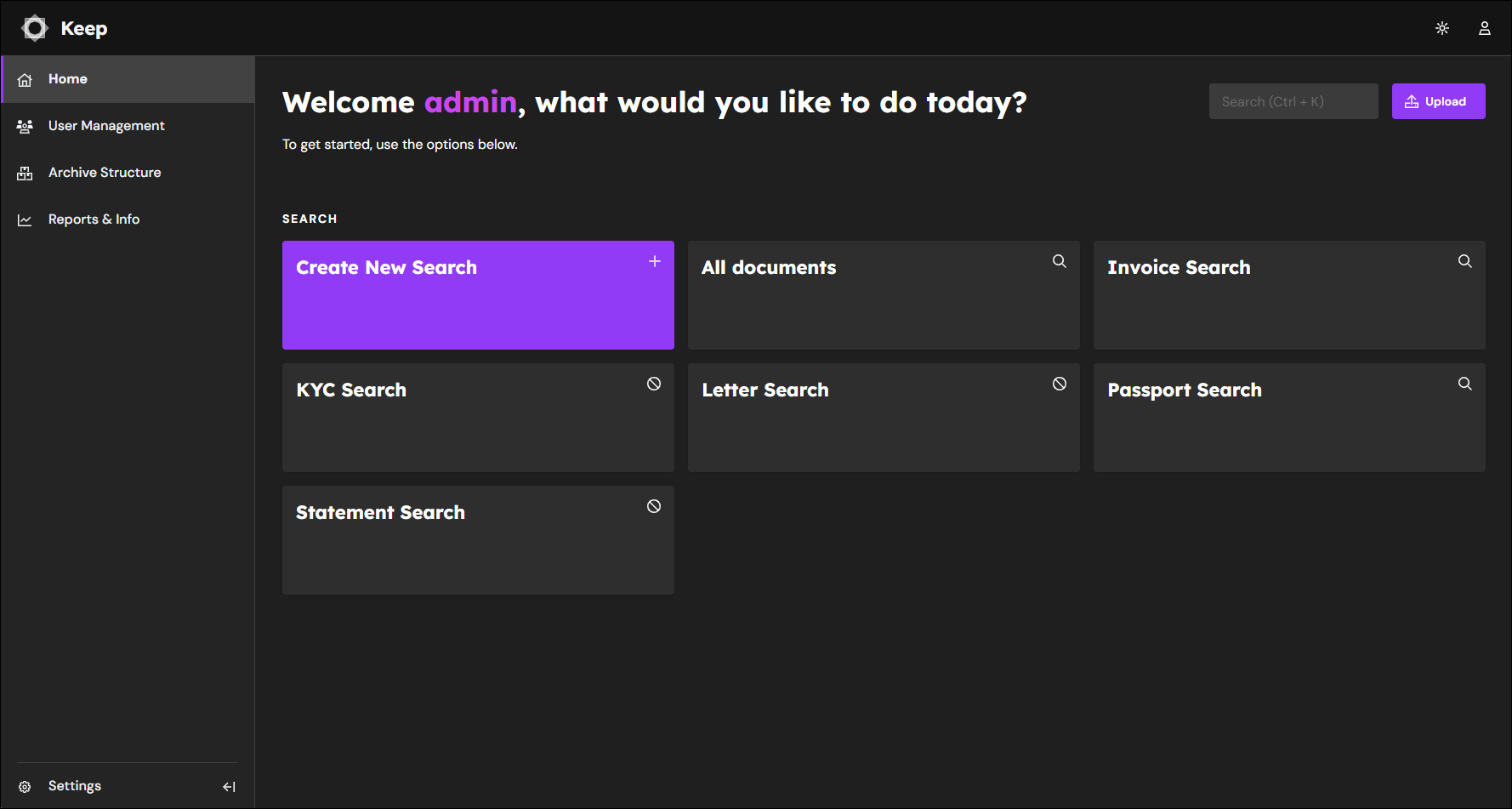
The home screen now provides a streamlined interface that enables users to initiate Searches and Uploads without navigating through multiple menus. This enhancement improves efficiency by placing commonly used actions in a single, accessible location.
Search: From the home screen, users can click a particular search tile. This opens the search configuration panel, where you can define parameters, apply filters, and execute queries directly. Admin users can quickly create a new search by selecting the Create a New Search option.
Upload: The Upload option enables users to add new documents or files to the system. If you are an admin user, you can also create, edit, clone, or delete a new upload configuration.
By consolidating these functions on the home screen, the interface reduces workflow complexity and ensures that essential tasks are immediately available upon login.
.png)
.png)
For additional information on this feature, see Log In to Keep and Find Your Way Around (for Users) and Log In to Keep and Find Your Way Around (for Administrators).
Administrative Interface Update
The previous Admin Screen has been deprecated and replaced with a redesigned sidebar navigation. This new interface organizes functionality into four primary categories:
User Management
Archive Structure
Reports & Information
System Settings
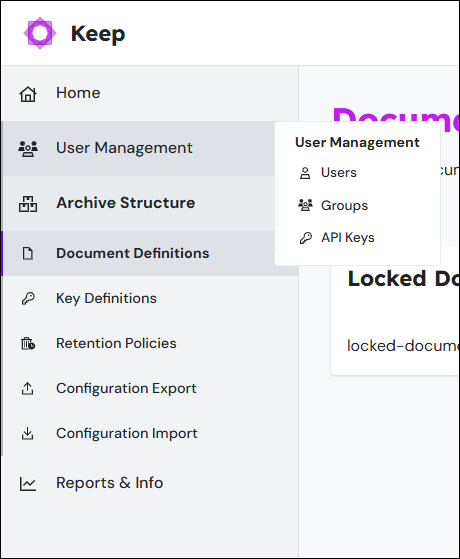
This structure provides a more intuitive navigation experience, enabling users to quickly locate and access required functionality from any location within the application.
For additional information on this feature, see Log In to Keep and Find Your Way Around (for Administrators).
Configurations and Uploads
To reflect the revised platform architecture, Import Applications are now referred to as Upload Configurations, and Search Applications are now referred to as Search Configurations.
These updated names more accurately describe their purpose: predefined configurations that enable document upload or search operations.
For additional information on these features, see Add an Upload Configuration, Upload Documents to the Archive, Add a Search Configuration, and Search the Archive.
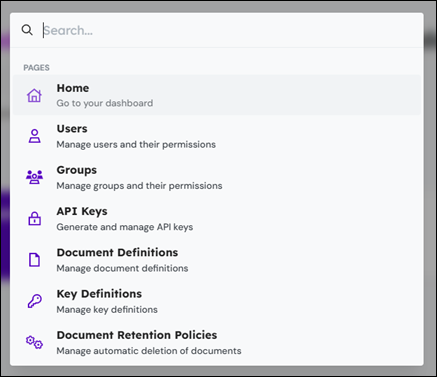
Quick Navigation (Keyboard Navigation Enhancement)
Users can now access any page or configuration using keyboard input. Press Ctrl+K to open the search interface and locate a desired page or configuration.
Dark Mode
Dark Mode has been introduced to enhance visual comfort and reduce eye strain during extended use. This feature provides an alternative color scheme optimized for low-light environments, improving usability and accessibility.
Mobile Interface
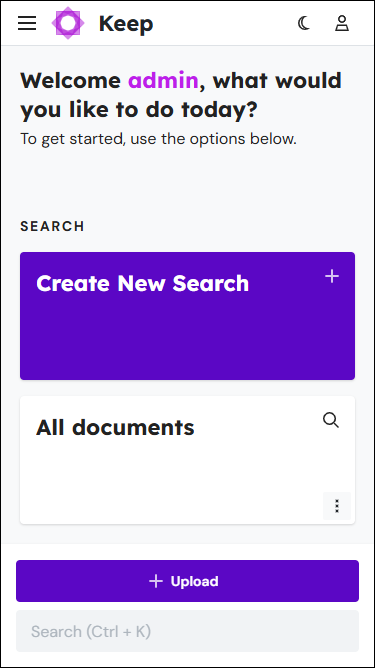
The application has been optimized for mobile devices. While not yet fully feature-complete, most areas now support core functionality across all device types, ensuring access to a subset of essential features.
On mobile phones, users typically perform quick, task-oriented actions rather than complex workflows. Common requirements include viewing documents, creating users, or modifying settings. These tasks are now achievable on any device, enabling greater flexibility and supporting new customer workflows and solutions.
Server Updates
Enhanced Configuration Management
The process for importing and exporting configurations has been improved to provide greater clarity and usability:
Exporting: It is now easier to identify which items are included in the export file during creation.
Importing: A new tree-based display simplifies navigation, and any errors encountered are visually linked to the corresponding item, enabling faster troubleshooting.
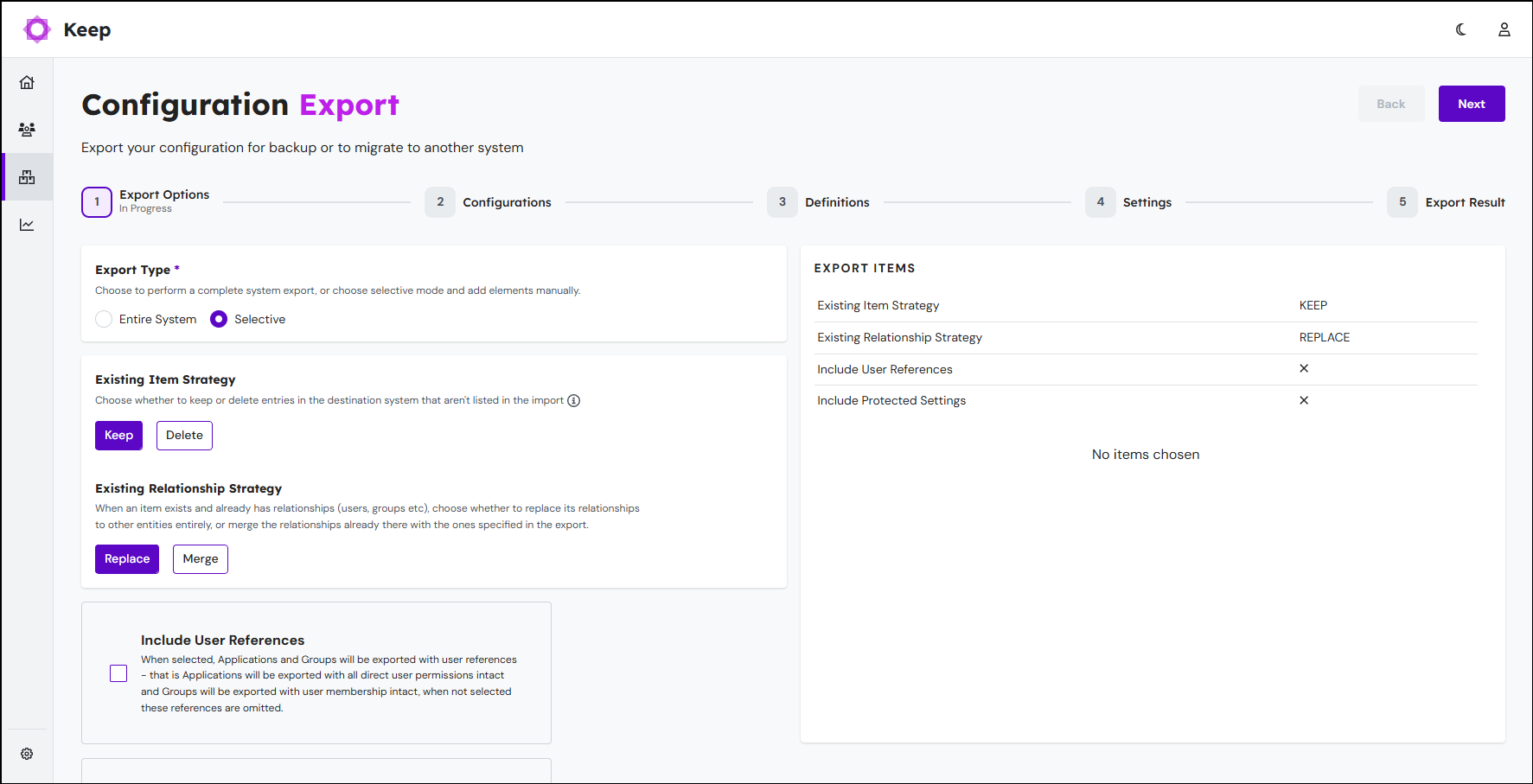
For additional information on this feature, see Lasernet Keep Configuration Management.
Notes
The Notes functionality has been streamlined to improve usability. Note Definitions have been removed, and all notes now exist as a single, unified type. Additionally, notes are fully integrated into the Document Search interface, providing a more consistent and accessible user experience.
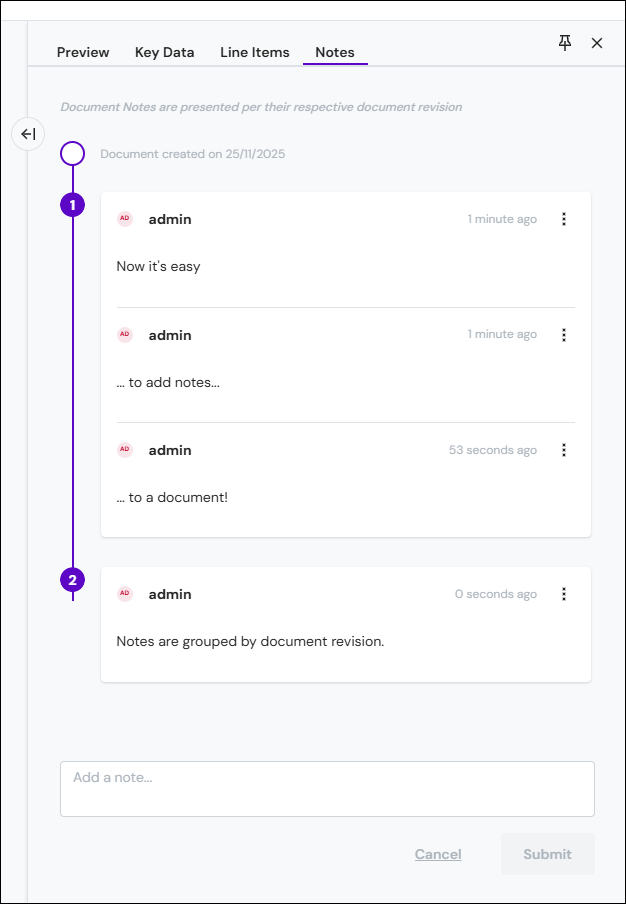
For additional information on this feature, see Search the Archive.
Note
This feature is currently under development and may be subject to further enhancements.
Core Update
Asynchronous System Operations
Core operations can now be executed asynchronously, enhancing system responsiveness and improving the overall experience for high-volume environments.
Previously, operations such as binding keys to documents on systems containing millions of records required extended processing time and locked the user interface while updates were applied. This limitation has been removed. Operations are now processed in the background, allowing the system to remain fully usable while tasks are being completed.
Legacy Feature Changes
This section outlines features that have been intentionally removed or modified, with no planned replacements.
Batch Definitions
Batch Definitions have been obsolete for an extended period and are no longer included in the new user interface.
Roles Manager
The previous Roles Manager page only displayed which roles had permission to perform specific tasks. As this functionality provided minimal value, it has been removed.
SQL Applications
Legacy SQL Applications (Generated SQL Search, Static SQL Search, and Static SQL Import) primarily supported the deprecated Autoform DM Client. These applications will remain available for a limited time, but can now only be configured via the REST API.
Customers should be advised of the security risks associated with allowing users to execute arbitrary SQL and encouraged to discontinue use wherever possible.
DM Client and Web Services V1
The Autoform DM Client, a legacy desktop application used for scanning, sorting, and photo capture workflows, has been fully retired as of Lasernet Keep 11.0. The associated API (Web Services version 1.0) is also retired and will no longer function.
Customers using client applications must transition to alternative solutions when upgrading from Autoform DM 10.x to Lasernet Keep 11.0. Most workflows can be replaced using Upload Configurations and Search Configurations (formerly known as Import Application and Search Application) or other UI components.
Note
WebServices versions 2.0 and 2.1 are deprecated and disabled by default. They can be enabled if necessary. However, customers must migrate to alternative solutions, as these versions will be retired within 12 months.
For assistance with customer migrations, contact us via the Create Ticket button in the support portal.
Group Nesting
A soft limit has been introduced on the depth of nested entities for groups and query key groups. Previously, unlimited nesting was permitted. To prevent unnecessary complexity, nesting is now restricted to two levels.
How to Get Support
If you encounter difficulty using Lasernet Keep, contact us via the Create Ticket button in the support portal.