Lasernet Core 11.0 Beta 3 New Features
- 02 Feb 2026
- 4 Minutes to read
- Contributors


- Print
- PDF
Lasernet Core 11.0 Beta 3 New Features
- Updated on 02 Feb 2026
- 4 Minutes to read
- Contributors
- Print
- PDF
Article summary
Did you find this summary helpful?
Thank you for your feedback
Release version: 11.0 Beta 3
Release date: 2nd February 2026
Introduction
This page describes the new features in Lasernet Core 11.0 Beta 3.
Note
New Features
Lasernet 11 focuses on refining core functionalities, improving performance, and delivering a better user experience. This Beta release adds a range of new features and enhancements to Lasernet across its new PDF/UA capability, the Form Editor, and other core Lasernet functionality.
PDF/UA
PDF/UA stands for Portable Document Format / Universal Accessibility. PDF/UA-compliant documents make content readable by assistive technologies, such as screen readers.
Lasernet’s PDF/UA support has been extended and improved. Lasernet now provides a specific PDF/UA output type for sheets, which enables you to provide Group order and Reading order property values for rearranges, text, barcodes, images, charts, and subforms. These properties control the position of each form item in the structure tree embedded in PDF/UA documents.
Crucially, Group order enables you to group form items in the structure tree, so that (for example) you can ensure that the structure tree in an invoice PDF contains all header items, followed by all line items in the invoice, followed by all footer items.
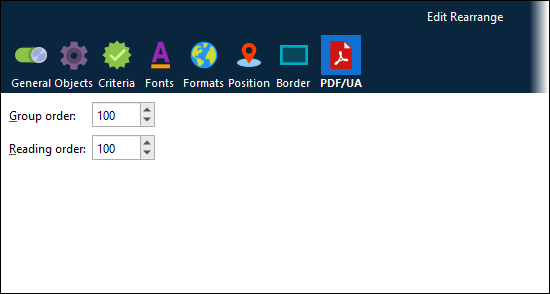
Subform support has been added. You can create PDF/UA subforms and convert existing EMF subforms to PDF/UA format, and then use them in PDF/UA forms.
You can now add alt text to charts as well as images. Also, rearranges that are marked as hyperlinks are included in the structure tree as <Link> elements.
For more information, see Configure PDF/UA Output.
Important
Lasernet’s PDF/UA capability is being developed iteratively. It can generate PDF/UA-compliant documents in common form design scenarios. However, if you notice any issues in the PDF/UA structure generated from your form design and workflow, contact Lasernet Support. Your feedback will help us improve this feature.
Lasernet Manage
The Lasernet administration and configuration experience has been completely reworked. This Beta release introduces Lasernet Manage, which delivers a brand new, modern, streamlined, and intuitive user experience for Lasernet administrators.
All aspects of Lasernet administration (including environment management, user management, and licensing) are available, in addition to the ability to view Lasernet logs and manage paused and scheduled jobs.
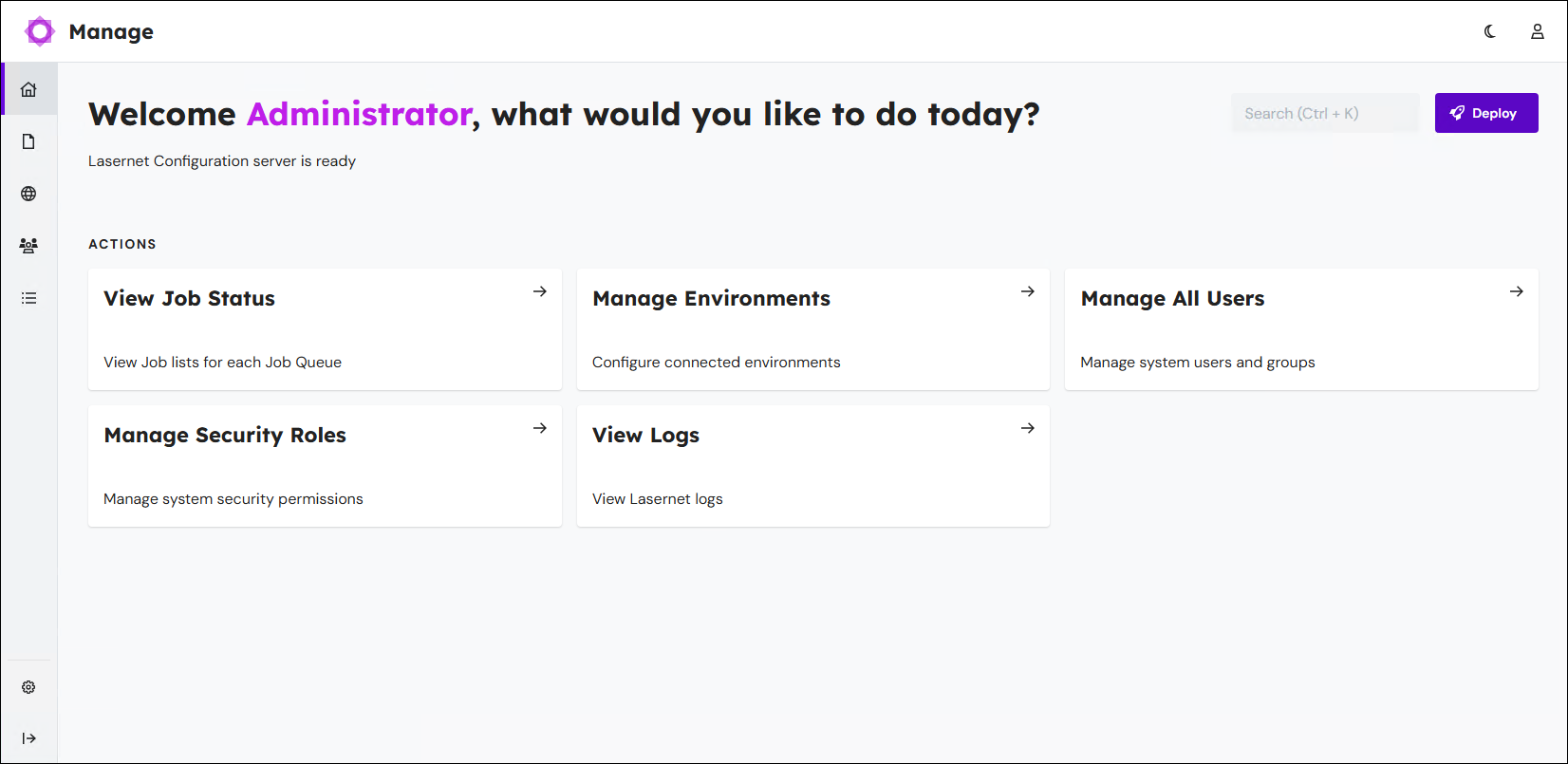
To access Lasernet Manage, go to the following location in a web browser:
https://<hostname>:<port number>/lasernet/manage
Appropriately substitute <hostname> (and <port number> if used).
Important
To enable users to access Lasernet Manage from computers other than the Lasernet Config server, follow the workaround described in the Lasernet 11.0 Beta 3 release notes.
Note
The Lasernet Config web app remains available at its existing URL.
Offline Activation
To enable Lasernet administrators to activate licenses on Lasernet servers that are not connected to the Internet, a new offline activation workflow has been introduced.
If you upload a license to a Lasernet server that is not connected to the Internet, Lasernet generates an offline activation license key. A new Lasernet Offline Activation website enables the administrator to supply their activation code and license key (from an Internet-connected device) and receive an activated license file to upload to their Lasernet server.
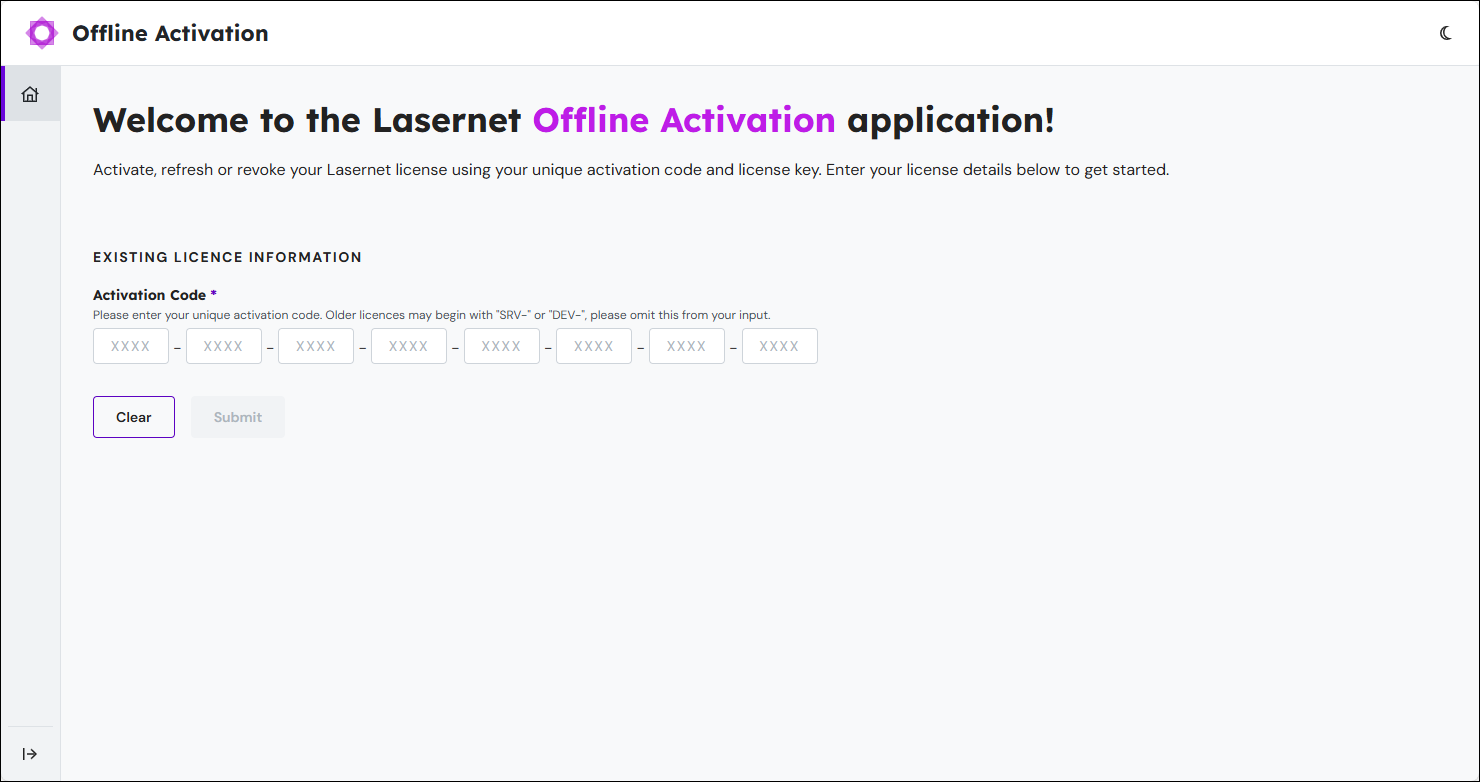
The workflow also supports license refreshes and deactivations.
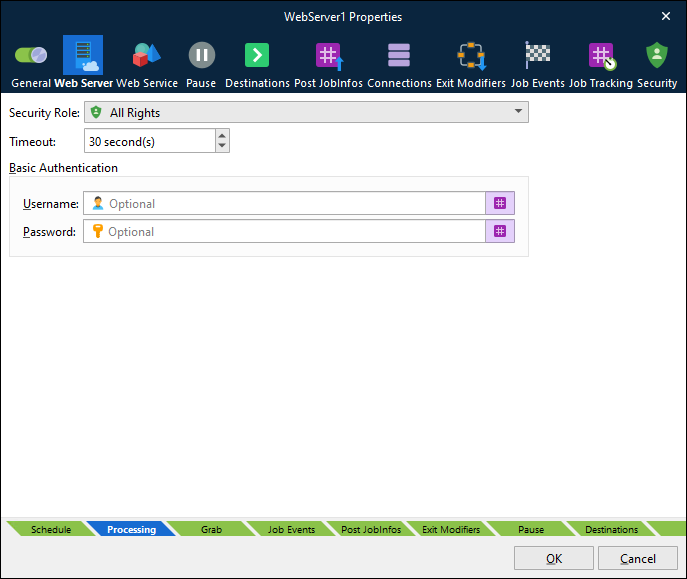
Basic Authentication for Web Server Input Modules
This Beta release reinstates the basic authentication option for Web Server input modules.
As a result, Lasernet 11 now supports HTTP basic authentication in addition to the client credentials flow. This enhancement ensures that the authentication requirements of a wider range of third-party systems are catered for.
For more information, see Web Server Input.
Kubernetes Pod Scaling
Lasernet now has the ability to scale across multiple pods, bringing the ability to auto-scale the following polling input modules:
FTP Input
SFTP Input
Mail Input
File Input
These modules can identify when they are running in a Kubernetes environment and synchronise file access between pods, preventing multiple pods from accessing the same resources.
Note
Lasernet support for deployment in a Kubernetes environment will initially be available only for our hosted offering.
This approach will enable us to develop experience, knowledge, and best practice around deploying Lasernet in Kubernetes. At a later date, after we complete this build-up phase of our Kubernetes project, we will be able to offer all customers and partners access to Lasernet in containerized form along with comprehensive guidance and documentation.
Change to Default Sheet Destinations
Lasernet no longer adds the Default destination to new sheets by default.
The “default destination” mechanism enables a module to route jobs to different modules that follow it in the workflow, depending on which input module received the job. This dynamic control is possible because each input can specify a different Default destination. If a module or sheet’s Destination list contains Default, the input module’s Default destination controls the destination of the job after it passes through that module or sheet.
However, if a module or sheet’s list of destinations contains the Default destination but input modules do not define a Default destination, Lasernet jobs can fail. This scenario typically occurs because the Default destination (added by default to sheets by Lasernet) was not manually deleted.
To prevent this issue, Lasernet 11 does not automatically add the Default destination to new sheets by default.
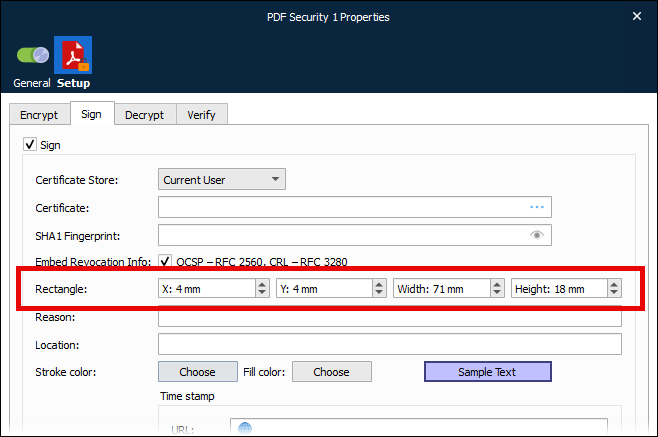
Specify Size and Position of the PDF Security Modifier Overlay
When you configure the PDF Security modifier, you can specify where on the page it overlays information about the digital signature used.
Split PDFs Before or After Barcodes
When configuring the PDF Splitter engine, you can choose whether PDFs are split before or after detected barcodes.
.png)
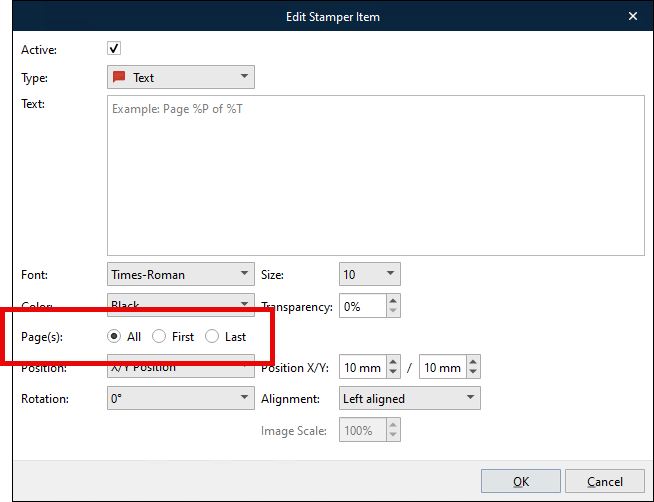
Specify Which PDF Pages Are Stamped
The PDF Stamp modifier can now be configured to stamp only the first or last page of the document.
Maximum Age For Log Files
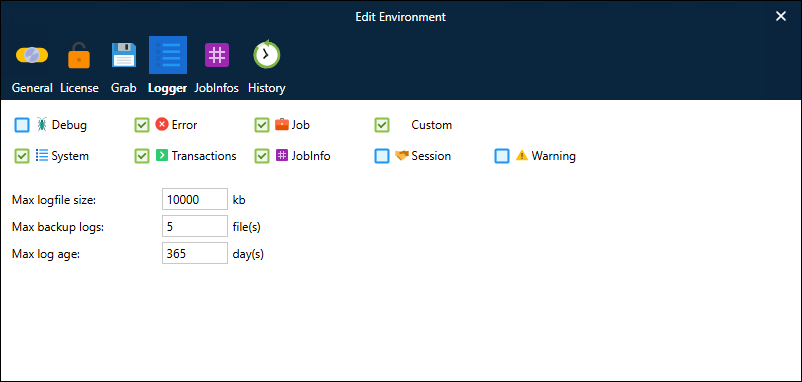
When configuring a Lasernet environment, you can now specify a Max log age.
When the Lasernet environment’s current log file reaches the Max logfile size, Lasernet archives it and creates a new blank log file to write new log messages to. At this point, Lasernet will delete any archived log files that exceed Max log age or that cause the number of archived log files to exceed Max backup logs (oldest are deleted first).
The image below shows this setting in the Lasernet Config web app. An equivalent setting is available in Lasernet Manage.