
Global Lasernet Core Script Functions
- 16 Apr 2026
- 9 Minutes to read
- Contributors

- Print
- PDF
Global Lasernet Core Script Functions
- Updated on 16 Apr 2026
- 9 Minutes to read
- Contributors
- Print
- PDF
Article summary
Did you find this summary helpful?
Thank you for your feedback
Applies to: Lasernet Core 11
System scripts consist of some functions and variables that always are available. This does not necessarily mean that it is always safe to call the functions.
abortAfter | |
Description | Aborts script execution after a certain timeout abortAfter (milliseconds); |
Parameters | milliseconds: Integer |
Returns | None |
Example | function runForever() { while (true) {}; { /* I will run forever */ } } abortAfter(3000, runForever) /* Execute function runForever(). Kill script if 3000 milliseconds timeout is exceeded */ |
addDestination | |
Description | Adds destination or alternative destination to the list of destinations for the current job. If replace is true all current destinations are removed. If alternative is true the destination will be added as an alternative destination. Corresponds to: job.addDestination(destination, replace, alternative); |
Parameters | destination : String [replace : Boolean] [alternative : Boolean] |
Returns | None |
Example | addDestination('NULL', true); addDestination('MyOutputPrinter', false, true); |
addOverlay | |
Description | Used in the Form Engine as a short cut to add the given overlay page to all pages. The overlayName must include the ".emf" extension, but should not include any path, since the overlay added must reside in the Overlays subdirectory of the configuration. If replace is true all current overlays are removed. If editorOnly is true the overlay will be visible in the Form Editor only. The best place to use this function is the After Analysis modifier point. Corresponds to: pages[1-grab.numberOfPages].addOverlay(overlayName, replace, editorOnly); |
Parameters | overlayName : String [replace : Boolean] [editorOnly : Boolean] |
Returns | None |
Example | addOverlay('NameOfMyOverlay.emf', true, false); |
addPageOverlay | |
Description | Used in the Form Engine as a short cut to add the given overlay page to the CurrentPage. The overlayName must include the ".emf" extension, but should not include any path, since the overlay added must reside in the Overlays subdirectory of the configuration. If replace is true all current overlays are removed. If editorOnly is true the overlay will be visible in the Form Editor only. The best place to use this function is the On Page End modifier point. pages[CurrentPage].addOverlay(overlayName, replace, editorOnly); |
Parameters | overlayName : String [replace : Boolean] [editorOnly : Boolean] |
Returns | None |
Example | addPageOverlay('NameOfMyOverlay.emf', true, false); |
addSubform | |
Description | Used in the Form Engine as a shortcut to add a given subform to all pages. If replace is true all current subforms are removed. If editorOnly is true, the subform becomes visible in the Form Editor only. The place to use this function is the Before Scripts modifier point. Corresponds to: pages[1-grab.numberOfPages].addSubform(subformName, replace, editorOnly); |
Parameters | subformName : String [replace : Boolean] [editorOnly : Boolean] |
Returns | None |
Example | addSubform('NameOfMySubform', true, false); |
addPageSubform | |
Description | Used in the Form Engine as a shortcut to add a given subform to the CurrentPage. If replace is true, all current subforms are removed. If editorOnly is true, the overlay becomes visible in the Form Editor only. The best place to use this function is the On Page Start modifier point. pages[CurrentPage].addSubform(subformName, replace, editorOnly); |
Parameters | subformName : String [replace : Boolean] [editorOnly : Boolean] |
Returns | None |
Example | addPageSubform('NameOfMySubform', true, false); |
addPagePrinterProfile | |
Description | Adds the profileName printer profile to outputPort for the current page. outputPort can be:
This function should only be used on page modifiers. It is a shortcut for:
|
Parameters | outputPort : String profileName : String |
Returns | None |
Example |
|
addPrinterProfile | |
Description | Adds the profileName printer profile to outputPort for all pages. outputPort can be:
This function should only be used on page modifiers. |
Parameters | outputPort : String profileName : String [replace : Boolean] |
Returns | None |
Example |
|
Convert.dateToString | |||||||||||||||||||||||
Description | Converts the passed date to a String. | ||||||||||||||||||||||
Parameters | value: Date format: String (optional) To construct the format parameter, refer to the table below.
| ||||||||||||||||||||||
Returns | String | ||||||||||||||||||||||
Example | var stringValue = Convert.dateToString(new Date("2025-12-13"), "yyyy-MM-dd") | ||||||||||||||||||||||
Convert.numberToString | |||||||||||||||
Description | Converts the passed number to a String. | ||||||||||||||
Parameters | value: Number format: String (optional) To construct the format parameter, refer to the table below. When converting to a string using this method, a precision of 6 digits is used.
INF (Infinite value) and NAN (not a number) values are represented a bit differently between the formats e/E, f/F and g/G as they follow the casing of the format. See the examples below. JavaScript itself has also some possibilities for converting numbers to strings. Please refer to https://developer.mozilla.org/en-US/docs/Web/JavaScript/Reference/Global_Objects/Number for details about this. Please test carefully because it is possible that not all methods and properties on the linked webpage are implemented. | ||||||||||||||
Returns | String | ||||||||||||||
Example | var stringValue = Convert.numberToString(42.87, "g") // 42.87 | ||||||||||||||
Convert.toDate | |||||||||||||||||||||||
Description | Converts a string in a specific format to a date. These expressions may be used for the format:
| ||||||||||||||||||||||
Parameters | date : String format: String | ||||||||||||||||||||||
Returns | Date | ||||||||||||||||||||||
Example | var myDate = Convert.toDate("20141003", "yyyyMMdd"); | ||||||||||||||||||||||
Convert.toDateRP | |
Description | Converts a string in a specific format to a date using a regional profile created in Lasernet Core. |
Parameters | date : String regional profile: String |
Returns | Date |
Example | var myDate = Convert.toDateRP("2014-10-03", "US Format"); |
Convert.toNumber | |
Description | Converts a string to a number. This function does not handle thousands group separators. |
Parameters | number : String |
Returns | Date |
Example | var myNumber = Convert.toNumber("123456789.00"); |
Convert.toNumberRP | |
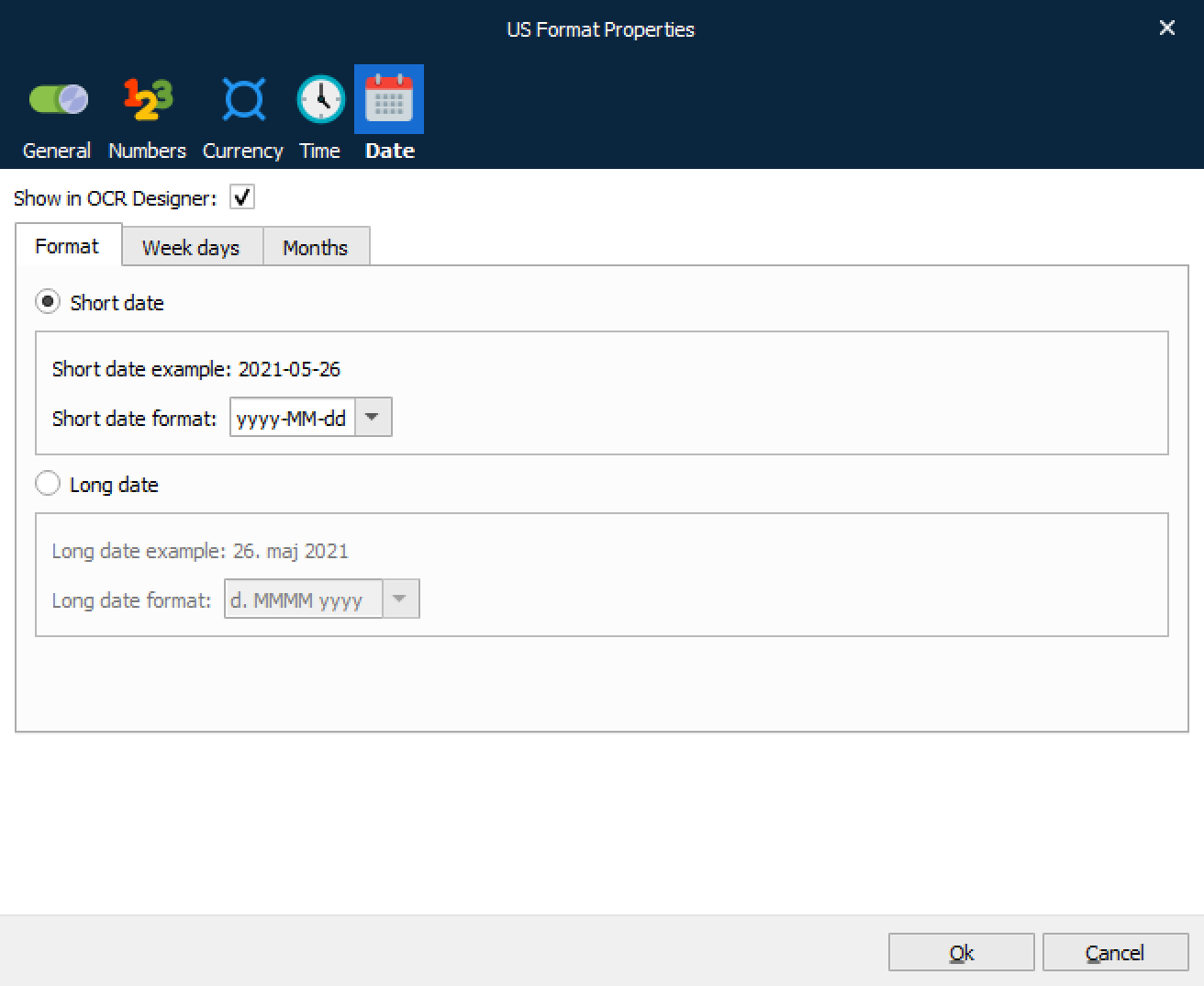
Description | Converts a string in a specific format to a date using a regional profile created in Lasernet:
|
Parameters | number : String regional profile: String |
Returns | Number |
Example | var myNumber = Convert.toNumberRP("123,456,789.00", "US Format"); |
createDirectory | |
Description | Creates the directory given in path. Does not work recursively. |
Parameters | path : String |
Returns | None |
Example | createDirectory('c:\\MyFolder'); |
createDirectories | |
Description | Same as createDirectory but works recursively. |
Parameters | path : String |
Returns | None |
Example | createDirectories('c:\\LaserNet\\MyFolder\\Output'); Will create Lasernet, MyFolder and Output folders if they do not exist. |
CurrentISOWeekNumber | |
Description | Returns the ISO week number for the current date. See ISOWeekNumber for a description of what ISO Week Number is. Corresponds to: ISOWeekNumber(new Date()); |
Parameters | None |
Returns | Number |
Example | |
CurrentISOYear | |
Description | Returns the ISO year of the current date. See ISOYear for a description of what ISO Year is. Corresponds to: ISOYear(new Date()); |
Parameters | None |
Returns | Number |
Example | |
getJobInfo | |
Description | Returns the value of the JobInfo with the given jobInfoName and index. As in the method getJobInfo the index parameter has the default value of 0 (zero). |
Parameters | jobInfoName : String [index : Number] |
Returns | String |
Example | Retrieves the value of the second value of MyJobInfo: getJobInfo('MyJobInfo', 1); or job.getJobInfo('MyJobInfo', 1); |
ISOWeekNumber | ||
Description | Calculates the ISO week number of the given date. The ISO week number is calculated on the assumption that week 1 of a year is the first week with minimum 4 days, or in other words, the first week with a Thursday in it. This means that the ISO week number for 1st January can be either 1, 52 or 53. Similarly the ISO week number for 31st December can be either 1, 52 or 53. | |
Parameters | date : Date | |
Returns | Number | |
Example | ||
ISOYear | ||
Description | Calculates the ISO Year of the given date. The ISO year is calculated on the assumption that week 1 of a year is the first week with minimum 4 days, or in other words, the first week with a Thursday in it. This means that the ISO year for 1st January can be either the actual year or the year before. The ISO year for 1st January 2006 is 2005, whereas the ISO year for 2nd January 2006 is 2006. Similarly the ISO year for 1st January 2005 is 2004. The ISO year 31st December 2007 is 2008. | |
Parameters | date : Date | |
Returns | Number | |
Example | ||
loadJobInfoFromFile | |
Description | Tries to load the content of the file given into the JobInfo JobInfoName if it succeeds. The function returns true if it succeeds, otherwise it returns false. |
Parameters | jobInfoName : String filename : String replace : Boolean |
Returns | Boolean |
Example | if (loadJobInfoFromFile('MyJobInfo', 'c:\\myfile.txt', true) == false) { // do something if not loaded properly } |
saveJobInfoToFile | |
Description | Saves the contents of the JobInfo with the given jobInfoName to a file with filename name. |
Parameters | jobInfoName : String filename : String |
Returns | None |
Example | saveJobInfoToFile('MyJobInfo', 'c:\\lasernet\\myfile.txt'); |
setJobInfo | |
Description | Sets the JobInfo jobInfoName to value. If replace is true all current JobInfos in the list are cleared. The default value of replace is true. Default loglevel is JOB_INFO. Corresponds to: job.setJobInfo(jobInfoName, value, replace, loglevel) |
Parameters | jobInfoName : String value : String [replace : Boolean] [loglevel : Integer, where valid integers are; JobInfo: 12 Debug: 1 NoLog: 8 ] |
Returns | None |
Example | setJobInfo('MyJobInfo', 'value of my JobInfo'); |
Sum | |
Description | This function sums the values of any number of given arguments. It loops through the arguments and for each argument checks the type in the following way. Checks whether the argument has a type property and the value of this is Text. In this case the argument is assumed to be a InputRearrange or OutputRearrange and the value to add is taken from the arguments value property. Using the typeof operator checks whether the argument is of type object and if this is the case assumes that the argument is an array of InputRearrange or OutputRearrange and then sums the values of this array. Using the typeof operator checks whether the argument is of type Number and if this is the case adds the number to the sum. If none of the above, it assumes that the argument has a number property and adds the value of this. |
Parameters | Any number of arguments |
Returns | Number |
Example | To sum all values of a conditional rearrange simply call Sum with the rearrange as its only parameter. Sum(ItemPrice); |
SumPage | |
Description | Works much in the same way as Sum with the exceptions that if the first parameter is a number (typeof returns number) this number is taken to be the page on which to sum the arguments. If the first parameter is not a number CurrentPage is assumed instead. The rest of the parameters are evaluated in the same way as in the Sum function. |
Parameters | Any number of arguments |
Returns | Number |
Example | Sum of all CurrentRearrange values on page 3: total = SumPage(3, CurrentRearrange); Sum of all CurrentRearrange values on the current page: total = SumPage(CurrentPage, CurrentRearrange); or total = SumPage(CurrentRearrange); |
SumSubtotal | |
Description | Sums on all pages up to and including the given first parameter or CurrentPage. If the first parameter is a number that number is assumed to be the page until which to sum. Otherwise CurrentPage is assumed. The rest of the parameters are evaluated in the same way as in the Sum function. |
Parameters | Any number of arguments |
Returns | Number |
Example | Sum of all CurrentRearrange values until the page the one being processed: total = SumSubTotal(PreviousPage, CurrentRearrange); Sum of all CurrentRearrange values until the current page: total = SumSubTotal(CurrentPage, CurrentRearrange); or total = SumSubTotal(CurrentRearrange); |
Sleep | |
Description | Suspends the execution of the current thread until the time-out interval elapses. Useful in a busy loop, as it gives the CPU a chance to work on other threads. |
Parameters | milliseconds : Integer |
Returns | None |
Example | Sleep(1000); |
Trim | |
Description | Removes spaces from the end and beginning of the given text and returns the result. Very useful when retrieving values from rearranges, since their trimming settings is not used when returning values to script. |
Parameters | text : String |
Returns | String |
Example | var text = Trim(CurrentRearrange.text); |
zipDirectory | |
Description | Zips all files recursively in the given directoryPath and returns a ByteArray with the zip file. |
Parameters | directoryPath : String |
Returns | ByteArray |
Example | File.writeBinary('c:\\test.zip', zipDirectory('c:\\FilesToZip\\')); |
zipFilesInDirectory | |
Description | Zips files recursively in the given directoryPath and returns a ByteArray with the zip file. Uses the includeMatch and excludeMatch regular expressions to determine what files to put in the zip file. excludeMatch has precedence over includeMatch. |
Parameters | directoryPath : String includeMatch : RegExp excludeMatch : RegExp |
Returns | ByteArray |
Example | This example zips all files that do not contain .exe in it: job.setJobData(zipFilesInDirectory("c:\\windows\\system32", /.*/, /\.exe/i); To not exclude any files write: job.setJobData(zipFilesInDirectory("c:\\windows\\system32", /.*/, ""); |