
EDI Modifier
- 30 Jan 2026
- 2 Minutes to read
- Contributors

- Print
- PDF
EDI Modifier
- Updated on 30 Jan 2026
- 2 Minutes to read
- Contributors
- Print
- PDF
Article summary
Did you find this summary helpful?
Thank you for your feedback
Applies to: Lasernet Core 11
This modifier was previously used to convert an EDI file to XML or an XML template to EDI. However, as from Lasernet 8, EDI support was implemented as an ingoing and outgoing business format directly from the Lasernet Form Engine/Editor.
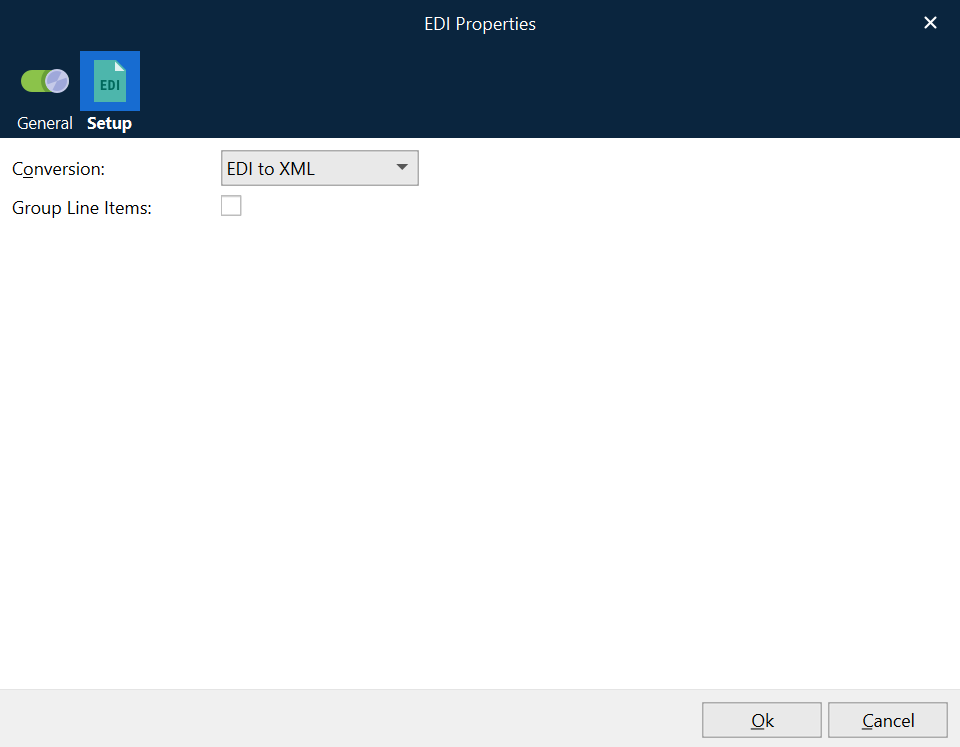
EDI to XML
Define the default EDI (UNA) characters for escaping, grouping, separating, and segmenting that will be included in the EDI file, for successful conversion into XML. UNA characters are typically located in the first line of EDI data. Setting decimal characters currently has no effect and is included for future releases.
Example of EDI input:
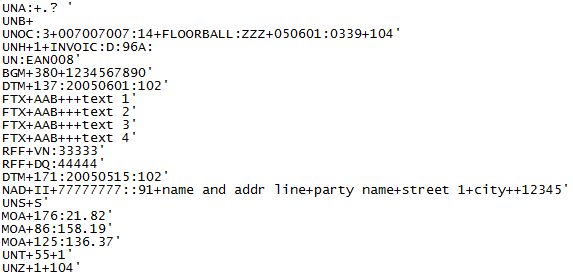
Example of XML Output:
<EDI>
 <UNA/>
 <UNB>
  <group>
   <value>UNOC</value>
   <value>3</value>
  </group>
  <group>
   <value>007007007</value>
   <value>14</value>
  </group>
  <group>
   <value>FLOORBALL</value>
   <value>ZZZ</value>
  </group>
  ...
 </UNB>
 <UNH>
  <group>
   <value>1</value>
  </group>
  <group>
   <value>INVOIC</value>
   <value>D</value>
   ...
  </group>
 </UNH>
 <BGM>
  <group>
   <value>380</value>
  </group>
  <group>
   <value>1234567890</value>
  </group>
 </BGM>
 <DTM>
  <group>
   <value>137</value>
   <value>20050601</value>
   <value>102</value>
  </group>
 </DTM>
 <FTX>
  <group>
   <value>AAB</value>
  </group>
  <group>
   <value></value>
  </group>
  <group>
   <value></value>
  </group>
  <group>
   <value>text 1</value>
  </group>
 </FTX>
 ...
 <RFF>
  <group>
   <value>VN</value>
   <value>33333</value>
  </group>
 </RFF>
 ...
 <DTM>
  <group>
   <value>171</value>
   <value>20050515</value>
   <value>102</value>
  </group>
 </DTM>
 <NAD>
  <group>
   <value>II</value>
  </group>
  <group>
   <value>77777777</value>
   <value></value>
   <value>91</value>
  </group>
  ...
 </NAD>
 <UNS>
  <group>
   <value>S</value>
  </group>
 </UNS>
 <MOA>
  <group>
   <value>176</value>
   <value>21.82</value>
  </group>
 </MOA>
 ...
 <UNT>
  <group>
   <value>55</value>
  </group>
  <group>
   <value>1</value>
  </group>
</UNT>
 <UNZ>
  <group>
   <value>1</value>
  </group>
  <group>
   <value>104</value>
  </group>
 </UNZ>
</EDI>
XML to EDI
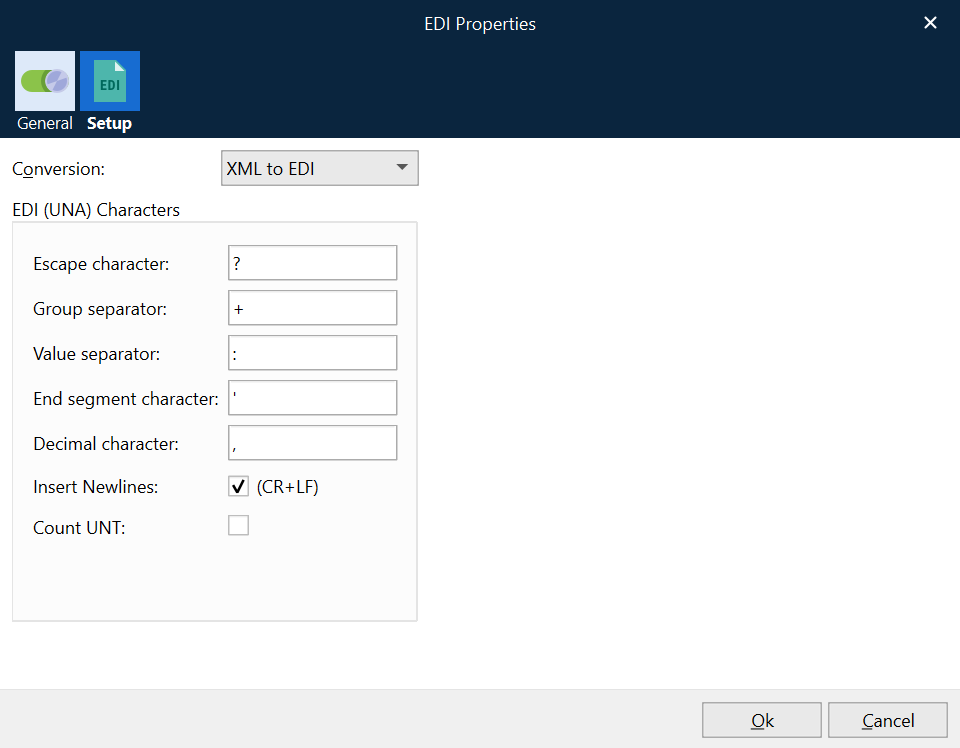
Define the EDI (UNA) characters for escaping, grouping, separating, and segmenting that will be embedded into the EDI file after conversion has taken place. Insert Newlines can be activated for inserting newlines after each line in the XML file.
Select Insert Newline to add a newline after each segment or deactivate to create an EDI file without newlines.
Select Count UNT to calculate and include the number of segments in the EDI file. The UNT segment must already be present in the message trailer to function correctly.
For successfully converting XML to EDI, the XML must include valid grouping, separations, and segments. Only XML files created via the EDI to XML modifier will have a valid structure by default. In the Form Editor, the XML file is very useful as a template for creating a valid EDI file based on the EDI to XML modifier (XML to EDI mode).
For information about how to work with EDI as input or output, see the Lasernet Form Editor Guide. The EDI format is now built-in and replaces the need for the EDI modifier (previously used in older versions of Lasernet).