
What Directories Should my Antivirus/Backup Utilities Ignore?
- 23 Jan 2026
- 1 Minute to read
- Contributors


- Print
- PDF
What Directories Should my Antivirus/Backup Utilities Ignore?
- Updated on 23 Jan 2026
- 1 Minute to read
- Contributors
- Print
- PDF
Article summary
Did you find this summary helpful?
Thank you for your feedback
Autoform DM uses utilities to read and write data. The archive directory should also be free from antivirus scanning, as some antivirus programs can lock files during scanning, which may prevent Autoform DM or other applications from accessing them.
The archive paths can be found either through Server Settings or through Swagger by looking at the REST API endpoints.
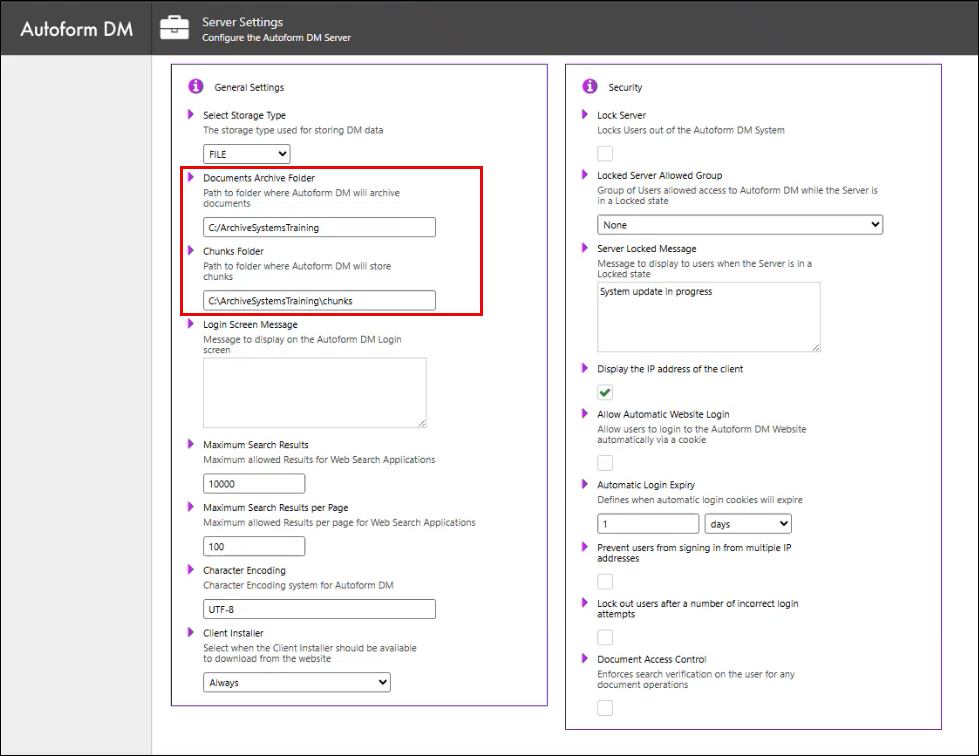
To find the archive path through Server Settings, perform the following actions:
From the Administration tab, click Server Settings under System Modules.
In the General Settings pane, you can copy the archive directories under Documents Archive Folder and Chunks Folder.
To find the archive path through Swagger, perform the following actions:
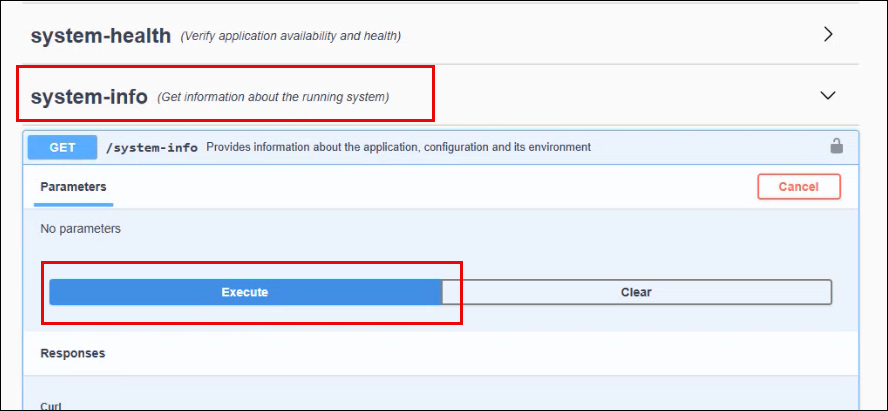
Click the “i” icon in the footer.
Click system-info and then click Execute.
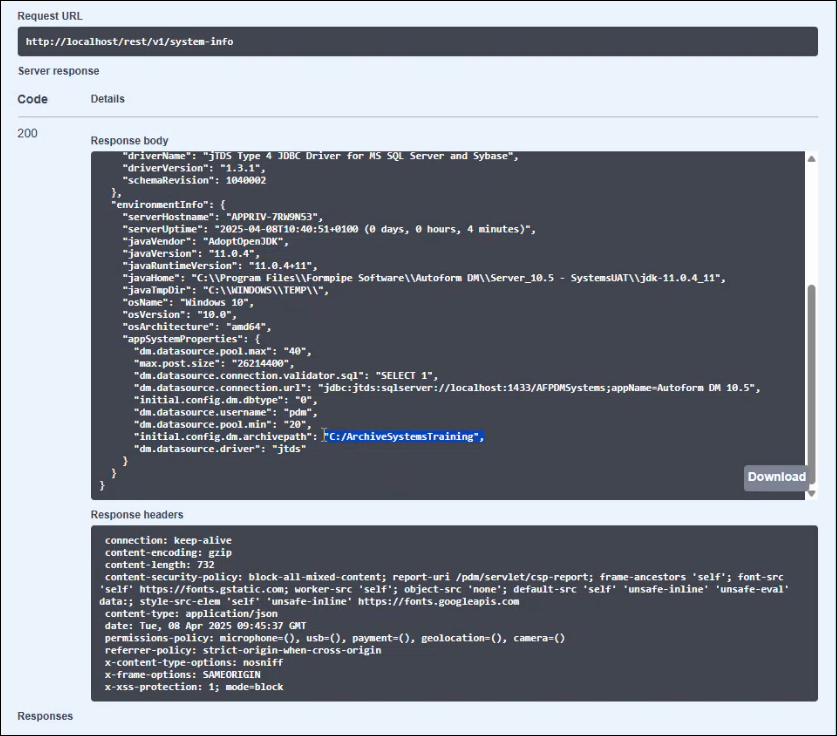
Under Responses, locate the archive path.
Note
Your archive path or directories may vary.
The response in the above screenshot only displays the initial archive directory which may be different from the current archive directory in use.