
Tesseract-OCR Modifier
- 15 Apr 2026
- 8 Minutes to read
- Contributors

- Print
- PDF
Tesseract-OCR Modifier
- Updated on 15 Apr 2026
- 8 Minutes to read
- Contributors
- Print
- PDF
Article summary
Did you find this summary helpful?
Thank you for your feedback
Applies to: Lasernet Core 11
This module is based on Tesseract text recognition (OCR) engine, but improved in several ways by allowing PDF input, adding image pre-processing features, implementing multi-threaded processing, and outputting PDFs retaining original text from the input PDF.
General
The following input formats are valid:
PDF
TIFF
PNG
JPEG
Output is always a PDF in which recognized text is added as a separate layer.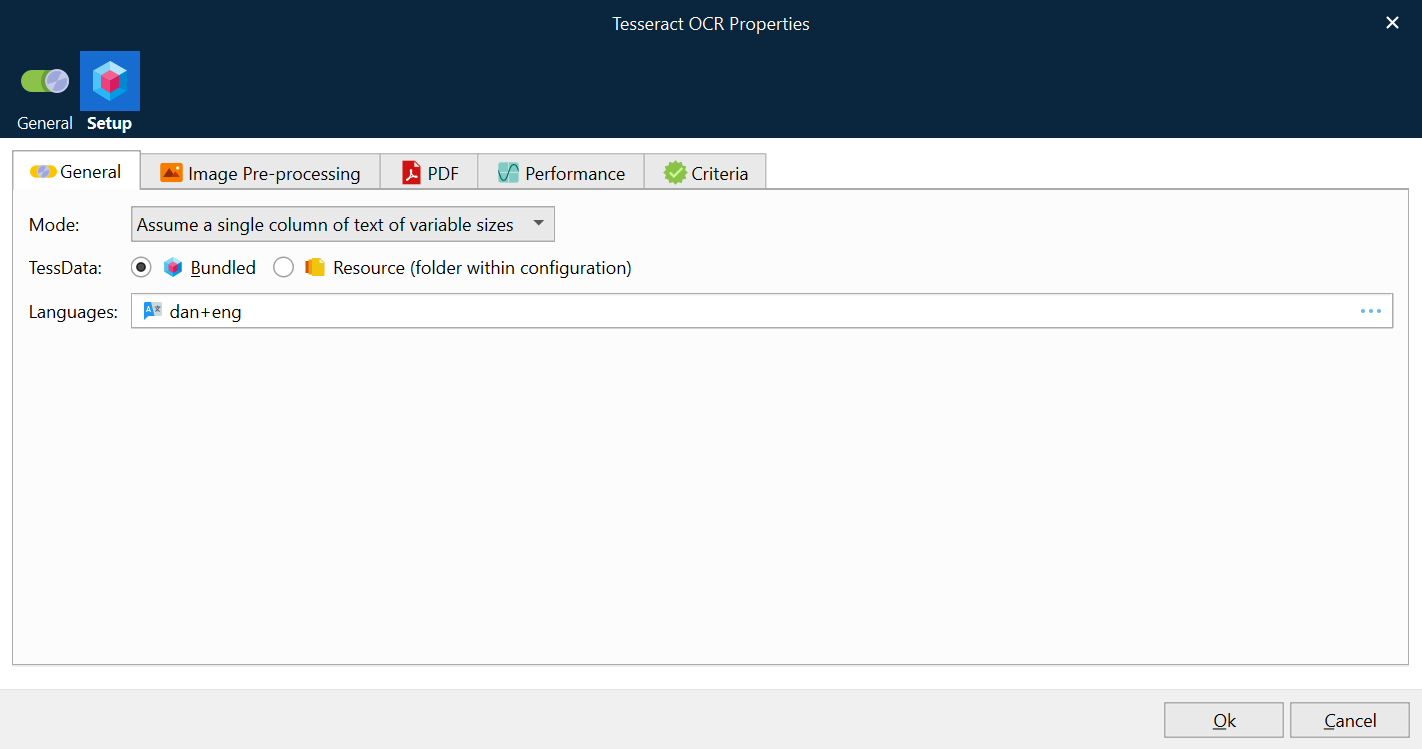
Mode | Assume a single column of text of variable sizes is recommended for invoice and order documents, with table structures, rare characters like EUR and USD sign and numbers that can’t be verified against a language dictionary. Fully automatic page segmentation, but no OSD is recommended for book-type text. |
TessData | Tesseract uses AI to recognize text in images using trained data. Hand-written text, right-to-left and Asian languages are not supported. Select one of the following options: Bundled: The module is trained and bundled with the following language packages: Danish, German, English, Finnish, French, Icelandic, Italian, Netherland, Norwegian, Russian, Spanish and Swedish. Resource: Click Resource (folder within configuration) , then click the … (three dots) button to create a local copy of selected language packages. They will be stored in the Resources > Tesseract > tessdata folder of the configuration. Go to Resources to maintain the list of user words and patterns. User-Words: The word list file should contain one word per line in UTF-8 format. User-Patterns: The pattern list file should contain one pattern per line in UTF-8 format. Each pattern can contain any non-whitespace characters; however, only the patterns that contain characters from the unicharset of the corresponding language will be useful. The only meta character is \. To be used in a pattern as an ordinary string, it should be escaped with \ (for example, string C:\Documents should be written in the patterns file as C:\\Documents). This function supports a very limited regular expression syntax. One can express a character, a certain character class, and a number of times the entity should be repeated in the pattern. To denote a character class, use one of: \c - unichar for which \d - unichar for which \n - unichar for which \p - unichar for which \a - unichar for which \A - unichar for which \* could be specified after each character or pattern to indicate that the character/pattern can be repeated any number of times before the next character/pattern occurs. Examples: 1-8\d\d-GOOG-411 will be expanded to strings: 1-800-GOOG-411, 1-801-GOOG-411, ... 1-899-GOOG-411. http://www.\n\*.com will be expanded to strings like: http://www.a.com http://www.a123.com ... http://www.ABCDefgHIJKLMNop.com
|
Languages | One or more languages must be selected to specify the language (or languages) of the incoming data. The number of loaded languages is limited only by memory, with the caveat that loading additional languages will impact both speed and accuracy, as there is more work to do to decide on the applicable language, and there is more chance of hallucinating incorrect words. |
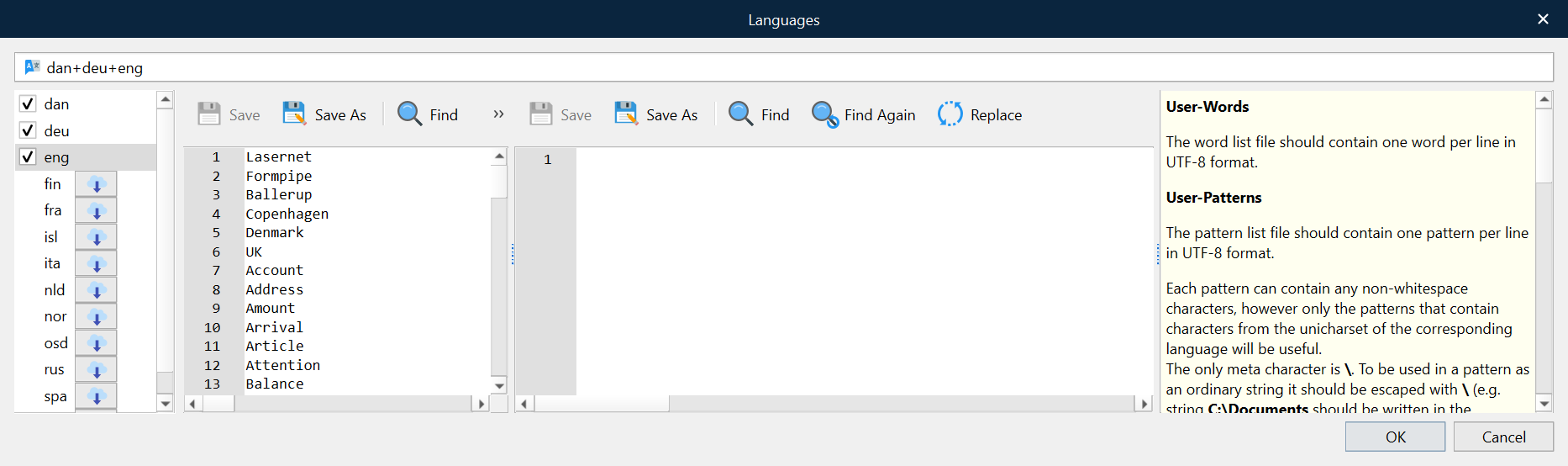
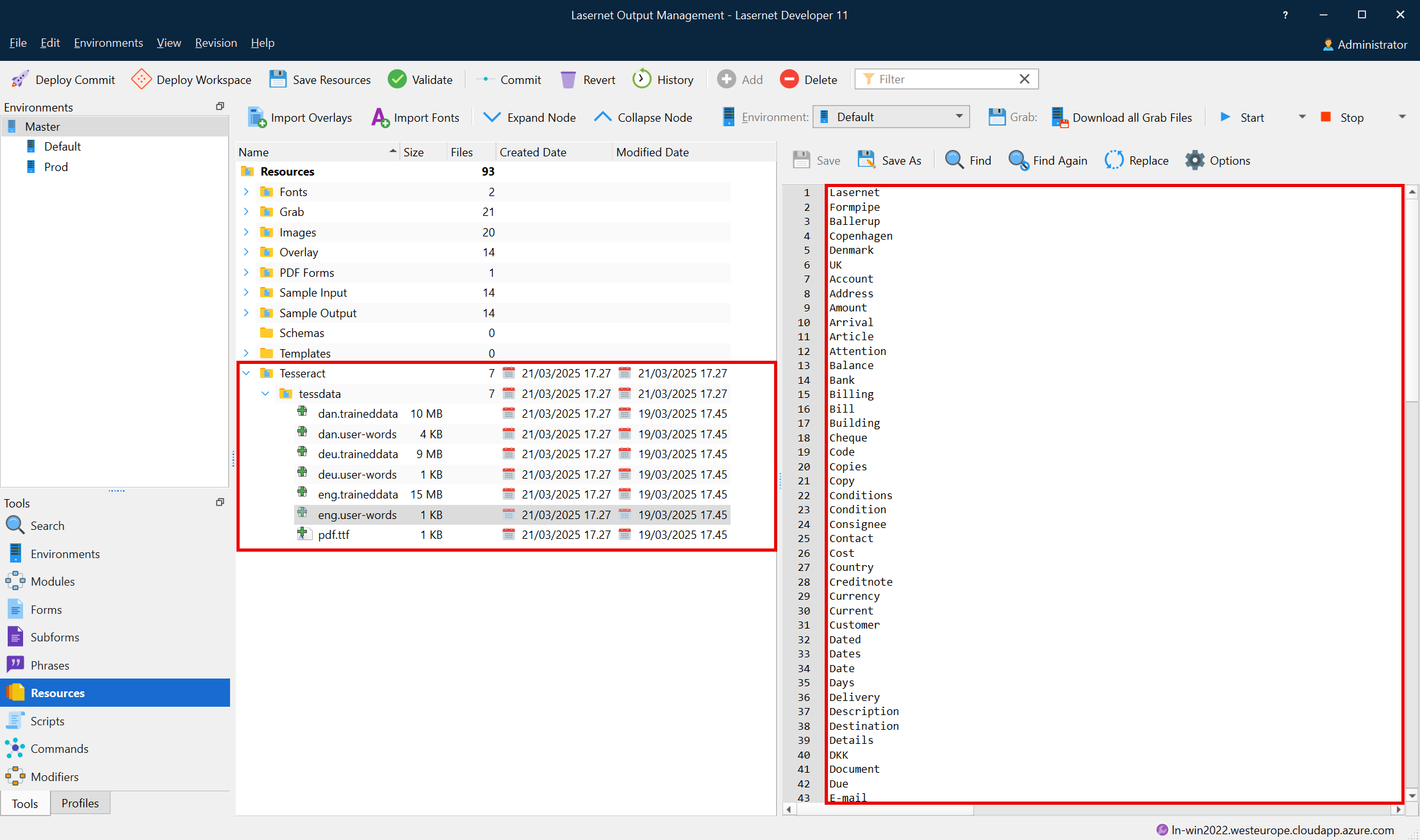
Image Preprocessing
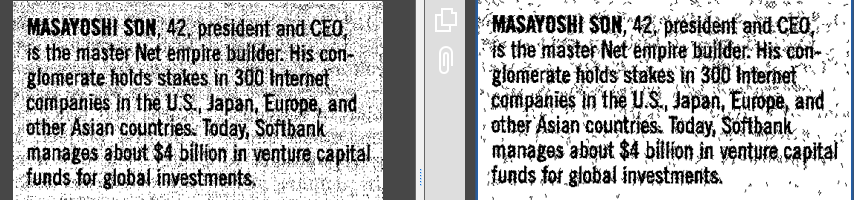
Pre-processing of images is useful for scanned images, or images that Tesseract has trouble reading due to a lack of contrast between colors, or for other reasons.
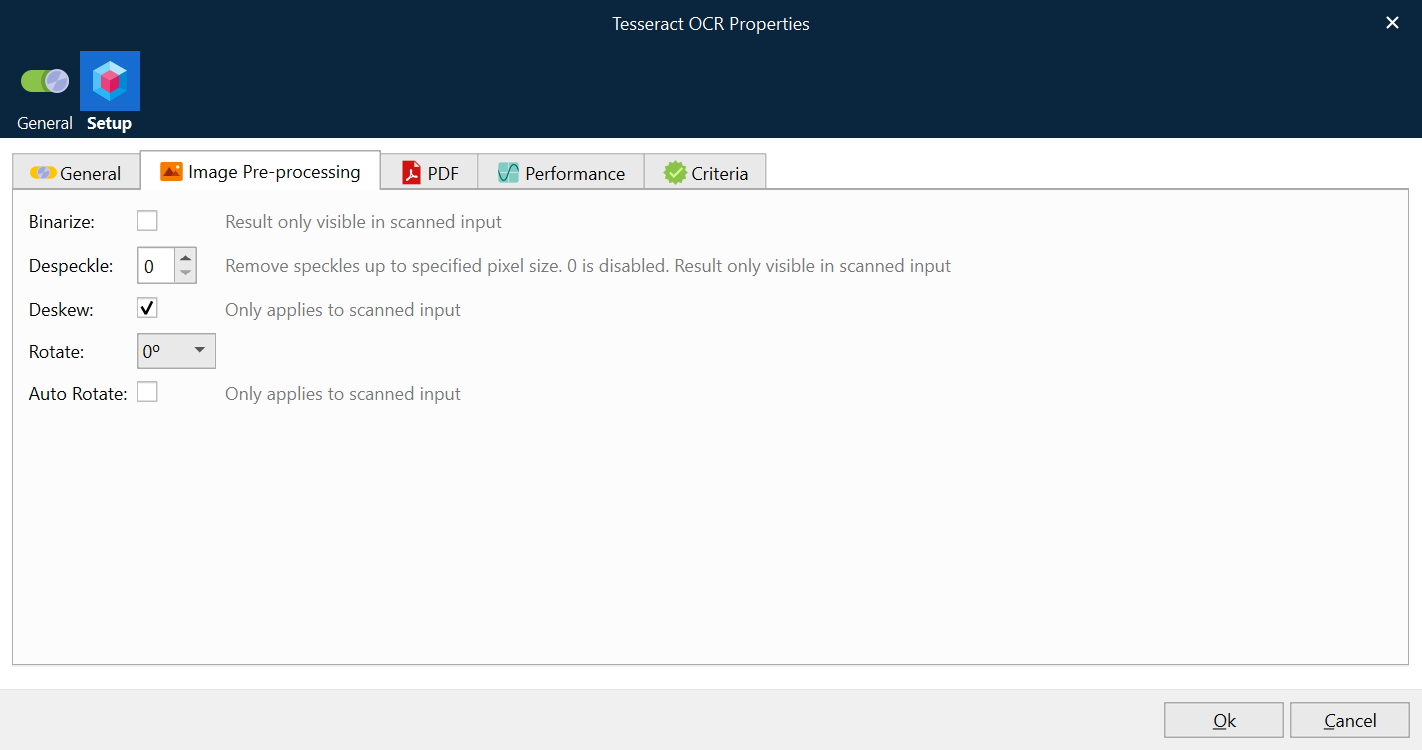
Binarize | Turns images monochrome. Result is used but only visible in output of scanned input. |
Despeckle | Removes noise from images up to the specified size of grain in pixels. Despeckle requires images to binarized. Result is used but only visible in output of scanned input.
|
Deskew | A scanned image might be skewed causing issues with quality of OCR. Deskew will straighten images that has been scanned or photographed skewed. Deskew only works on scanned input and will be auto disabled if text or paths are found. Skewed:
Deskewed:
|
Rotate | Rotate pages clockwise. Useful when input is always rotated the same. Will disable the Auto Rotate feature. |
Auto Rotate | Scanned input will be automatically rotated based on the content of each page. |


PDF-Specific Settings
The Dots Per Inch (DPI) of an image input is given in the image file; however, a PDF can hold multiple images of different DPIs.
When PDF is used as input, the text layer is stripped, and the remaining images and paths (basic vector graphics) are rasterized. OCR is performed on the rasterized image.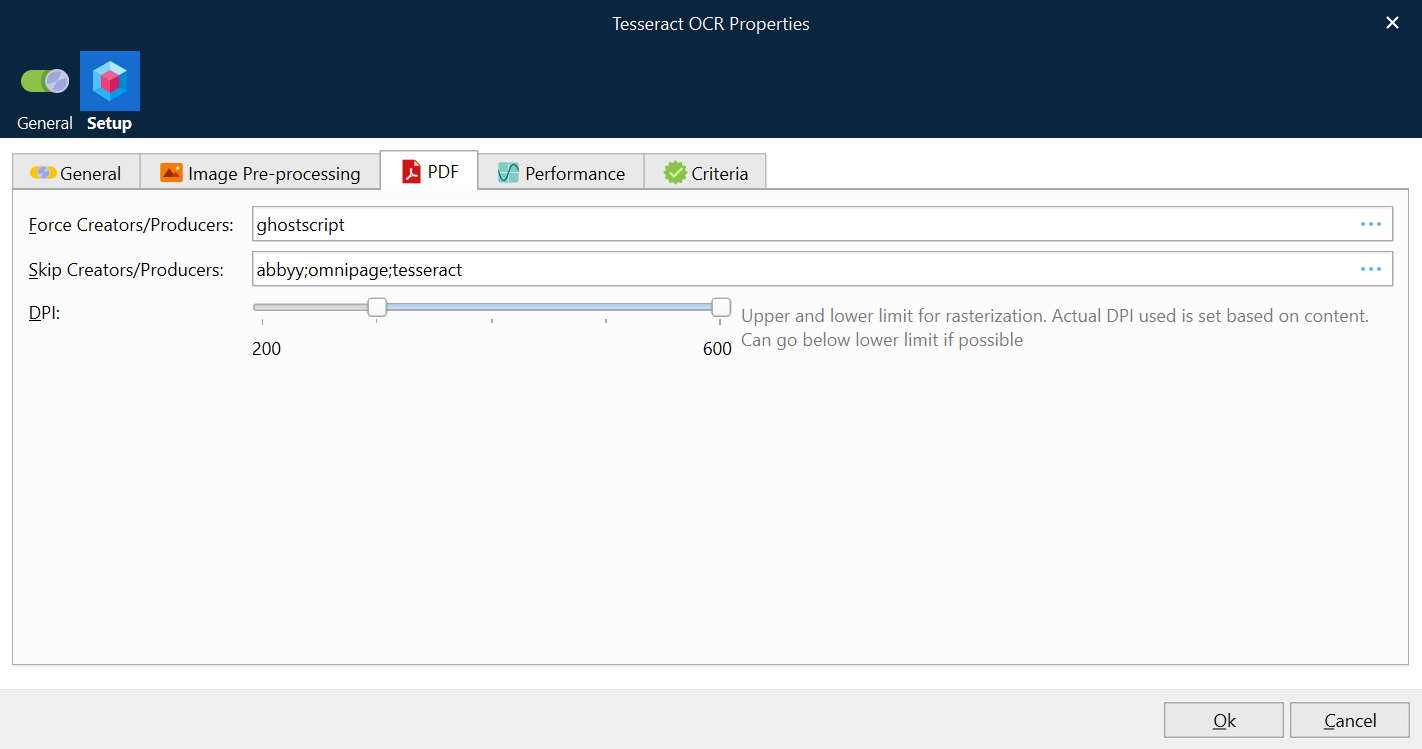
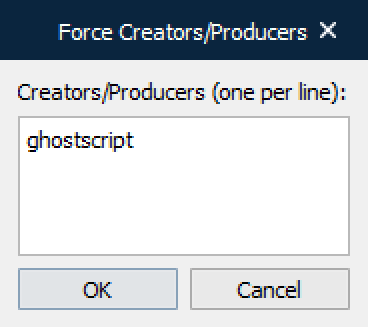
Force Creators/Producers | Tesseract can be forced to process an OCR rendering, for the full PDF document, which is required for producers like GhostScript (default value). You can enter one or several producers by clicking the … (three dots) button and entering one producer per line: Notes:
|
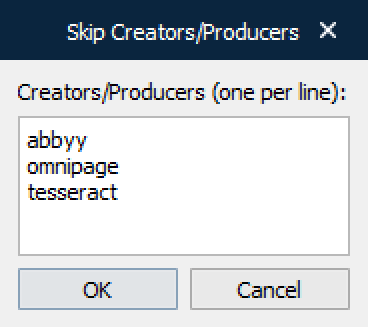
Skip Creators/Producers | Tesseract can be skipped to process OCR rendering for the full PDF document. This is recommended if the PDF document is already processed by another OCR application, such as ABBYY, OmniPage or Tesseract (default values). You can enter one or several producers by clicking the … button and entering one producer per line: Notes:
|
DPI | The range of DPIs allowed in images used for OCR. If the default DPI range is between 300 and 600 (default) it means that the DPI will never go above 600 but it might go below 300 depending on the existence of paths.
Examples A scanned PDF containing pages with images of 1200 DPI. This is above 600, which defines the upper limit of DPI range, and the image will be rasterized at 600 dpi. This upper limit has been chosen because higher values do not give a better result, but do take longer to process. A standard PDF containing two images where first one is 150 DPI and second is 400 DPI. To retain the image quality of the 400 DPI, the image for the OCR process will be rasterized at 400 DPI. This does not improve readability of the 150 DPI image, but it does take longer to process – that is the trade-off. A standard PDF containing a 150 DPI image and no paths (vector graphics). The OCR image is rasterized at 150 DPI because rasterizing at the lower limit of 300 will not improve readability but will slow down the process. A standard PDF containing a 150 DPI image and paths (vector graphics). Since paths exist, the OCR image will be rasterized at the lower limit of the defined range at 300 DPI. This is to ensure that any text written using paths will be readable. |
Use new PDF library | If selected, a library and algorithm will be used to improve the readability of text and images embedded in a PDF document. Several PDF producers do follow the PDF standard, and documents are detected as not valid by online validators but is still readable by most PDF readers like Acrobat Reader, Foxit Reader and DevExpress. By introducing a new PDF library, the Tesseract OCR module can render PDF documents that do not fully follow the PDF standard.
|

Performance
OCR is a CPU-intensive and memory-intensive task. By default, Lasernet Core uses one thread per module instance to process all pages. This is to keep the memory usage as low as possible. However, it is possible to process more than one page in parallel per module instance, at the cost of higher memory usage.
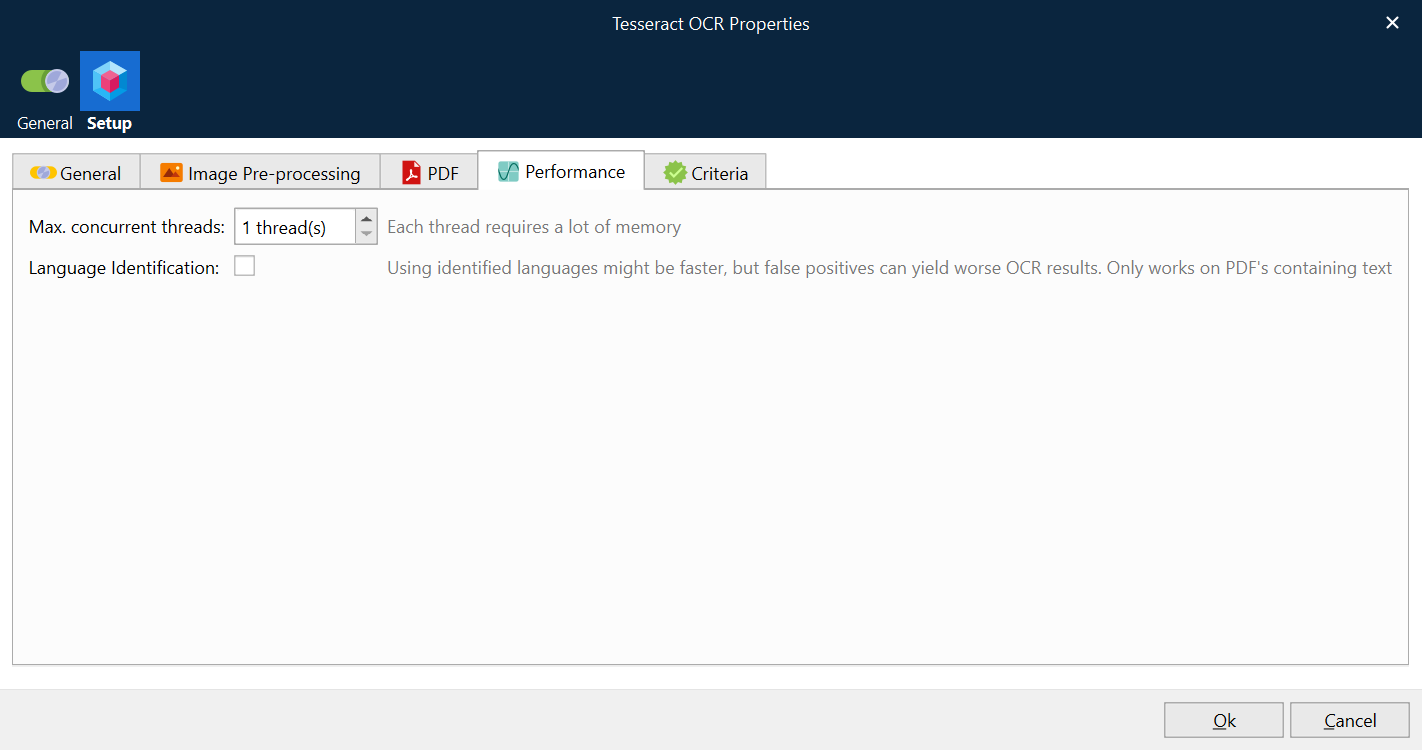
Max. concurrent threads | Specifies the maximum number of concurrent threads tasked to perform OCR per Job per module instance.
|
Language Identification | The module will look for words in PDF and identify the languages used in the PDF, using Using only the languages identified, and not the full user selected list, will make OCR run faster and use less memory.
|
Criteria
On the Criteria tab you can add one or several criteria to manage the Force and Skip properties defined in the PDF tab. Add any JobInfo and an operator with a match to either force Tesseract to render the whole PDF document or skip to render any part of the PDF document. 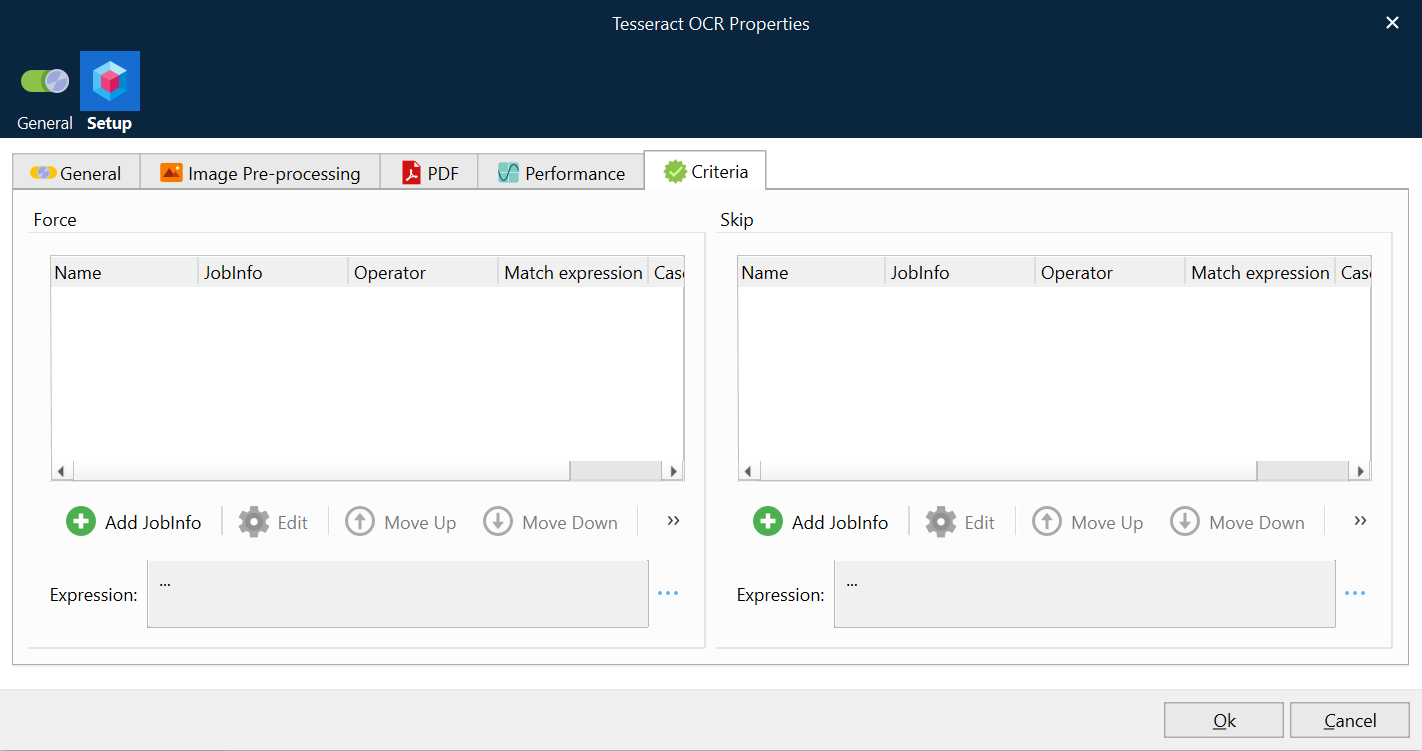
Force Producers | Tesseract can be forced to render the whole PDF document, for a defined list of producers, when a producer is detected in the advanced settings of a PDF document. |
Skip Producers | Tesseract can be skipped to render any part of the PDF document, for a defined list of producers, when a producer is detected in the advanced settings of a PDF Document. |
Additional Relevant Information
Recognizing of handwriting or barcodes are not supported.
If a document contains languages not specified in configuration, results may be poor.
It is not always good at analyzing the natural reading order of documents. For example, it may fail to recognize that a document contains two columns and may try to join text across columns.
Poor quality scans may produce poor quality OCR.
It does not expose information about what font family text belongs to.
Bounding boxes created for text found by OCR, are not correctly sized causing issues with painting on PDF in Lasernet OCR Editor, if metadata is extracted by PDF to Text modifier.