Start Lasernet Automatically as Administrator
- 31 Mar 2026
- 1 Minute to read
- Contributors


- Print
- PDF
Start Lasernet Automatically as Administrator
- Updated on 31 Mar 2026
- 1 Minute to read
- Contributors
- Print
- PDF
Article summary
Did you find this summary helpful?
Thank you for your feedback
Applies to: Lasernet Core 10
Occasionally, Lasernet Developer needs to be started with administrator rights to have the ability to save changes.
You can set up Lasernet Developer to start with administrator rights using a shortcut, or directly on the Lasernet Developer.exe file. Perform the following actions to do so:
Setting Up Lasernet to Start as an Administrator Using a Shortcut
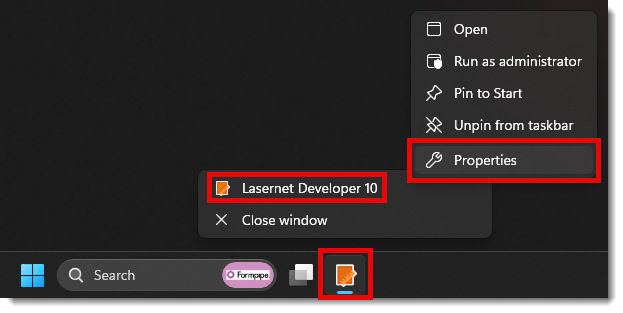
Right-click the Lasernet Developer shortcut icon and select Properties.
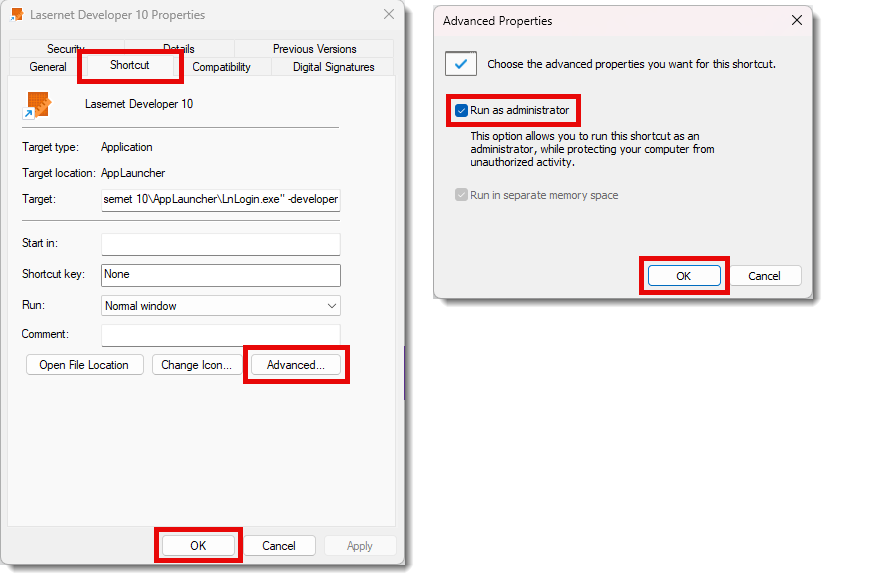
Click the Shortcut tab and then select Advanced.
Select the Run as administrator checkbox, click OK, and then OK again.
Setting Up Lasernet to Start as an Administrator Directly on the Lasernet LnDeveloper.exe
Navigate to the
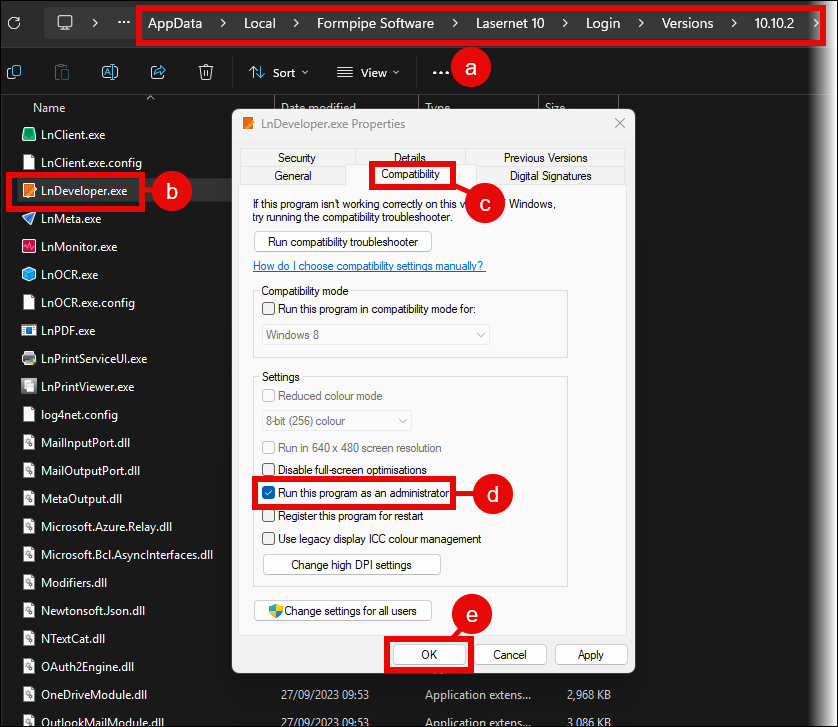
LnDeveloper.exefile location (a) found under this directory:C:\Users\Username\AppData\Local\Formpipe Software\Lasernet 10\Login\Versions\10.xx.xRight-click the
LnDeveloper.exefile (b) and select Properties.Click the Compatibility tab (c).
Select the Run this program as an administrator checkbox (d).
Click OK (e).