
SharePoint Scripting
- 16 Apr 2026
- 1 Minute to read
- Contributors

- Print
- PDF
SharePoint Scripting
- Updated on 16 Apr 2026
- 1 Minute to read
- Contributors
- Print
- PDF
Article summary
Did you find this summary helpful?
Thank you for your feedback
Applies to: Lasernet Core 11
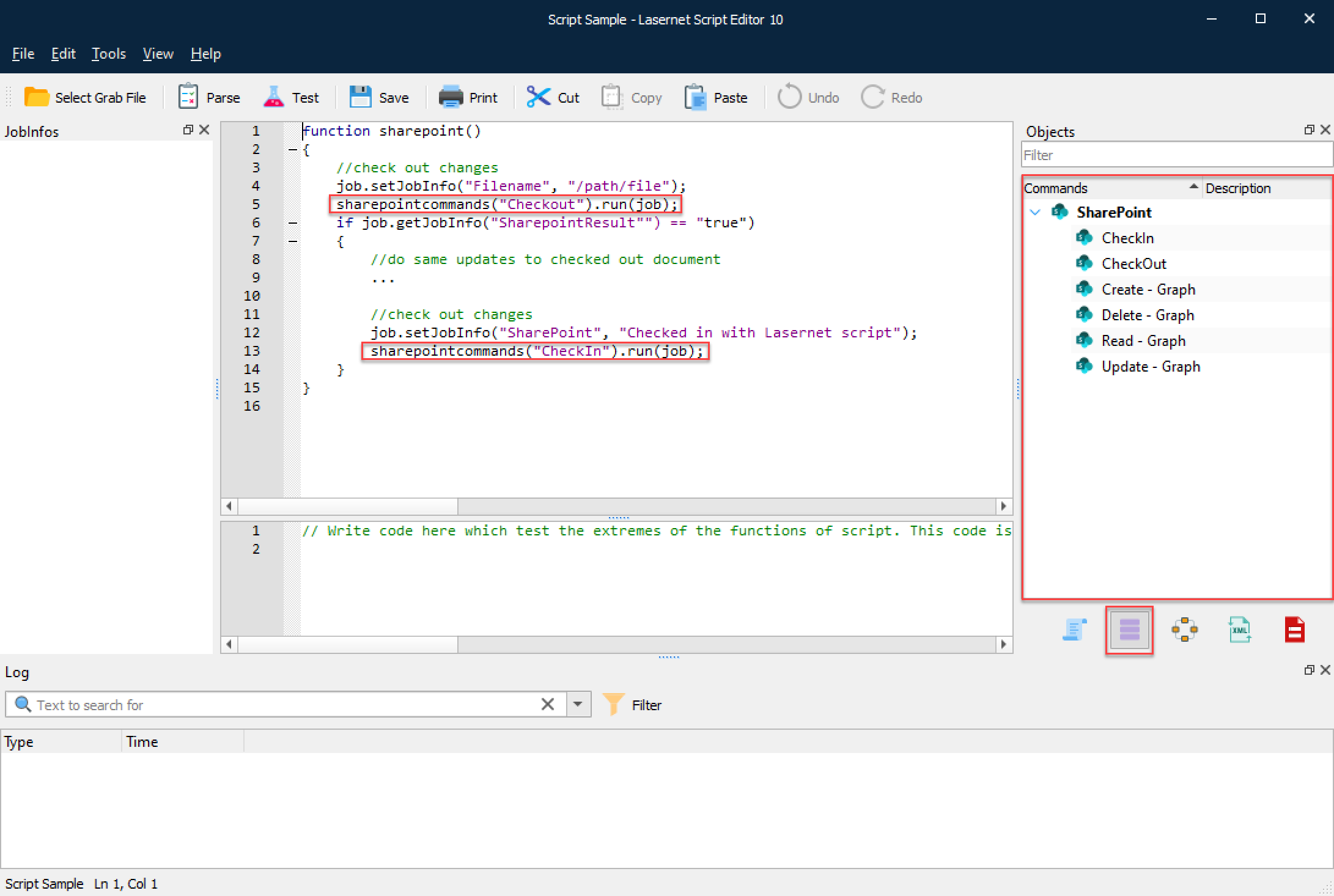
You can execute SharePoint commands directly via scripting in Lasernet Core, just like modifiers. This is done via an array called sharepointcommands.
In order to retrieve a specific command, use the index operator “[]” and a string with the name of the command as an argument. You can then use the run function to invoke the command.
Note
You can drag any SharePoint Command item added to the configuration into the editor window. The script command to run SharePoint Commands, including value and parameter, will be automatically inserted.