
PDF Splitter
- 13 Apr 2026
- 1 Minute to read
- Contributors

- Print
- PDF
PDF Splitter
- Updated on 13 Apr 2026
- 1 Minute to read
- Contributors
- Print
- PDF
Article summary
Did you find this summary helpful?
Thank you for your feedback
Applies to: Lasernet Core 11
Splits PDF documents into multiple parts.
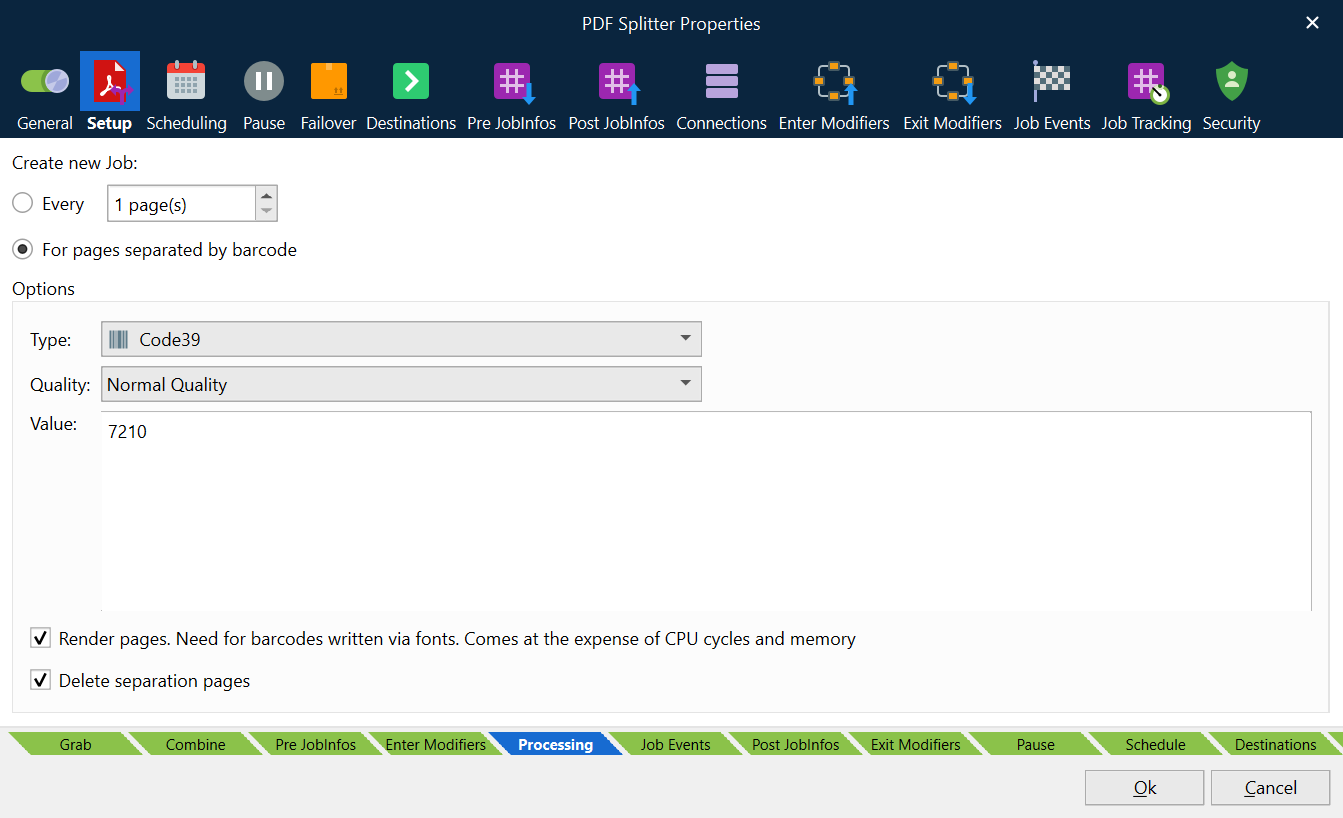
Create New Job
Select the method by which you want Lasernet Core to determine when to split documents:
Every: The PDF will be split at user-defined intervals. Adjust the number of pages between splits.
For pages separated by barcode: The PDF will be split wherever there is a page containing a specified barcode.
Options
The following options are relevant to the For pages separated by barcode option.
Type: Select the type of barcode that you want to search for.
Note
We recommend selecting a particular barcode type instead of Any type because PDF Splitter will process the document faster.
Quality
High Performance: High-quality barcodes are recognized well in this mode.
High Quality: This preset is developed for low-quality barcodes. Able to detect highly damaged barcodes.
Max Quality: Able to recognize all possible barcodes (even incorrect barcodes).
Normal Quality: Suitable for most barcodes.
Value: Type the barcode value for which you want to search.
Note
This is an optional field. If you do not specify a value, the engine will search for any value and might take longer to process the document.
Render pages: If selected, barcodes embedded as fonts (vector graphics) will be recognised and processed.
Note
Only select this option if your document contains font barcodes instead of image barcodes. CPU and memory load will increase, resulting in longer processing time.
Delete separation pages: If selected, pages used to split the PDF will be automatically deleted from the output file.
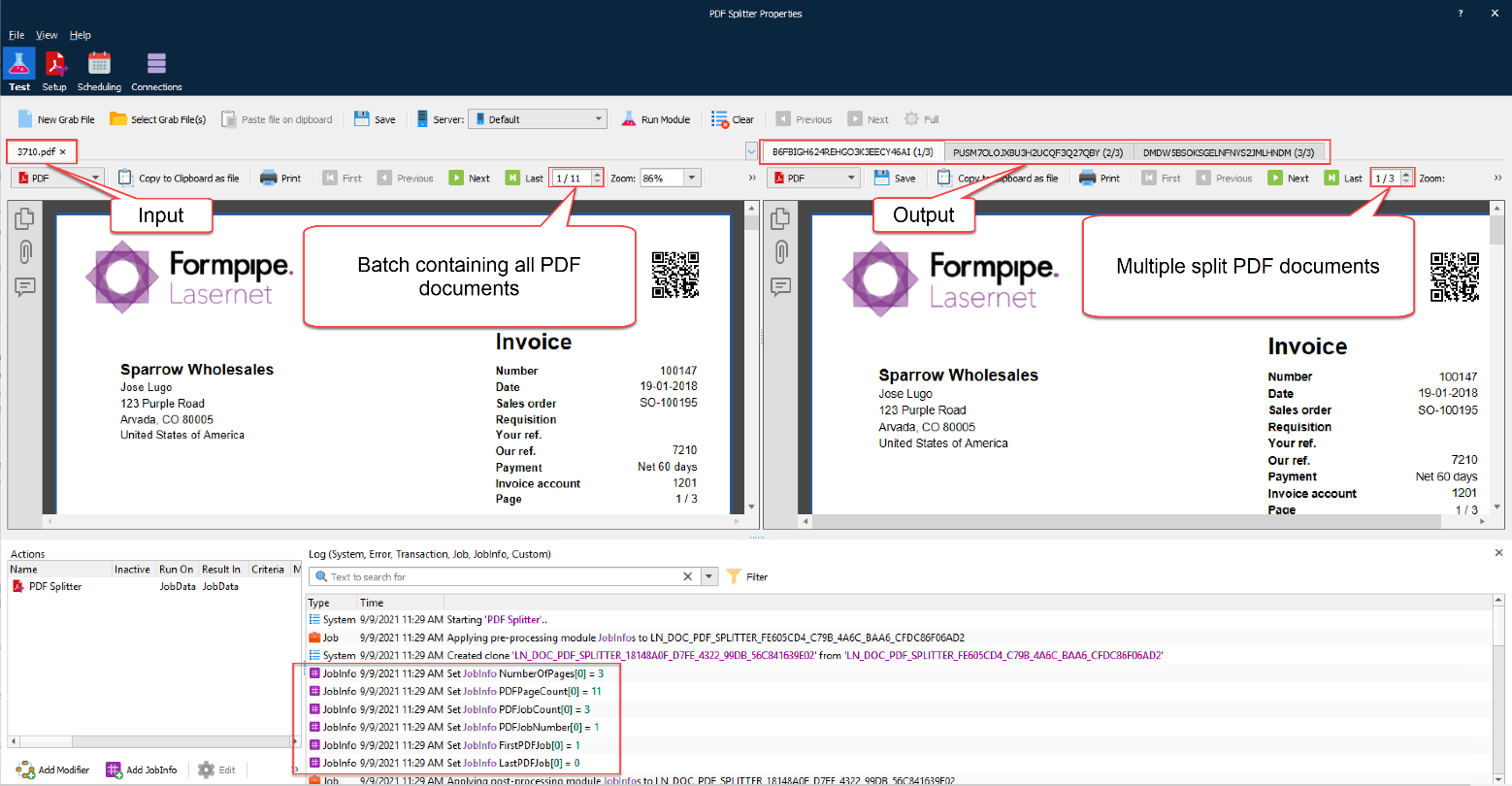
The example shows one input PDF (batch) being split into three output PDF documents.
JobInfos
The following JobInfos are created by the PDF Splitter:
NumberOfPages | Number of pages in the current split job. |
PDFPageCount | Total number of pages in incoming PDF job |
PDFJobCount | Total number of split PDF jobs |
PDFJobNumber | Job number for split PDF job |
FirstPDFJob | Boolean set to 1 (true) when the first split PDF job in the batch is created |
LastPDFJob | Boolean set to 1 (true) when the last split PDF job in the batch is created |