
PDF Cloud Security
- 30 Jan 2026
- 1 Minute to read
- Contributors

- Print
- PDF
PDF Cloud Security
- Updated on 30 Jan 2026
- 1 Minute to read
- Contributors
- Print
- PDF
Article summary
Did you find this summary helpful?
Thank you for your feedback
Applies to: Lasernet Core 11
GlobalSign offers cloud-based document signing. Contact your GlobalSign service provider to obtain the required API Key, API Secret, Client Certificate, and password
Each user will need to create an account (handled by the service provider) and use the assigned issuance rate, quota, and type of certificates.
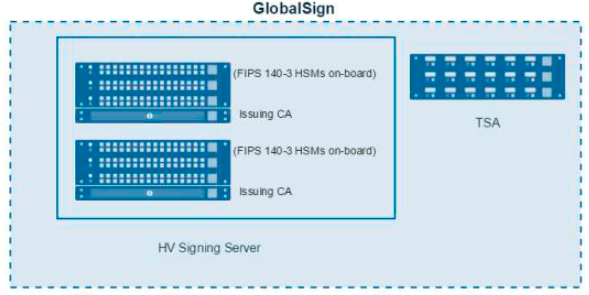
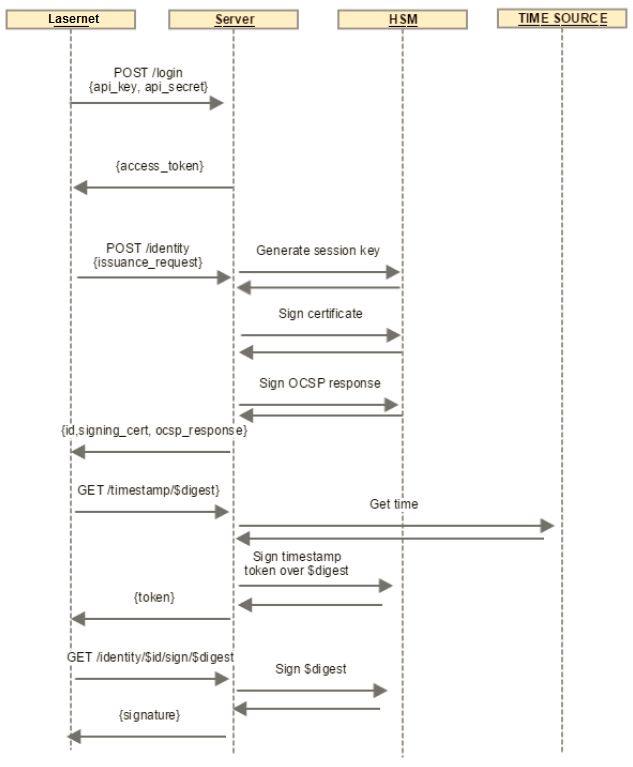
Once an account is created, authentication information will be sent to you and must be included in the login and initiate signing sessions of this modifier.
The process to establish this is as follows:
Send your provider your public key from the created key pair.
GlobalSign creates a PEM-encoded x509 certificate based on that key that has client authentication enabled and is used to connect to the service.
The modifier will use this to establish an mTLS connection to the service.
Connection
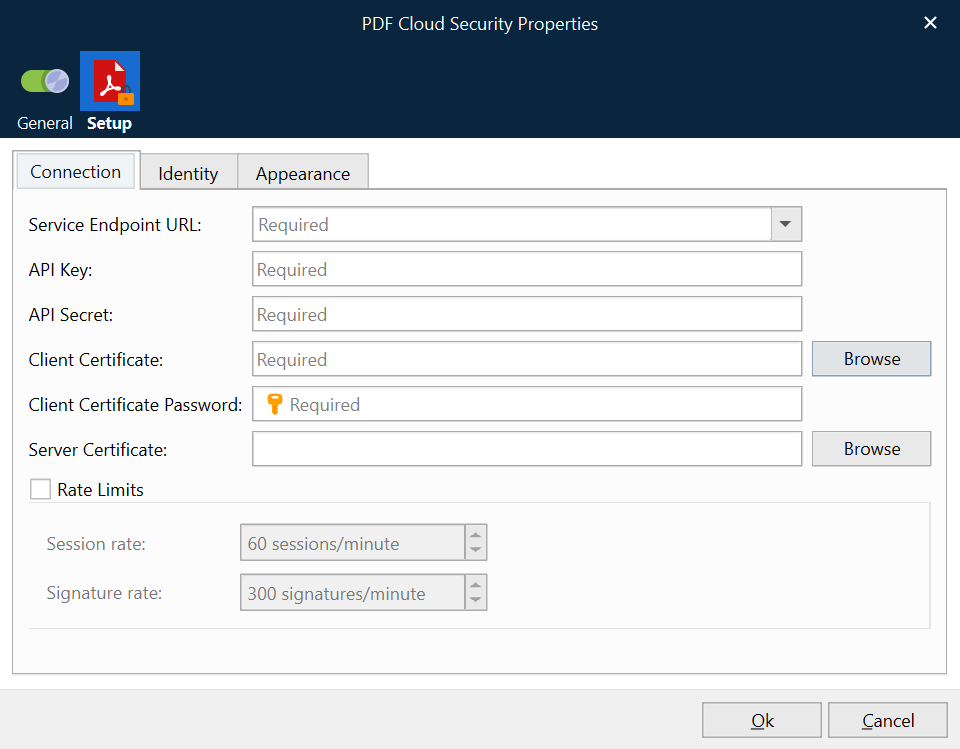
Initiate signing session: This establishes the secure login connection using the API Authentication provided.
Identity
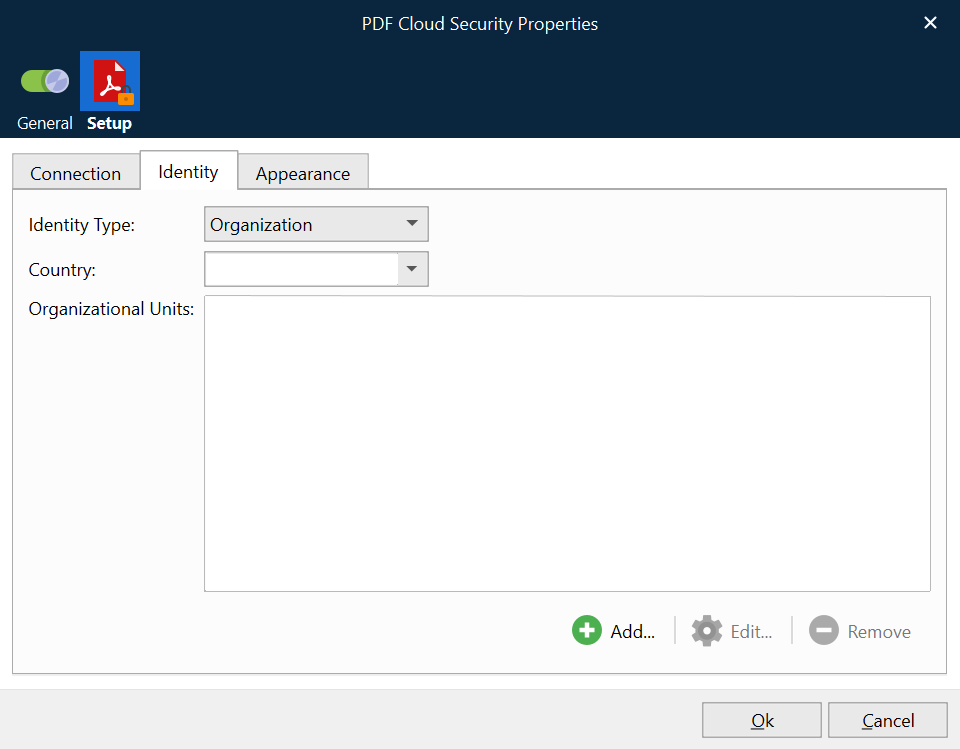
Create a signing certificate: this must be done before performing a signing operation.
A private key is created per signing session if no existing key is active, or the previous key has expired (signing sessions expire automatically in less than 15 minutes). A new key is also created if you need to sign in using a different identity.
The signees’ identity information is specified here to create the signing certificate.
Appearance
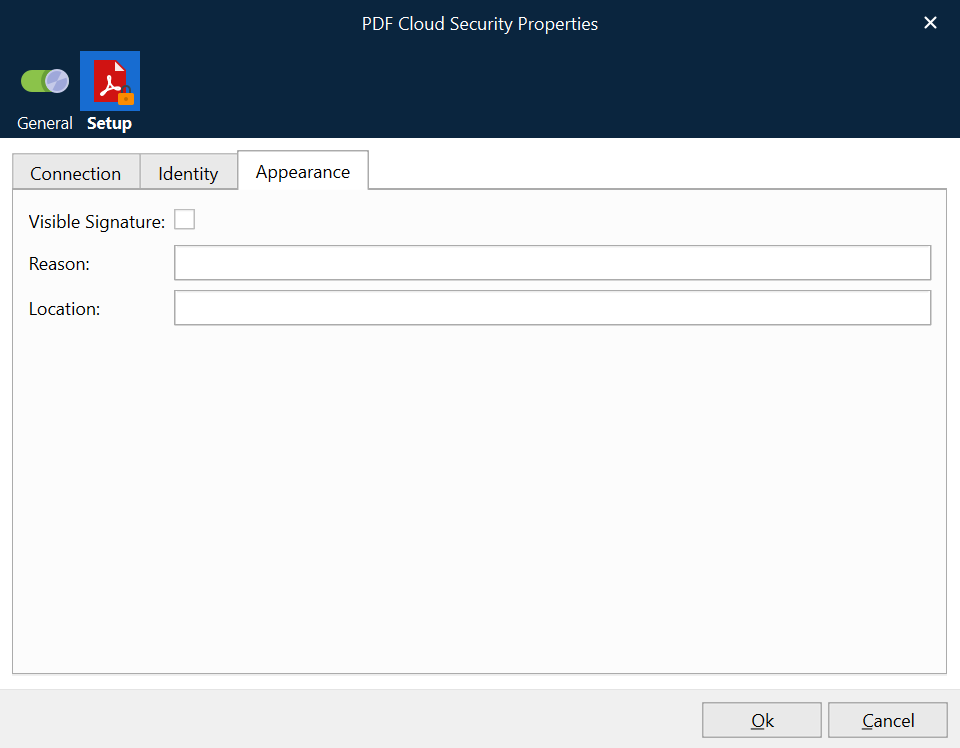
Set your reason and location for signing the PDF document.