
How Do I Log and Send Emails from CE Using OData Print Dialog?
- 04 Dec 2025
- 1 Minute to read
- Contributors

- Print
- PDF
How Do I Log and Send Emails from CE Using OData Print Dialog?
- Updated on 04 Dec 2025
- 1 Minute to read
- Contributors
- Print
- PDF
Article summary
Did you find this summary helpful?
Thank you for your feedback
This article provides step-by-step instructions on logging in and sending emails from Dynamics 365 Customer Engagement using the OData print dialog.
Follow these steps:
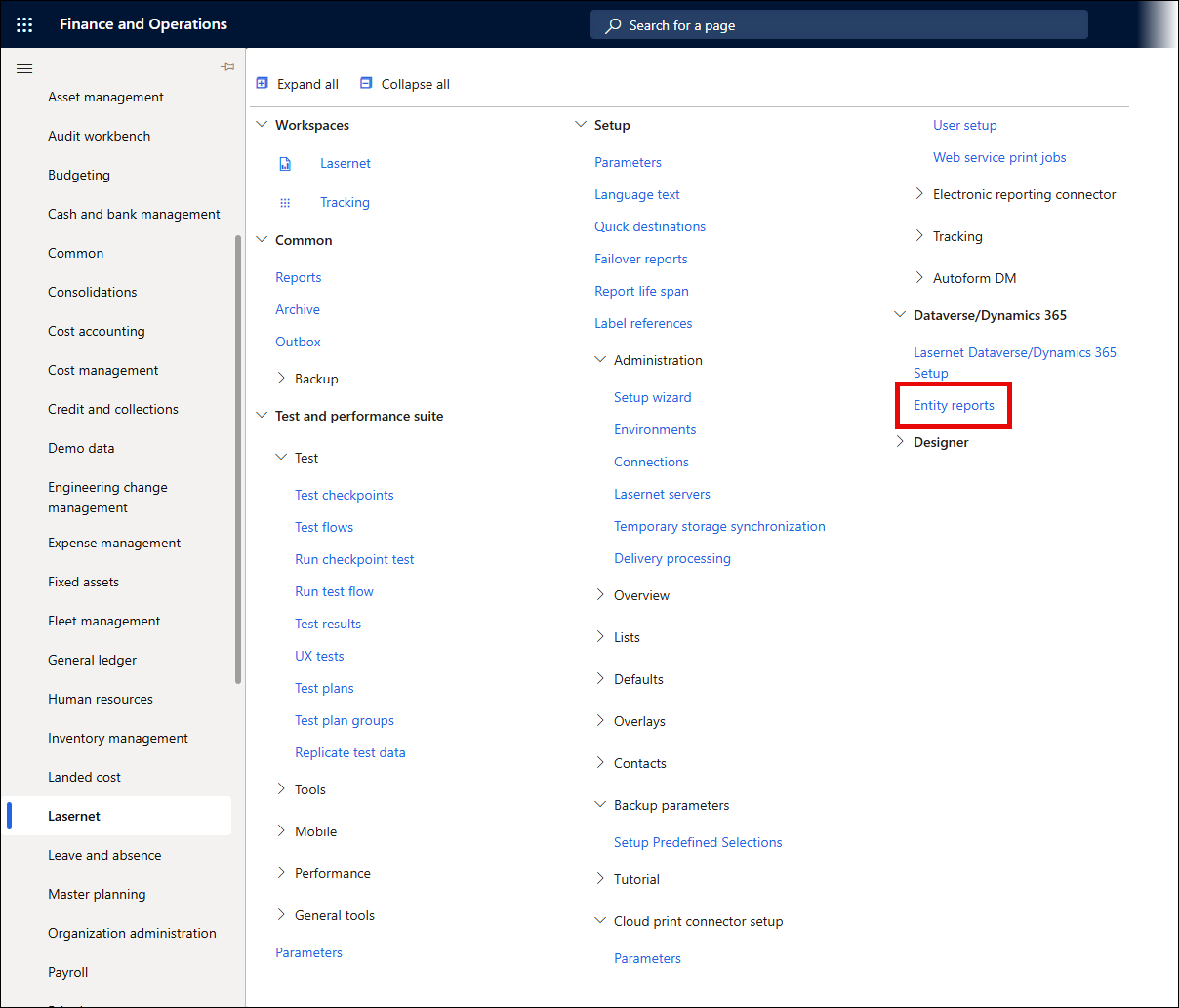
Open the Finance and Operations application and navigate to Lasernet > Dataverse/Dynamics 365 > Entity reports.
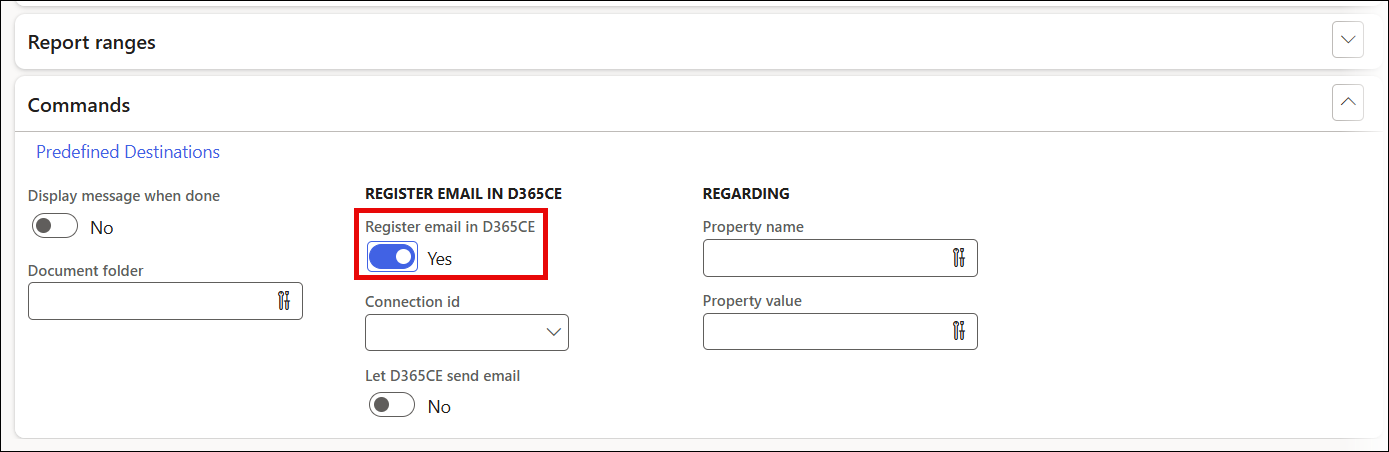
Open the Commands FastTab and toggle the Register email in D365CE button to Yes, which enables you to create activities in Customer Engagement. By toggling the Let D365CE send email button to Yes, you allow Customer Engagement to send emails.
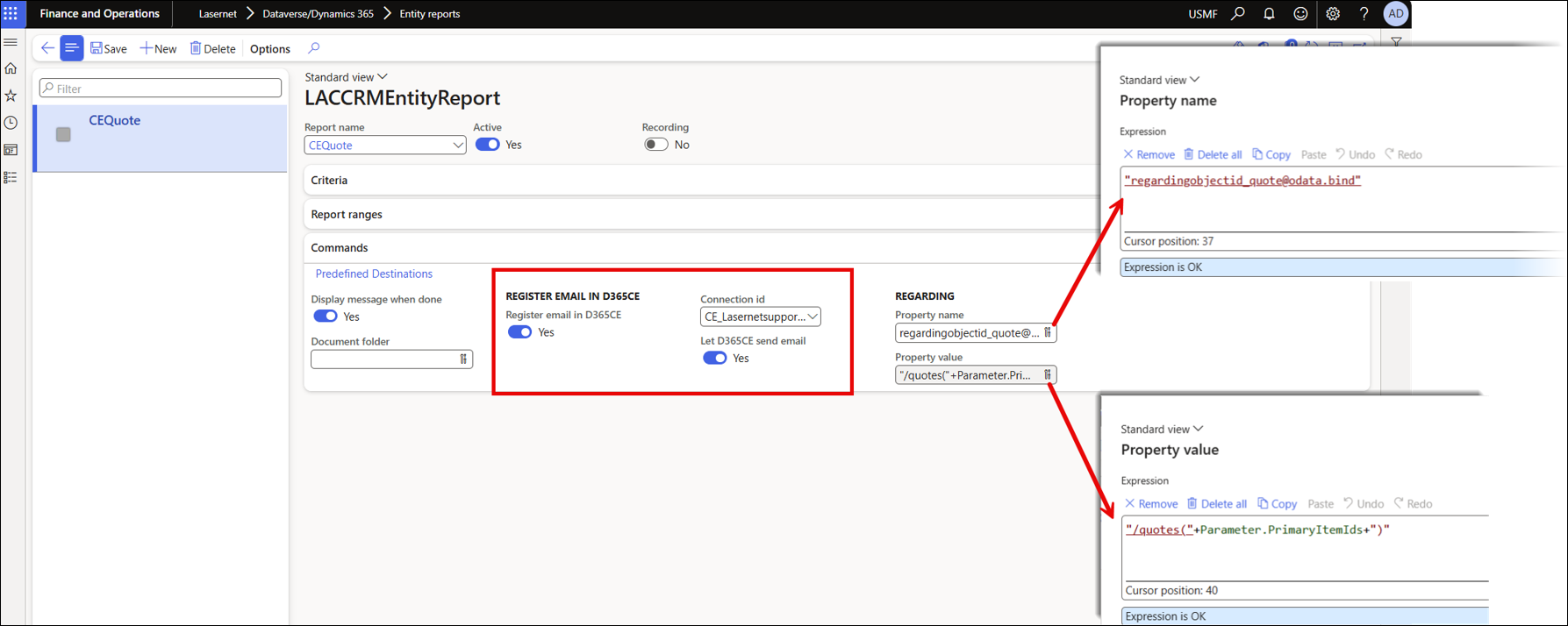
To configure this, use the Property name and Property value fields under REGARDING to associate the email with the relevant record and send emails from CE, and ensure the connection ID is specified.
Note
Refer to Microsoft’s documentation for Web-API OData reference for the Entity Field to be included in the property name.
For example, for the quote entity in CE, the Property name and Property value should be set as follows:
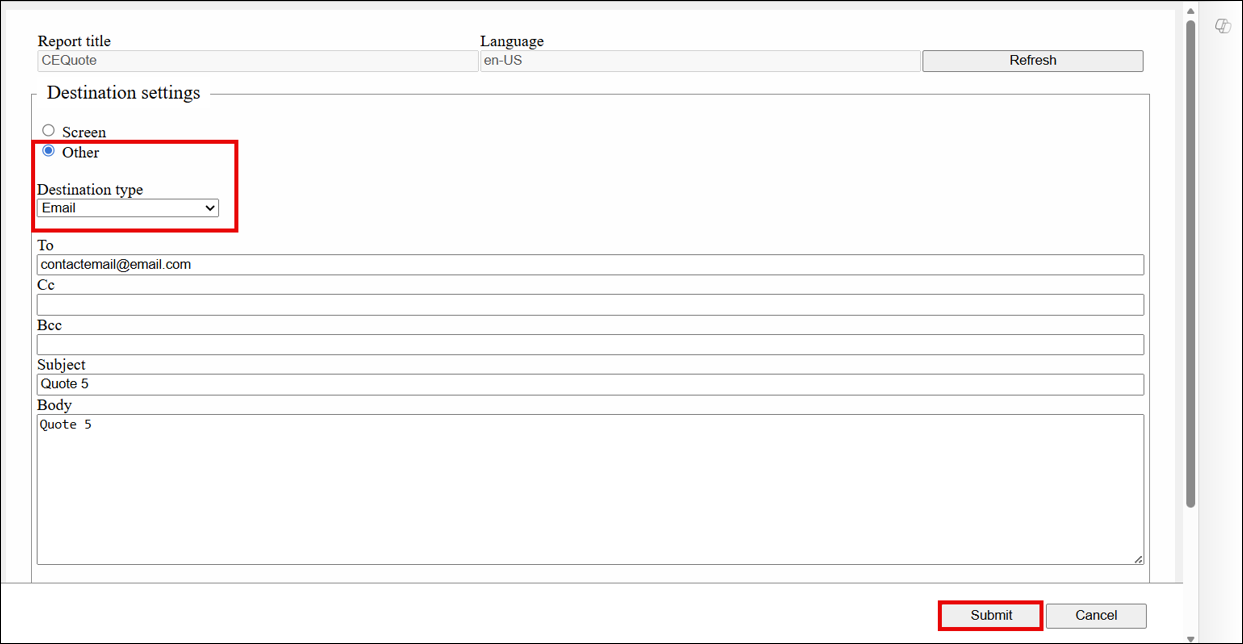
Select Email from the Destination type dropdown menu, specify the parameters, and click Submit to submit the OData print dialog button.
Info
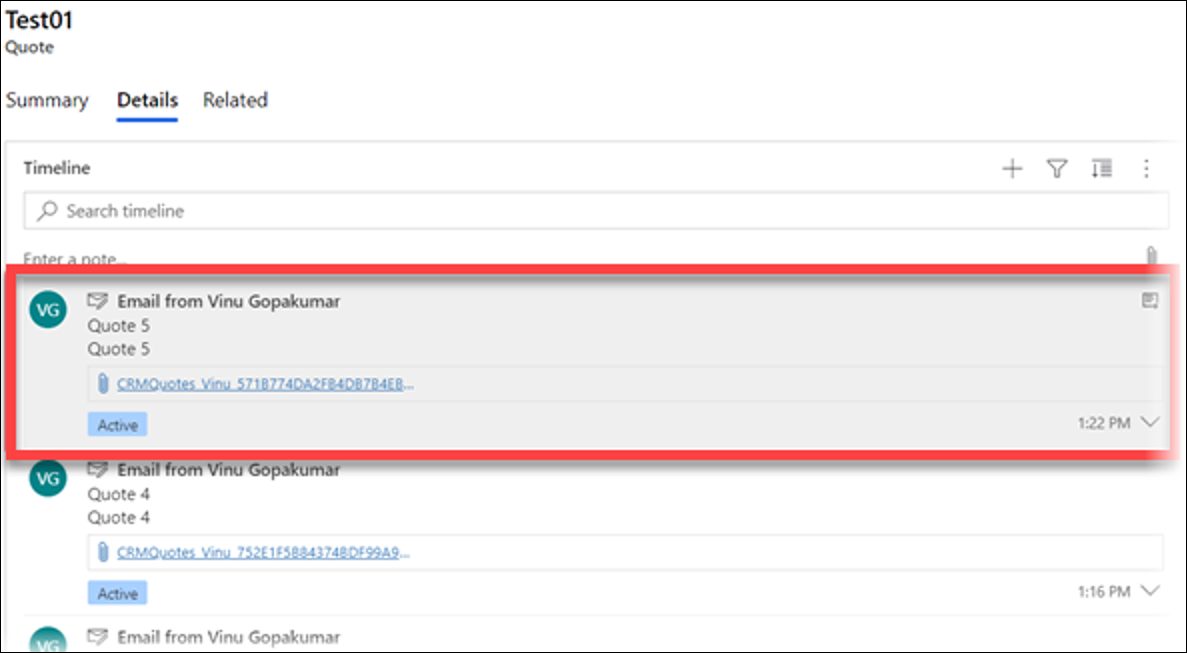
Try refreshing timeline or browser if the email is not showing in the timeline/activity pane. If CE settings do not enable an email to be sent to unresolved email recipients, add the recipient as a contact. Otherwise, the email record will be created in a draft state. The user's mailbox is enabled for processing for sending the email successfully.
Error Messages - Dynamics 365 Finance and Operations 6.6.0
Below are the solutions to possible error messages that may occur when setting up emailing from CE.
Parse and Output Error Messages When Executing OData Statements
Errpr
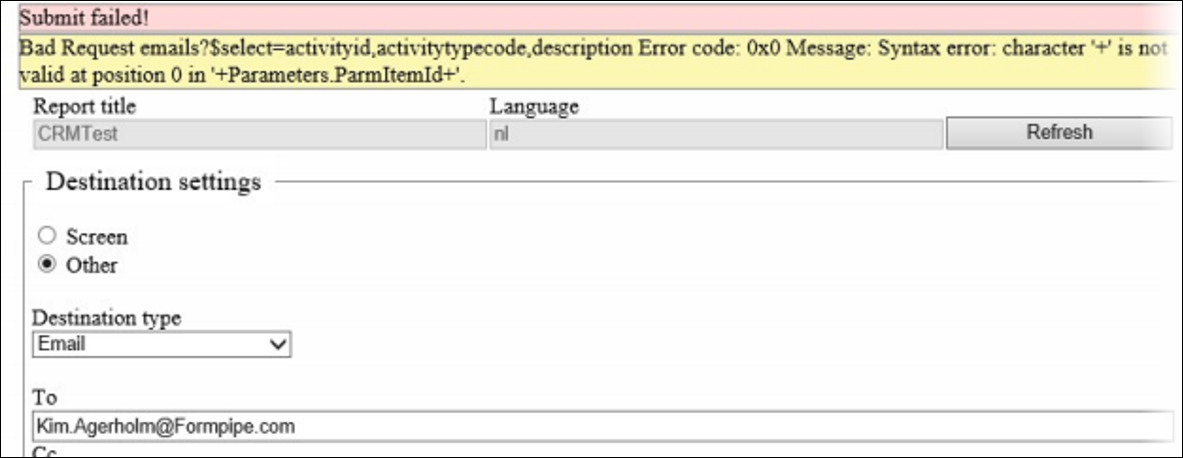
Bad Request emails?$select=activityid,activitytypecode,description Error code: 0x0 Message: Syntax error: character ‘+’ is not valid at position 0 in ‘+Parameter.ParmItemId+’.
Solution: The expression quote(+Parameters.ParmItemId+) will cause this error when submitting the report in Lasernet CE Connector/Dynamics 365 CE. The correct expression for the property is /quotes(" + Parameter.PrimaryItemIds + ").
When Submitting an Email from Dynamics 365 CE Without Permissions
Error
Submit failed! Bad Request emails(9b88ec37-531f-eb11-a813-002248998d35)/Microsoft.Dynamics.CRM.SendEmail Error code: 0x8004480d Message: User does not have a send-as privilege.
Solution: Add send-as privilege for the user.