Lasernet FO Connector 7.2.2 New Features and Fixes
- 27 Mar 2026
- 5 Minutes to read
- Contributors


- Print
- PDF
Lasernet FO Connector 7.2.2 New Features and Fixes
- Updated on 27 Mar 2026
- 5 Minutes to read
- Contributors
- Print
- PDF
Article summary
Did you find this summary helpful?
Thank you for your feedback
Lasernet for Dynamics 365 Finance and Operations
Release version: 7.2.2
Release date: 22nd December 2025
Introduction
This page describes the new features, fixes, and enhancements in Lasernet FO Connector 7.2.2.
The following documentation is available:
Warning
The Lasernet Connectors for Microsoft Dynamics 365 are currently not compatible with Lasernet Core 11.0. We are working towards launching these two products together, but until then, current customers and partners with the Dynamics 365 connectors should continue to use Lasernet Core 10.
New Features, Fixes, and Enhancements – Lasernet FO Connector 7.2.2
Lasernet FO Connector 7.2.2 is released for Dynamics 365 for Finance and Operations versions 10.0.44 (PU68), 10.0.45 (PU69), 10.0.46 (PU70), and 10.047 (PU71).
The same source code is used across all versions.
This is a patch release provided through the following new features, fixes, and enhancements in Lasernet FO Connector 7.2.2.
492743@LAC365FO – An option to disable the automatic addition of RAW values within XML files has been introduced
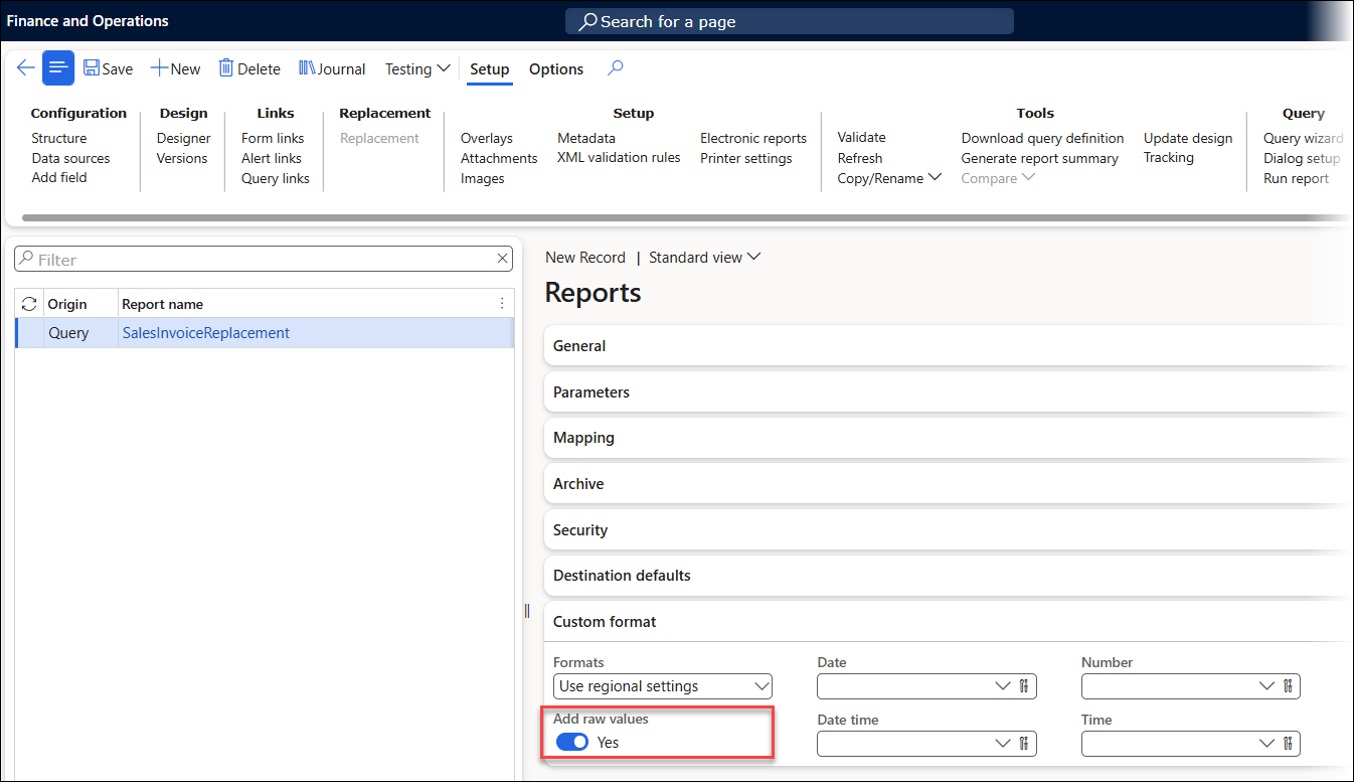
A new option has been introduced in Lasernet FO Connector 7.2.2 to disable the automatic addition of raw values as an attribute within XML files.
This enhancement will help customers who send XML files from Lasernet FO Connector in FinOps via Lasernet to a broker, as no changes are allowed when sending these files.
With the newest version of Lasernet FO Connector, users can send XML files directly via FTP, SFTP, or API. Furthermore, it is also possible to link the distribution of those files/electronic reports with the Tracking module
The Tracking module enables comprehensive monitoring of each document and automatically redirects failed ER (electronic reporting) documents to an alternative destination, such as the contact person's email address.
It is also possible to manually select an alternative destination within the Tracking module. All attempts to send a document are recorded in a detailed tracking log for each individual document.
When the Add raw values toggle is set to No, the RAW values will not be included as an attribute in the XML file. The addition of RAW values is enabled by default when creating a new report.
“Add raw values” is disabled | “Add raw values” is enabled |
|---|---|
|
|


492227@LAC365FO – Reusing data from the InMemory temporary table type for an SSRS report does not consistently provide the needed values
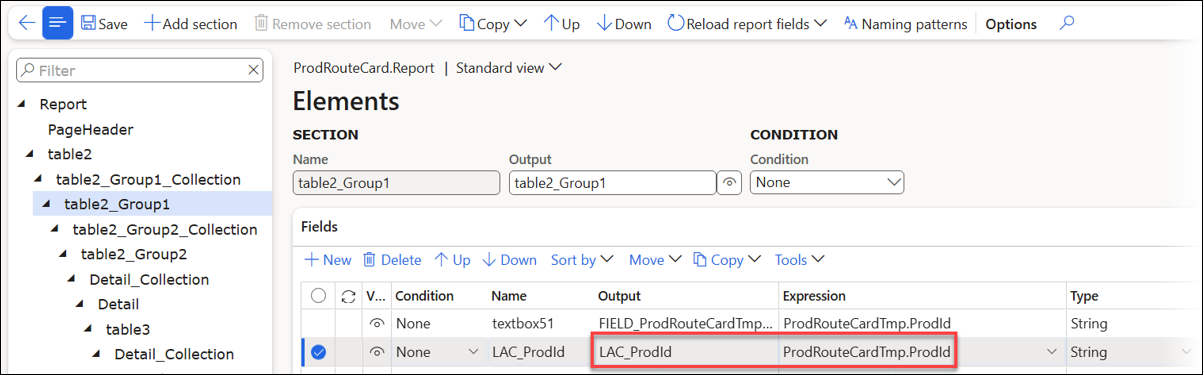
In previous versions, reusing data from an InMemory temporary table for an SSRS report did not consistently provide the needed values. For example, in the case of the ProdRouteCard SSRS report, it was not possible to reuse the existing fields (data and values).
Previous versions of Lasernet FO Connector | Lasernet FO Connector 7.2.2 |
|---|---|
|
|


Table: ProdRouteCardTmp
Type: InMemory
This has been fixed.
491227@LAC365FO – An issue arises when a query is used as a condition within Predefined Destinations if the used table includes any extensions
In Lasernet FO Connector 7.2 and 7.2.1, an issue arose when using a query as a condition if the used table included any extensions.
In the following scenario, the DirPartyTable table served as a query condition for Predefined Destinations and was an extension of other tables in standard FinOps:
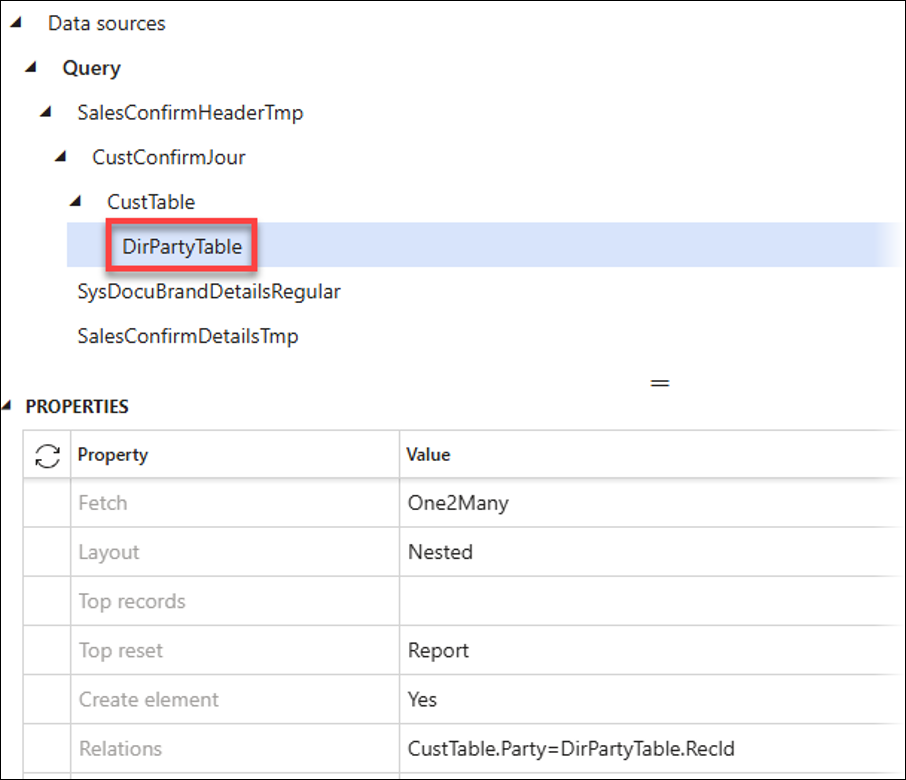
Then, DirPartyTable was used as Query Condition within Predefined Destinations:
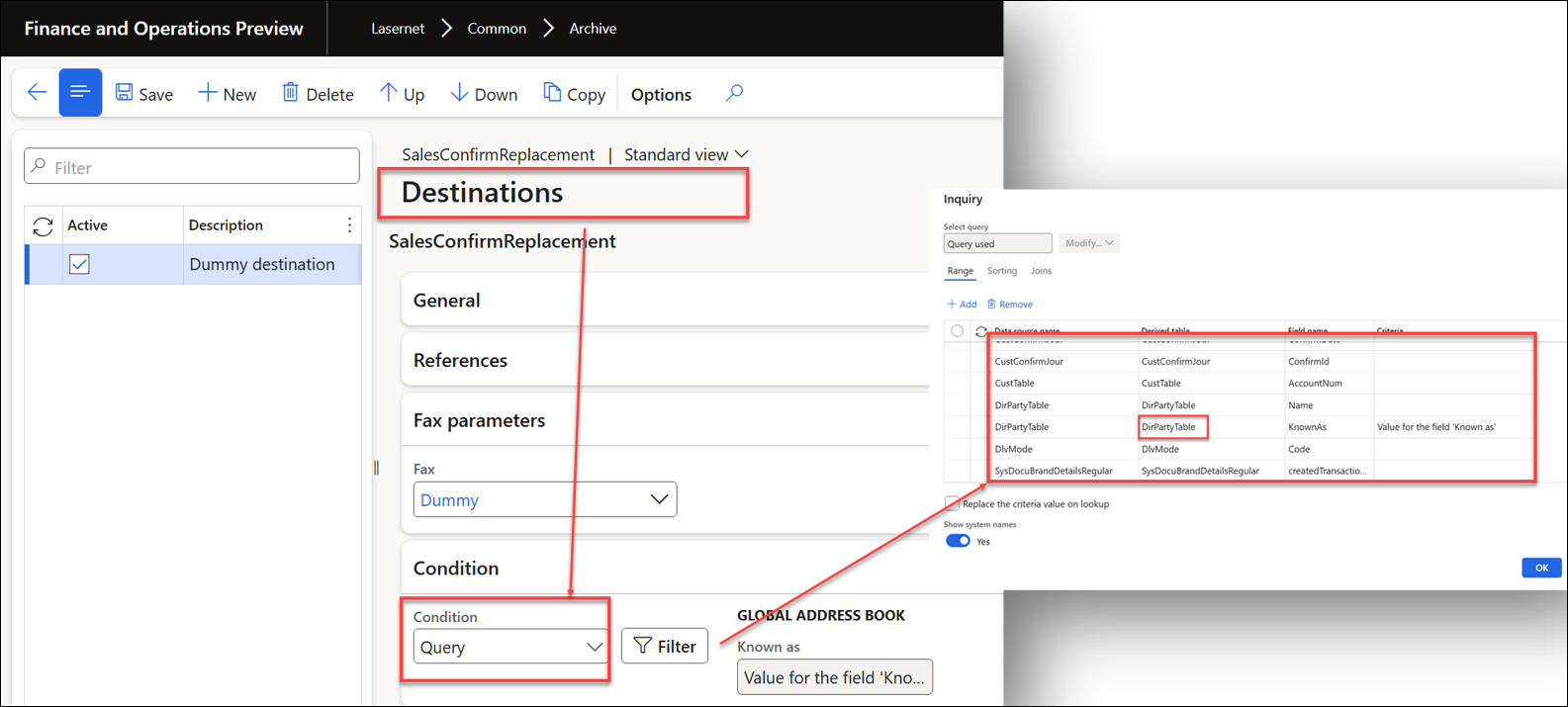
The following warning appeared:
Warning
No applicable destination has been found. Skipping report processing, however if configured, archive entry with XML file will be created.
This has been fixed.
491013@LAC365FO – 492710@LAC365FO – When the SalesInvoice report is printed without a replacement query, a warning is displayed about the PrepaymentInvoiceDetails.Design subreport
The following warning appears when posting or resending a sales invoice:
Warning
Document processingLasernet report SalesInvoice.Report Updating XML Processing Subreport PrepaymentInvoiceDetails.Design Report PrepaymentInvoiceDetails.Design is not found
However, despite this, everything works as expected.
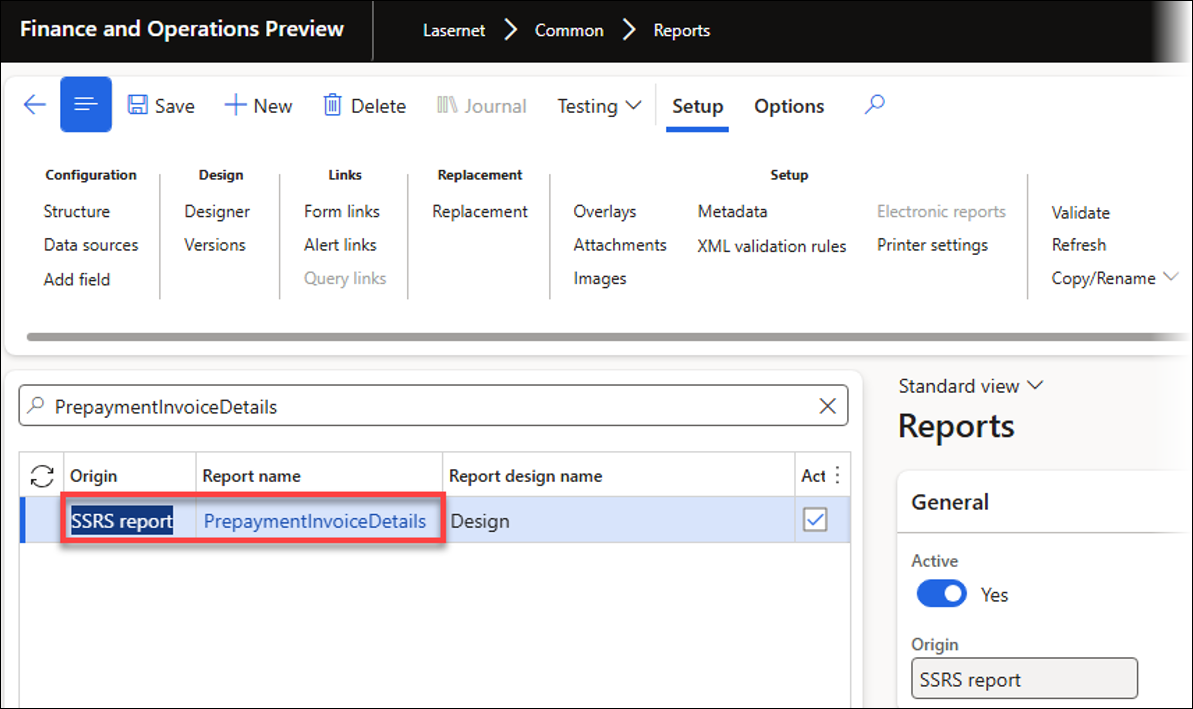
To avoid the warning being displayed, add the SSRS report PrepaymentInvoiceDetails.Design:
490786@LAC365FO – An error occurs when trying to import the AOT query LACWHSPrintLables into Lasernet FO Connector 7.2.x
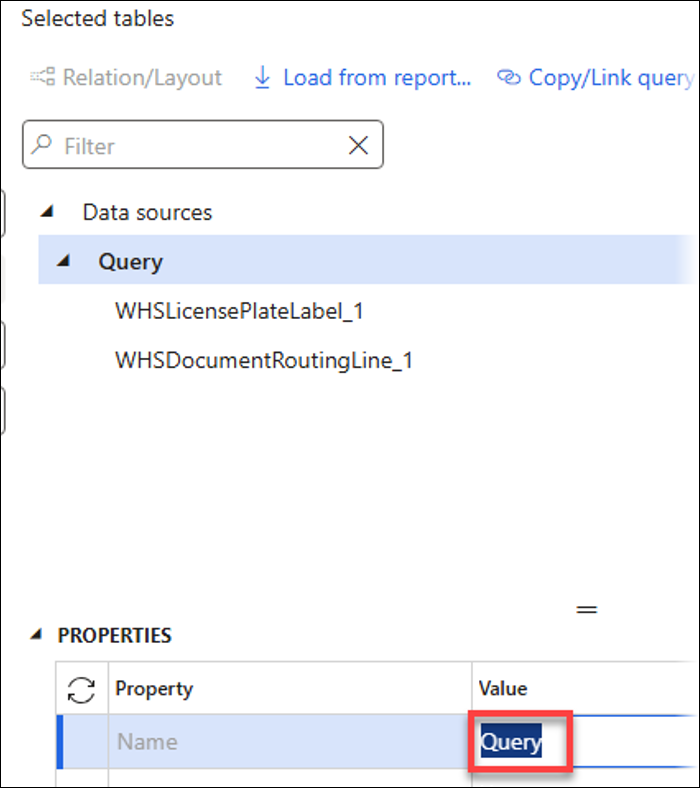
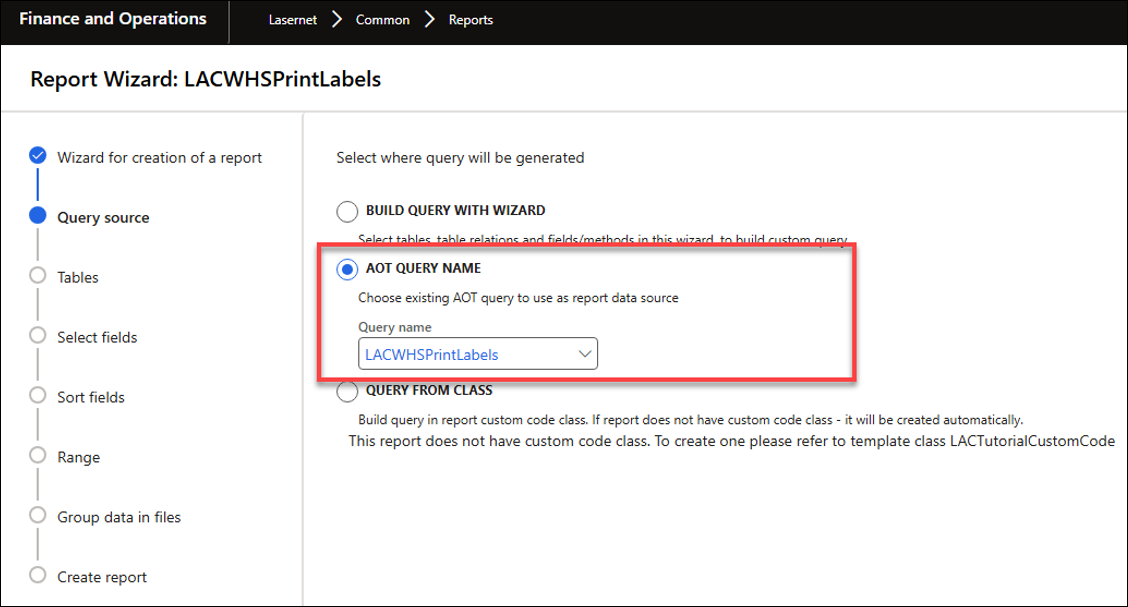
In Lasernet FO Connector 7.2 and 7.2.1, when importing the query LACWHSPrintLabels (used for Warehouse Labels) after it was created as an AOT query, an error occurred if the query’s name was changed to “Query” at the source level by using the Query Wizard.
Error
The value "LACWHSPrintLabels" is not found in the map.
This has been fixed.
The process at the end of which the error occurred was the following:
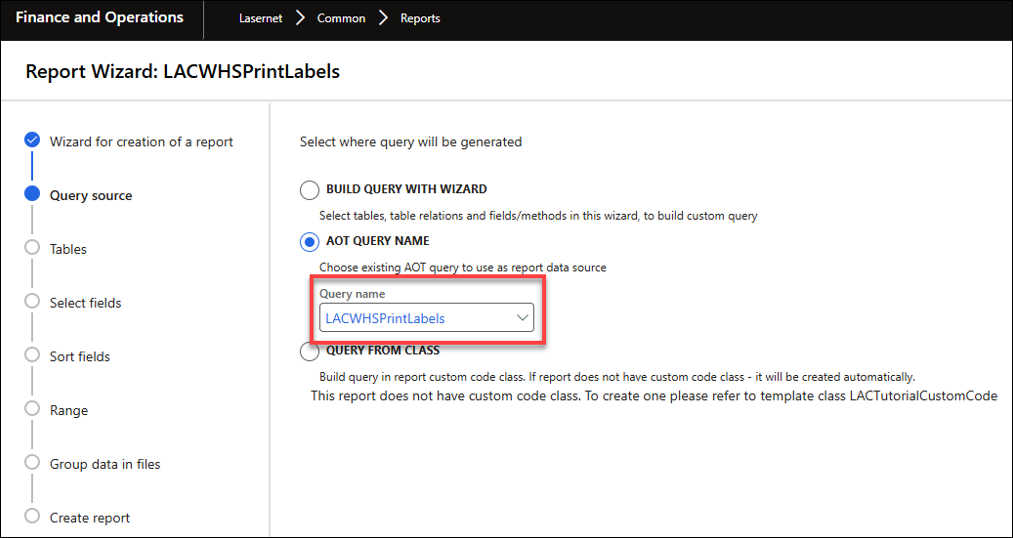
Create an AOT query by choosing AOT QUERY NAME in the Query Wizard.
Click the BUILD QUERY WITH WIZARD radio button.
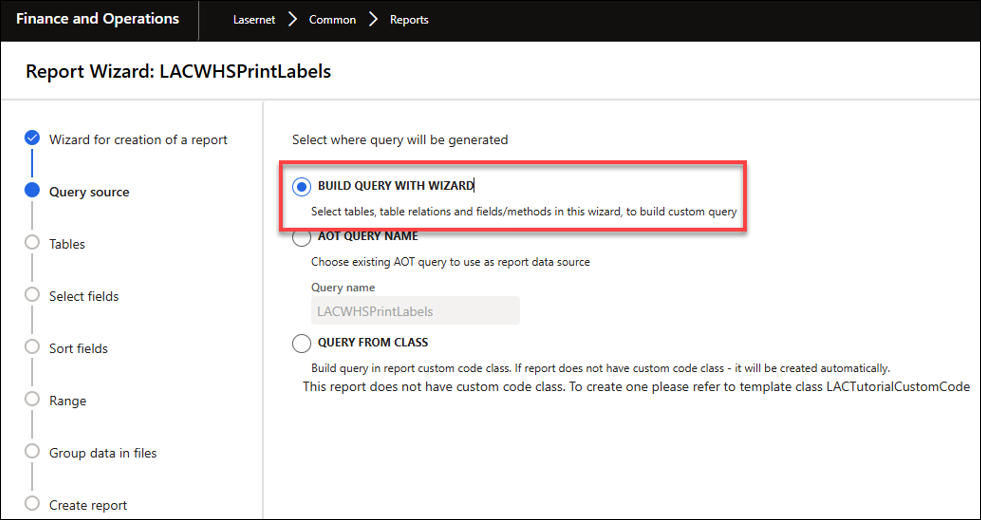
The query’s existing name is LACWHSPrintLabels.
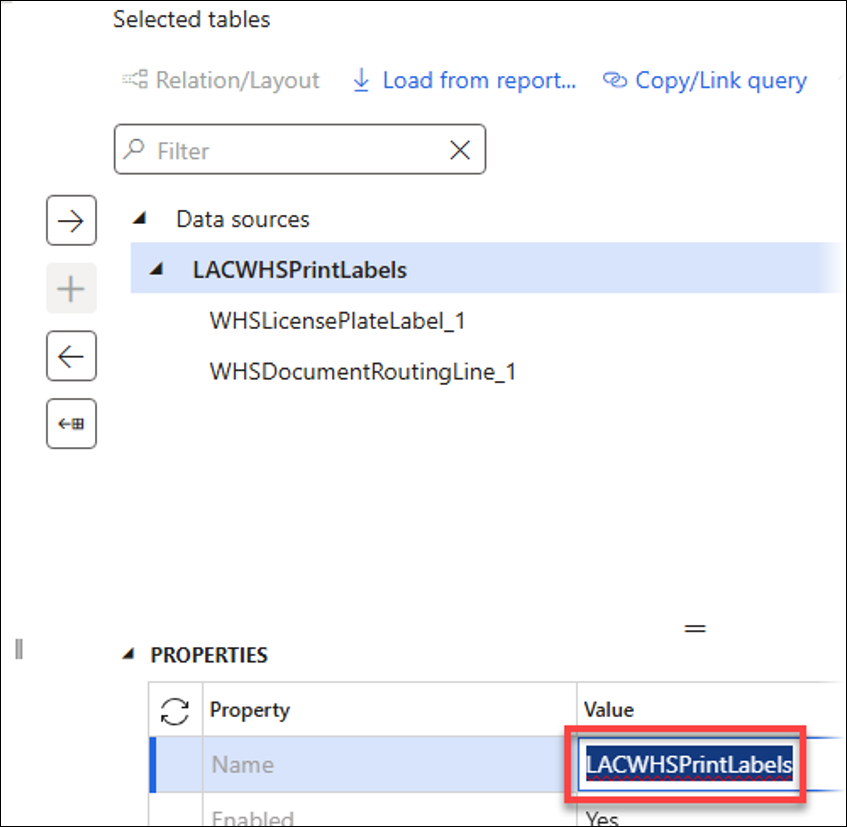
Change the name to “Query”.
Change the query back to an AOT query. This passage used to cause an error when imported into 7.2.x.
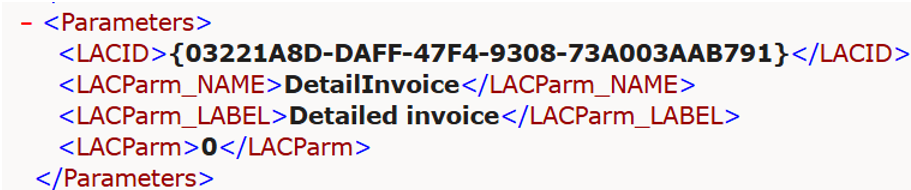
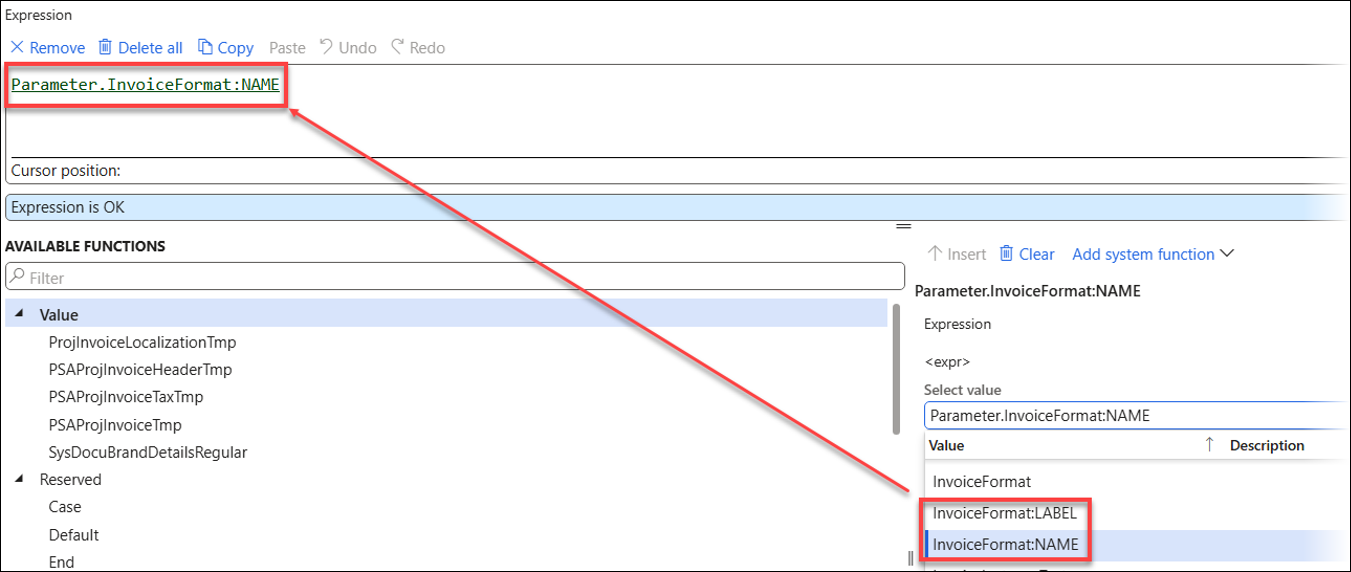
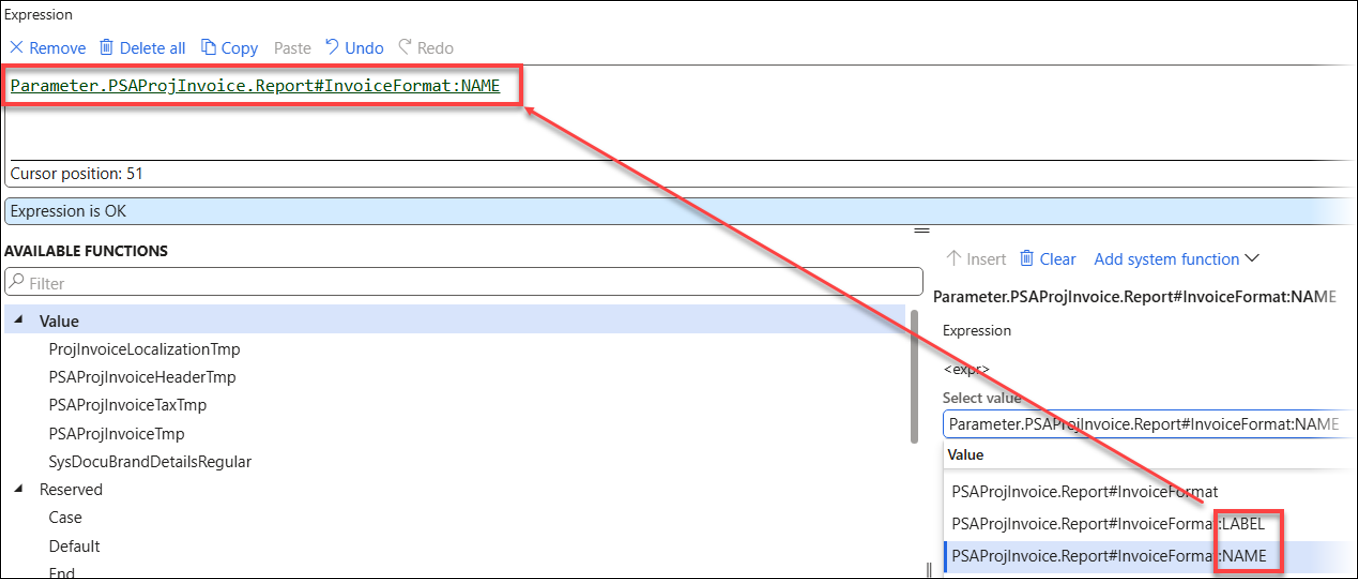
490398@LAC365FO – Two new options have been added to the Parameter value within SSRS and replacement reports: LABEL and NAME
Two new options have been added to the Parameter value within SSRS and replacement reports: LABEL and NAME. These options are unified in the same way as enums.
Ensure either NAME or LABEL has been correctly added when updating to 7.2.2, and if you are already using Parameters either for the output, as a condition, or within any expressions.
Parameter:LABEL Translated label
Parameter:NAME Symbolic/system name
|
|
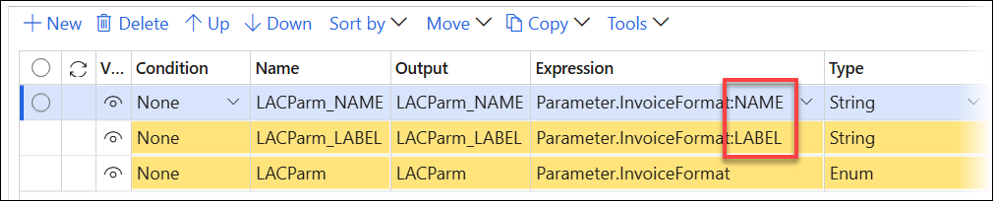
Similar options with LABEL and NAME are available within an expression.
SSRS report:
Replacement report:
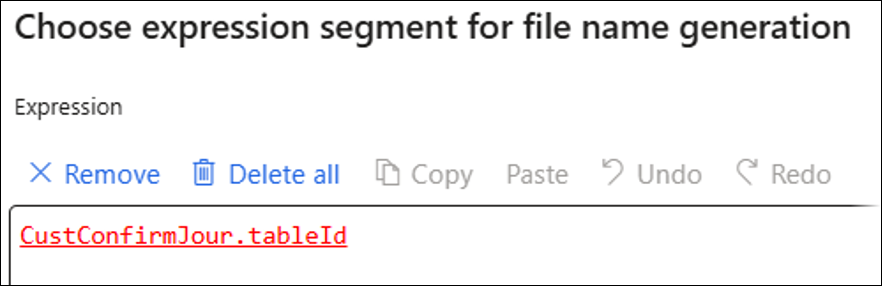
491858@LAC365FO – 489970@LAC365FO – It is not possible to select the TableId in an expression or within the Query Wizard
In Lasernet FO Connector 7.2 and 7.2.1, it was not possible to select the calculated field TableId either within an expression or through the Query Wizard.
Expression:
Lasernet FO Connector 7.2 and 7.2.1 | Lasernet FO Connector 7.2.2 |
|---|---|
|
|
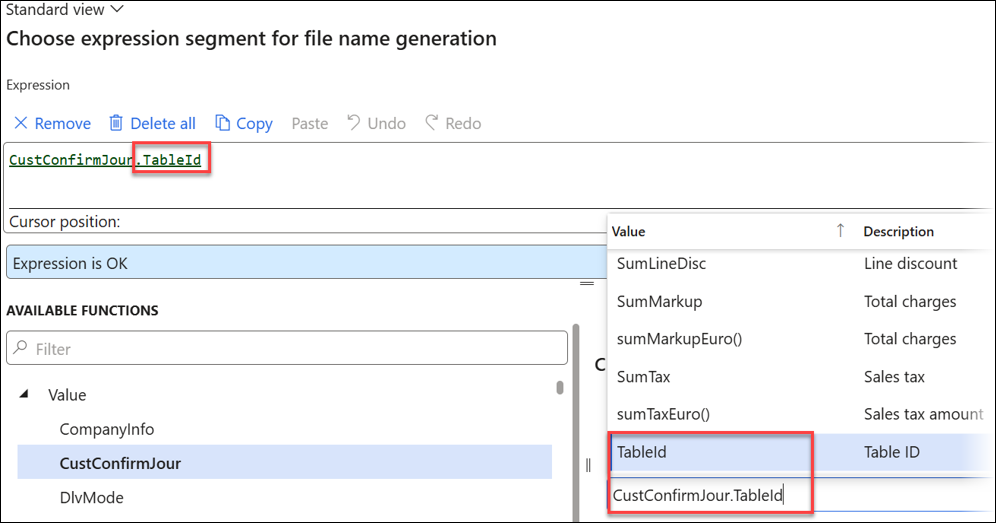
Query Wizard:
Lasernet FO Connector 7.2 and 7.2.1 | Lasernet FO Connector 7.2.2 |
|---|---|
|
|
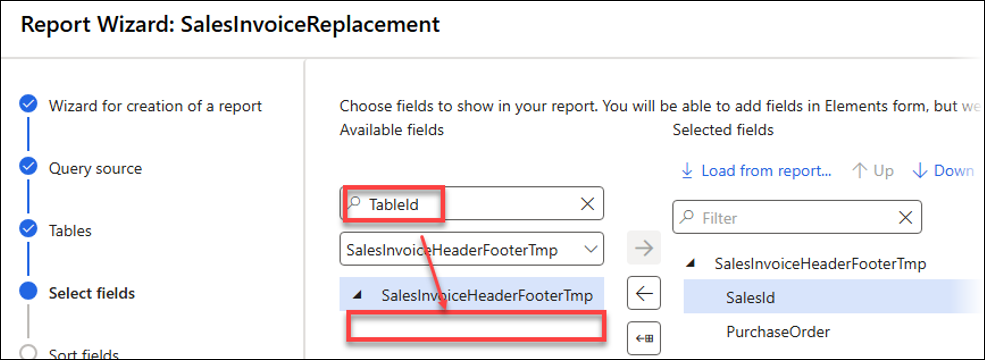
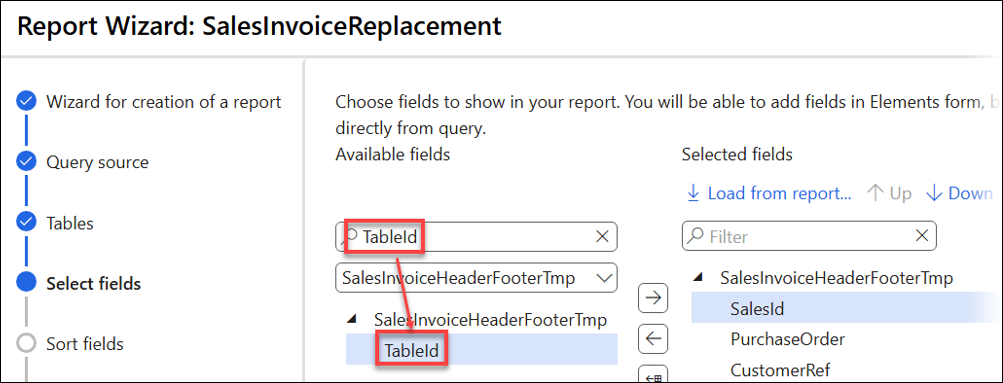
This has been fixed.
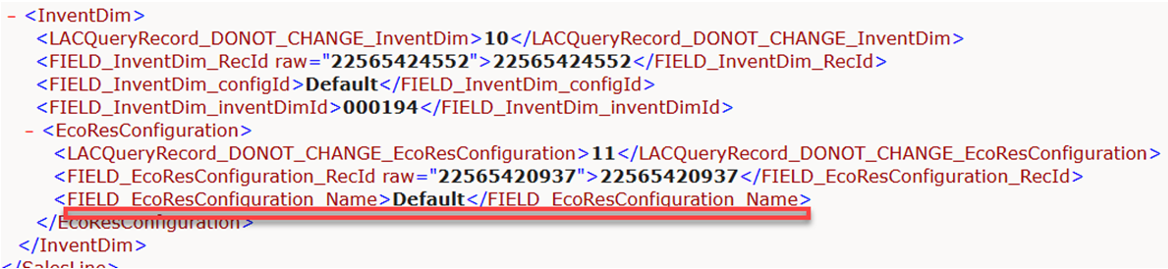
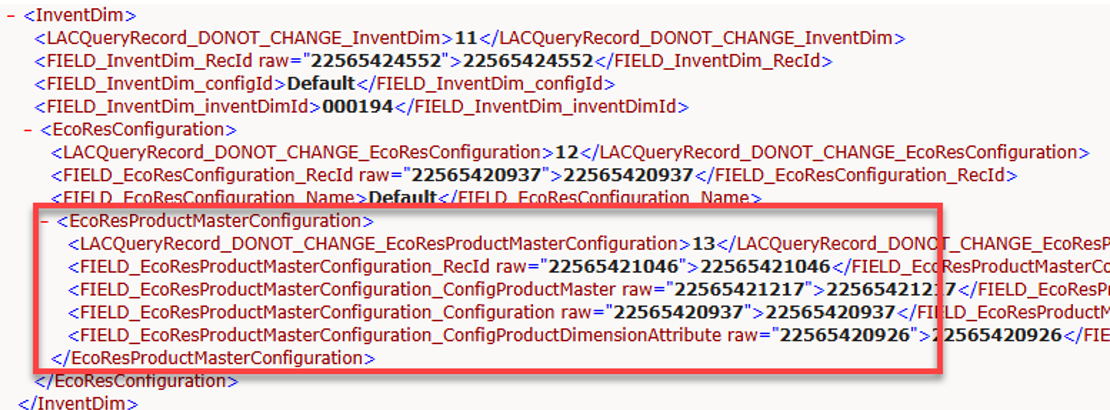
487780@LAC365FO – The XML output is missing when adding a relation to a subquery table from another branch
In previous versions, when fields from a different branch were used in a relation for a query, this resulted in an empty output for the child data source.
For example, using EcoResProduct.RecId as the range for EcoResProductMasterConfiguration.ConfigProductMaster caused an issue:
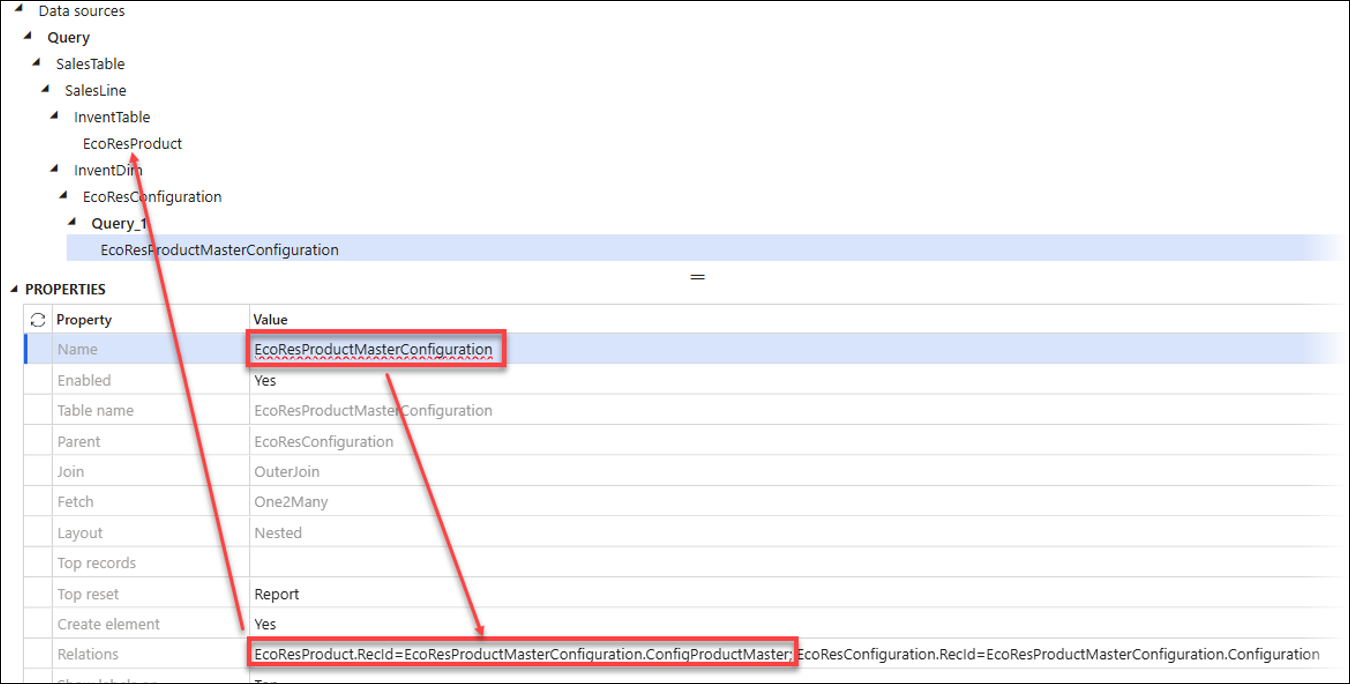
The output for the child data source was missing in Lasernet FO Connector 7.2 and 7.2.1. This has been fixed.
Lasernet FO Connector 7.2 and 7.2.1 | Lasernet FO Connector 7.2.2 |
|---|---|
|
|
456315@LAC365FO – A new Email Editor has been introduced
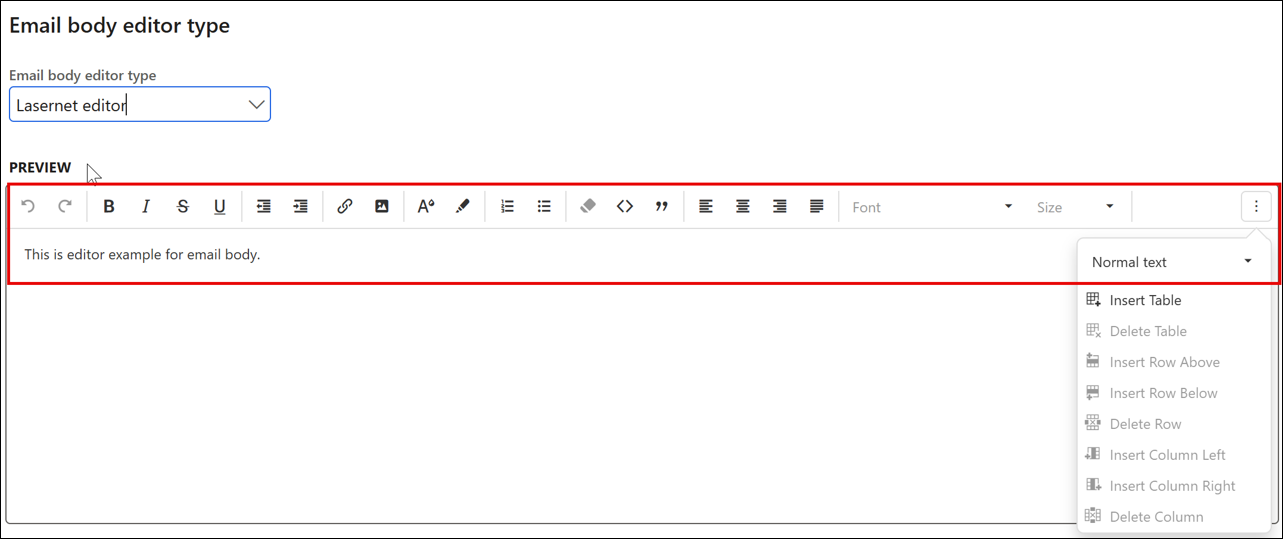
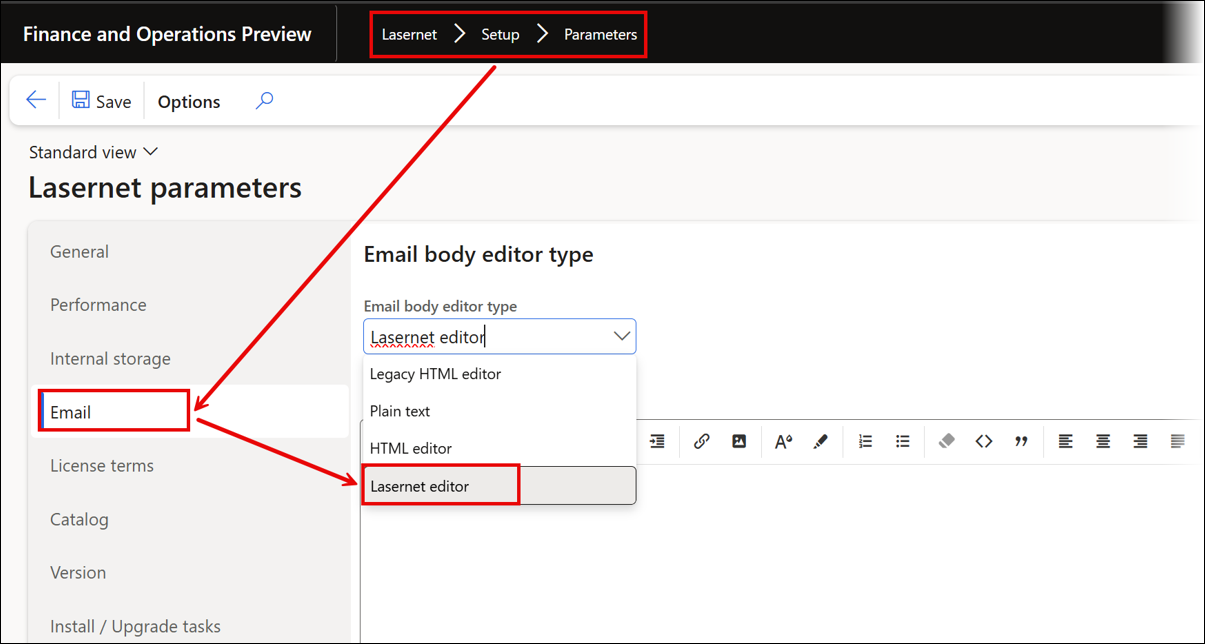
A new Email Editor has been introduced because the one available in standard FinOps does not function as intended.
The new Email Editor can be activated by navigating to Lasernet > Setup > Parameters > Email, enabling users to seamlessly switch among Plain text, CKEditor (HTML editor), and the recently added Lasernet editor. To do so, use the Email body editor type dropdown.
The new Email Editor is designed to include most of the features found in the previous version. However, if you notice that any frequently used functionality is missing, contact Lasernet Support.