Lasernet Core 10.12 Beta 1 New Features
- 28 Jan 2026
- 2 Minutes to read
- Contributors


- Print
- PDF
Lasernet Core 10.12 Beta 1 New Features
- Updated on 28 Jan 2026
- 2 Minutes to read
- Contributors
- Print
- PDF
Article summary
Did you find this summary helpful?
Thank you for your feedback
Release version: 10.12 Beta 1
Release date: 28th January 2026
Introduction
This page describes the enhancements made in Lasernet 10.12 Beta 1.
Note
Enhancements
Lasernet 10.12 contains improvements to Lasernet’s PDF/UA support and other enhancements.
PDF/UA
PDF/UA stands for Portable Document Format / Universal Accessibility. PDF/UA-compliant documents make content readable by assistive technologies, such as screen readers.
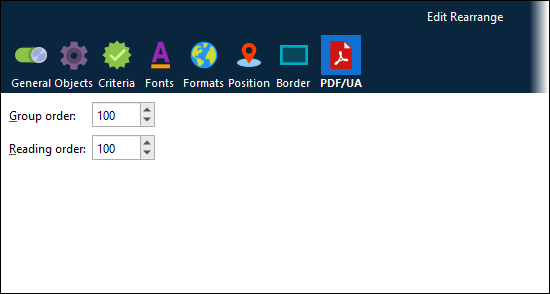
Lasernet’s PDF/UA support has been extended and improved. Lasernet now provides a specific PDF/UA output type for sheets, which enables you to provide Group order and Reading order property values for rearranges, text, barcodes, images, charts, and subforms. These properties control the position of each form item in the structure tree embedded in PDF/UA documents.
Crucially, Group order enables you to group form items in the structure tree, so that (for example) you can ensure that the structure tree in an invoice PDF contains all header items, followed by all line items in the invoice, followed by all footer items.
 Subform support has been added. You can create PDF/UA subforms and convert existing EMF subforms to PDF/UA format, and then use them in PDF/UA forms.
You can now add alt text to charts as well as images. Also, rearranges that are marked as hyperlinks are included in the structure tree as <Link> elements.
For more information, see Configure PDF/UA Output.
Important
Lasernet’s PDF/UA capability is being developed iteratively. It can generate PDF/UA-compliant documents in common form design scenarios. However, if you notice any issues in the PDF/UA structure generated from your form design and workflow, contact Lasernet Support. Your feedback will help us improve this feature.
Change to Default Sheet Destinations
Lasernet no longer adds the Default destination to new sheets by default.
The “default destination” mechanism enables a module to route jobs to different modules that follow it in the workflow, depending on which input module received the job. This dynamic control is possible because each input can specify a different Default destination. If a module or sheet’s Destination list contains Default, the input module’s Default destination controls the destination of the job after it passes through that module or sheet.
However, if a module or sheet’s list of destinations contains the Default destination but input modules do not define a Default destination, Lasernet jobs can fail. This scenario typically occurs because the Default destination (added by default to sheets by Lasernet) was not manually deleted.
To prevent this issue, Lasernet 10.12 and later do not automatically add the Default destination to new sheets by default.
Specify Size and Position of the PDF Security Modifier Overlay
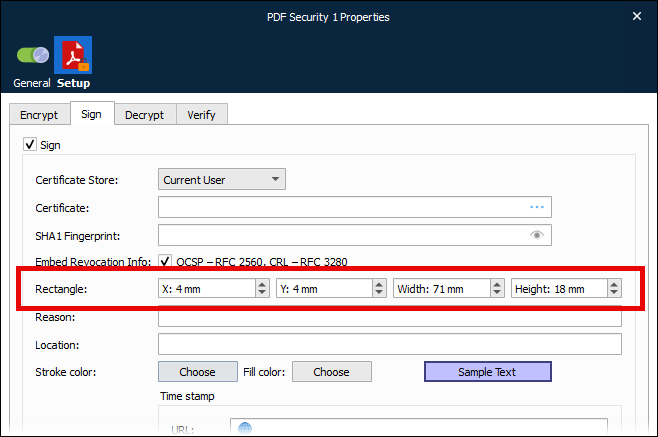
When you configure the PDF Security modifier, you can specify where on the page it overlays information about the digital signature used.
Support for Azure Storage in China and US Government Microsoft Clouds
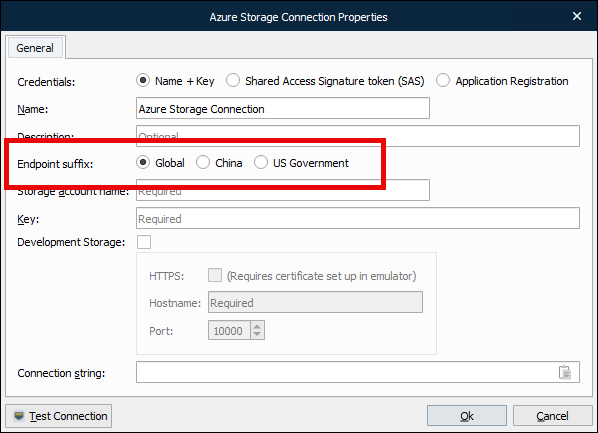
When configuring connections to Azure Storage, you can now specify that the storage is hosted by global, China, or US Government Microsoft clouds.
Microsoft maintains separate clouds for data residency and regulatory compliance reasons. An Endpoint suffix property has been added to Azure Storage connection settings in Lasernet Developer and Lasernet Printer Service.