
Job to XML Modifier
- 14 Apr 2026
- 1 Minute to read
- Contributors

- Print
- PDF
Job to XML Modifier
- Updated on 14 Apr 2026
- 1 Minute to read
- Contributors
- Print
- PDF
Article summary
Did you find this summary helpful?
Thank you for your feedback
Applies to: Lasernet Core 11
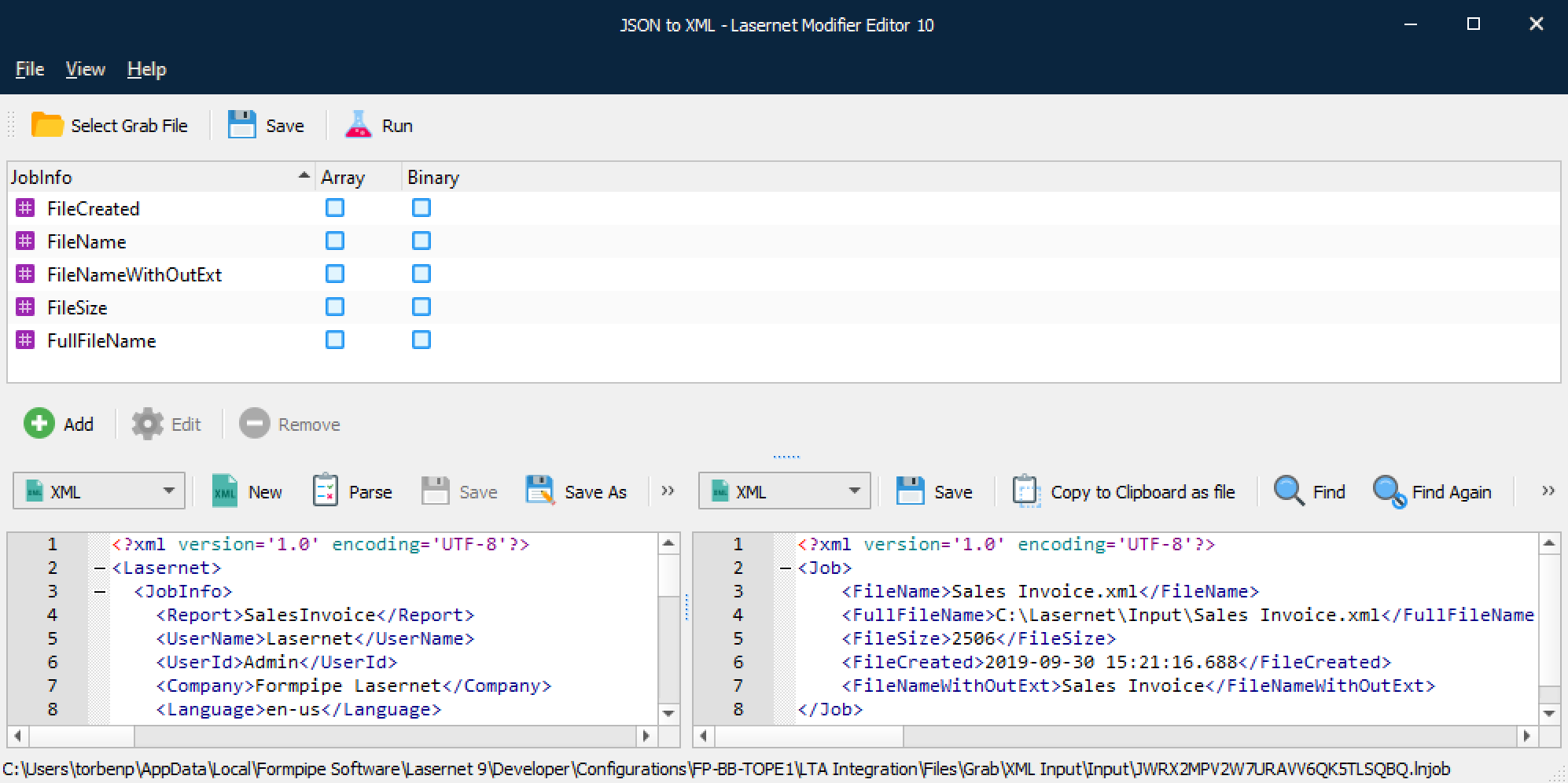
Converts a list of selected JobInfos to an XML structure. The values of the JobInfos are retrieved from the job being processed.
Link
The screenshot above is from Lasernet Core 10 but this modifier works identically in Lasernet Core 11.
Click Add to insert a JobInfo you want to include in the XML result. Click Edit or Remove to maintain JobInfos and values already added to the list.
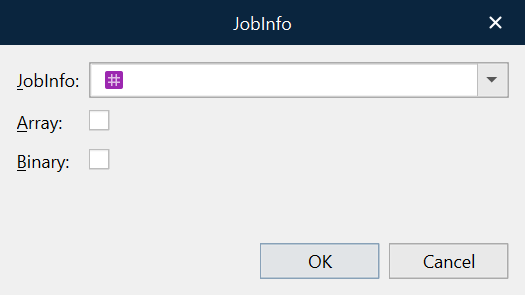
JobInfo | Name of JobInfo and Value to be included in the XML result. |
Array | Activate if the JobInfo contains an array of values and all values are required in the XML result. The values in the array of a JobInfo are added as children in an element named Value: |
Binary | Activate if the value of the JobInfo represents a binary value. The value is encoded and included as a base64 string. |