How Do I Prevent Lasernet Interpreting #compliant# in a Peppol XML Form as JobInfo Substitution?
- 18 Mar 2026
- 1 Minute to read
- Contributors


- Print
- PDF
How Do I Prevent Lasernet Interpreting #compliant# in a Peppol XML Form as JobInfo Substitution?
- Updated on 18 Mar 2026
- 1 Minute to read
- Contributors
- Print
- PDF
Article summary
Did you find this summary helpful?
Thank you for your feedback
Applies to: Lasernet Core 10
The cbc:CustomizationID element within Peppol BIS XML contains #compliant# within its value: urn:cen.eu:en16931:2017#compliant#urn:fdc:peppol.eu:2017:poacc:billing:3.0. However, Lasernet interprets #compliant# as JobInfo substitution syntax and attempts to insert a nonexistent JobInfo.
To prevent Lasernet from doing this, you must use the ¤ symbol (generic currency symbol; ASCII character 164; shortcut Alt+0164 on the numeric keyboard) as an escape character for the first # character. Alternatively, you can insert a special character into the #compliant# text (to prevent JobInfo substitution from happening) and then filter out that special character from the output XML.
The following sections describes these methods.
Use the ¤ Symbol
You can modify the XML template, or if a rearrange inserts the cbc:CustomizationID element value from the input data, you can add a script to the rearrange to appropriately insert the ¤ symbol.
Modify the XML Template
This method involves adding the ¤ symbol before the first # character in the XML template.
To do this, follow these steps:
Right-click the
cbc:CustomizationIDelement value in the output side of the form, then click Properties.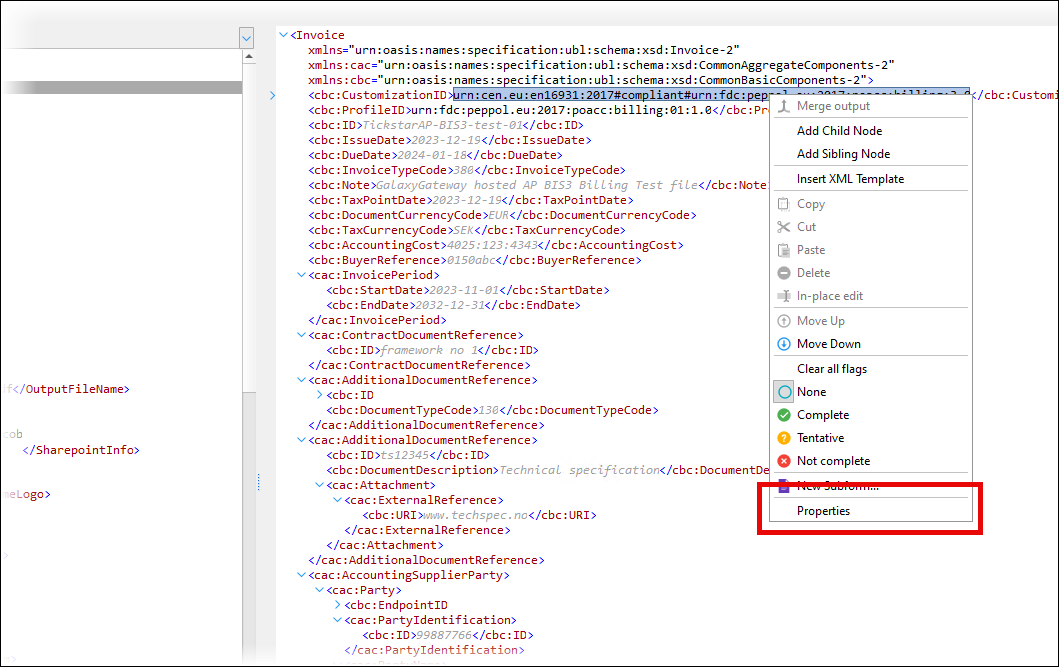
In the Default Value box, insert the ¤ symbol in front of the first # character (see 1 in the image below).
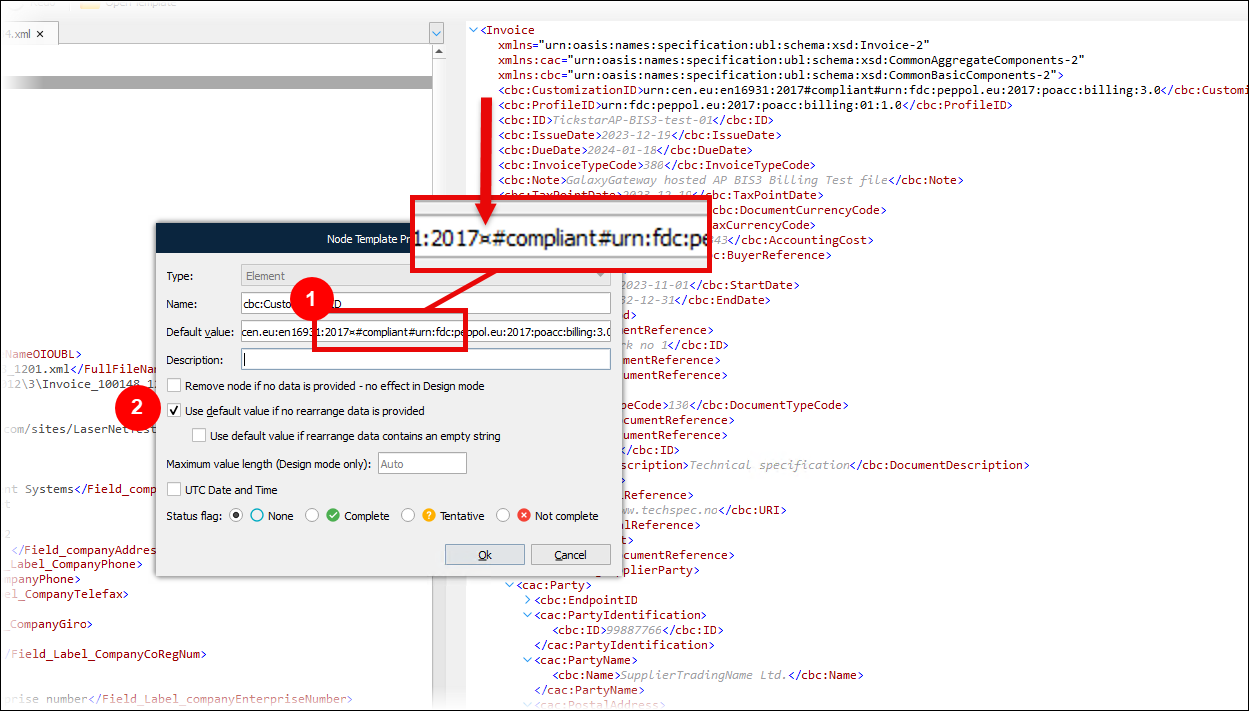
Select Use default value if no rearrange data is provided (2).
Click Ok.
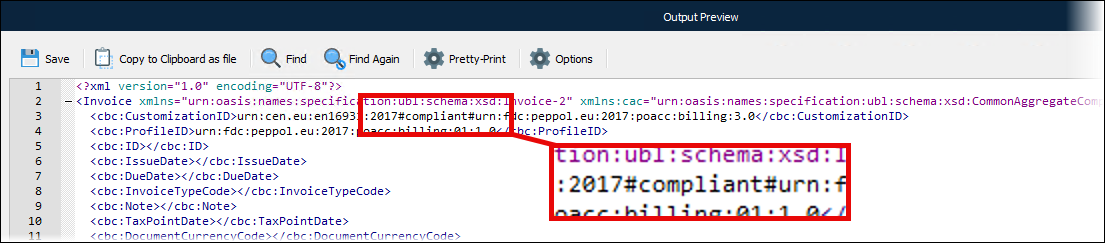
The output XML contains #compliant#.

Add a Script to the Relevant Rearrange
If a rearrange inserts the cbc:CustomizationID element value from the input data, you can add a script to the rearrange.
To do this, follow these steps:
Add the following script to the Lasernet configuration:
function InsertSunsignBeforeHashmark()
{
    var peppoltext = CurrentText;
    peppoltext = peppoltext.replace("#","¤#");
    return peppoltext;
}
Use the script in the rearrange.
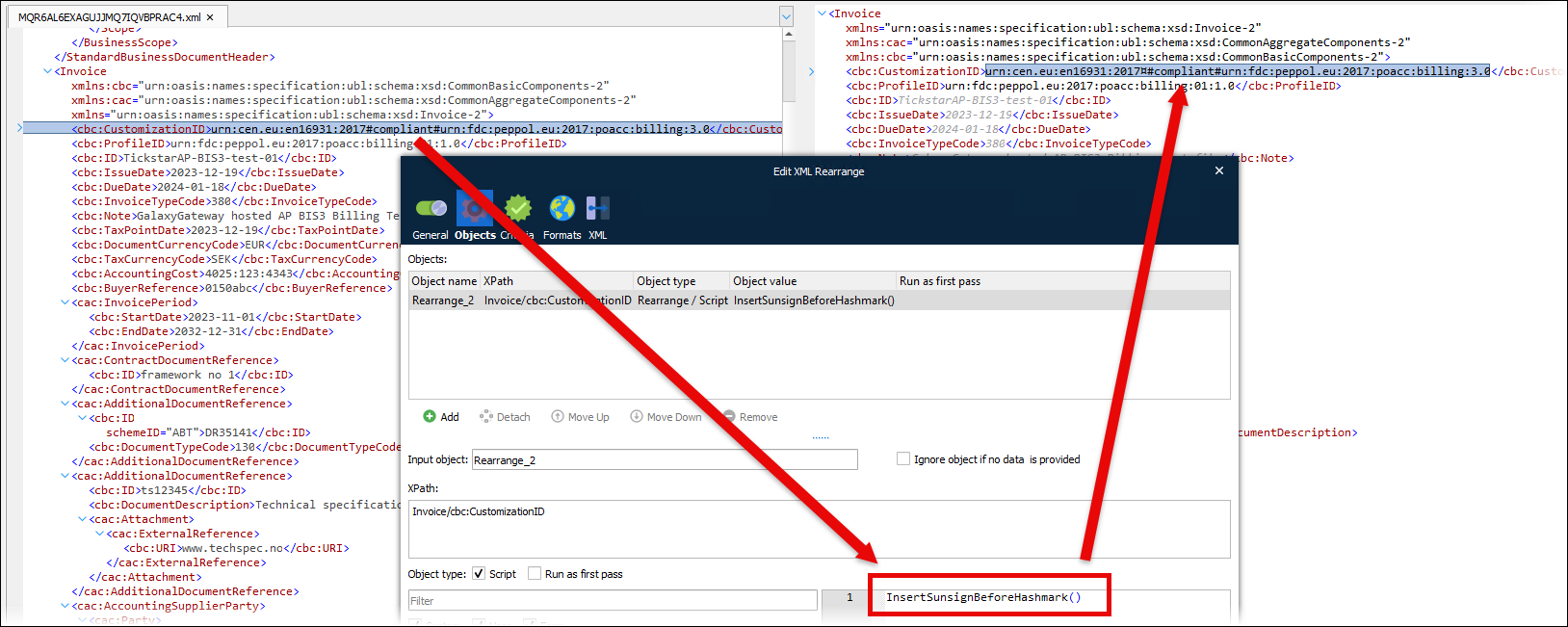
The output XML contains #compliant#.
Insert a Special Character to Prevent JobInfo Substitution and Then Filter It Out
Instead of escaping a # character, you can add a - (hyphen) within the #compliant# text to render it invalid for JobInfo substitution and prevent Lasernet from attempting to substitute it. Then, you can use a Text Filter modifier to remove the hyphen from the output XML.
To do this, follow these steps:
In the XML template, add a hyphen to change the text to
#comp-liant#.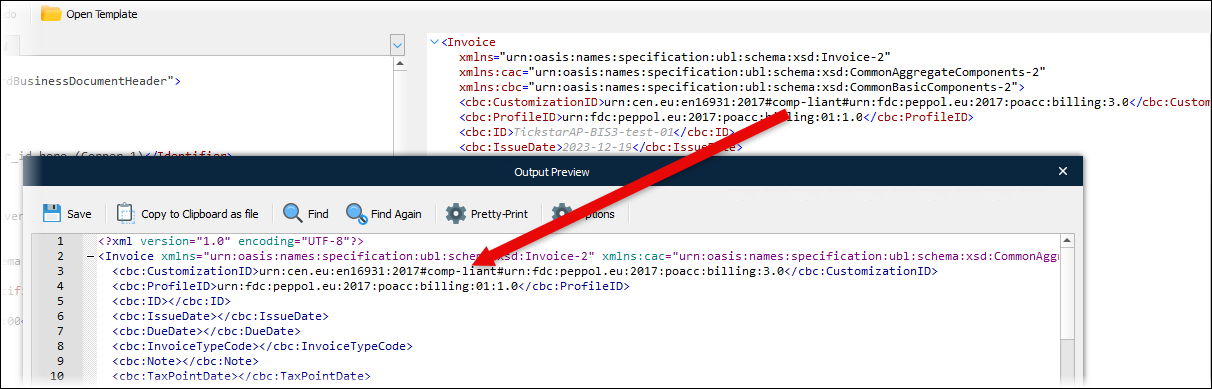
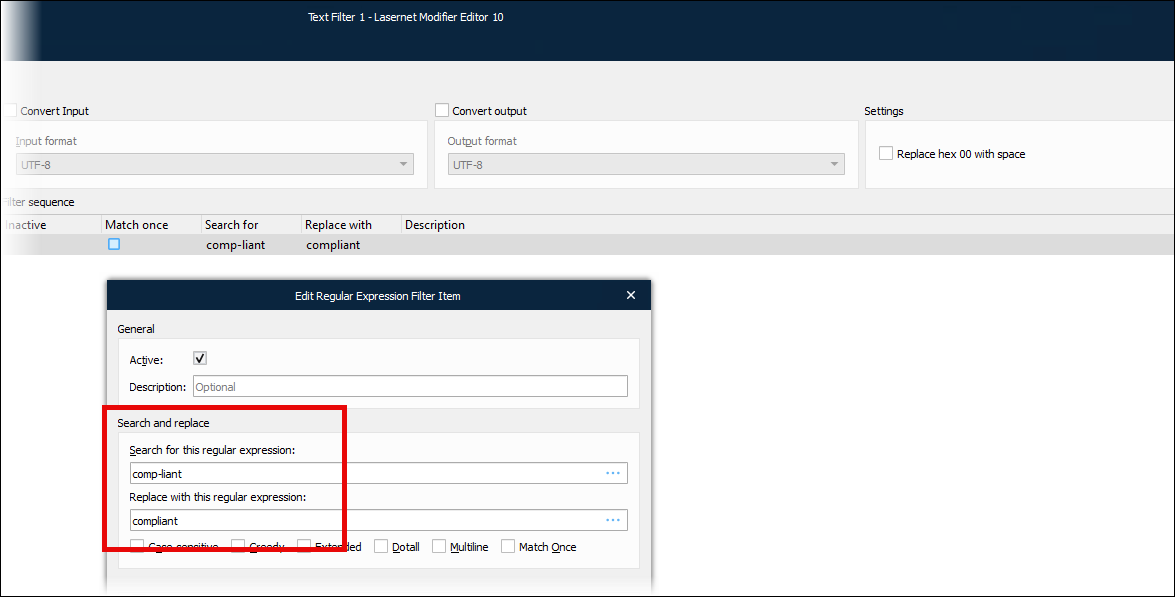
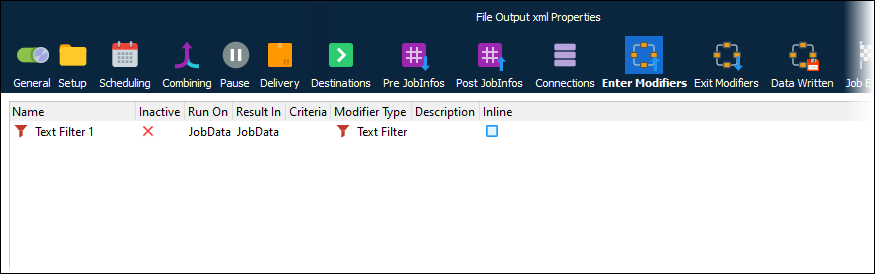
Add a text filter modifier to the output module to replace
comp-liantwithcompliant.