
Using FPL Print Archive BC Table Before Upgrading to Lasernet BC Connector 4.4.0.0
- 18 Nov 2025
- 2 Minutes to read
- Contributors

- Print
- PDF
Using FPL Print Archive BC Table Before Upgrading to Lasernet BC Connector 4.4.0.0
- Updated on 18 Nov 2025
- 2 Minutes to read
- Contributors
- Print
- PDF
Article summary
Did you find this summary helpful?
Thank you for your feedback
Users who wish to upgrade to Lasernet BC Connector to version 4.4.0.0 may encounter a significant delay during the upgrade process due to the large number of records in the FPL Print Archive BC table.
We are working to modify the values in this table one by one.
In the meantime, it is possible to use the table before upgrading Lasernet BC Connector OnPrem to version 4.4.0.0 by adopting a decoupled upgrade approach. To do so, follow the instructions below and install the app, which has been prepared specifically by our developers.
Tip
To check the number of records in the FPL Print Archive BC table, use the standard functionality Table Information (which can be found through Quick Search) and filter by Table No. 12060809.
Steps for a Decoupled Upgrade
Ensure Lasernet BC Connector 4.3.4.1 is installed.
Download and install the
Formpipe Software AB_Skip Upgrade FPL BC Archive for 4.4.0.0_1.0.0.0file attached to this article (see the bottom of the page). This will enable you to skip the lengthy process of converting Print Archive records during the Lasernet BC Connector 4.4.0.0 upgrade. You will be able to perform the Print Archive conversion at a later time and closely monitor it.Open your BC environment. Then, navigate to Lasernet Document Management > Lasernet Connector Setup, click Actions, and select Set Tag.
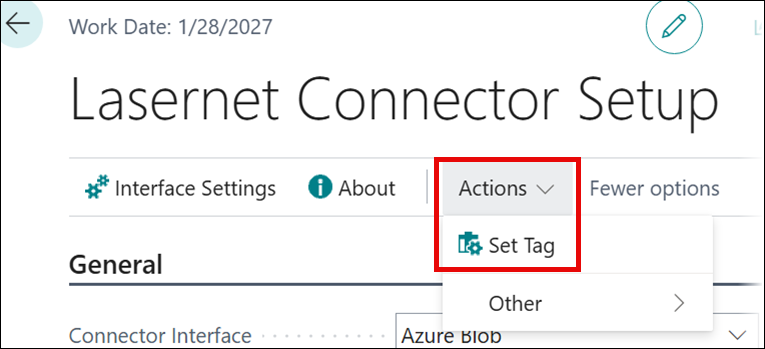
The following message about performed substeps will be displayed:
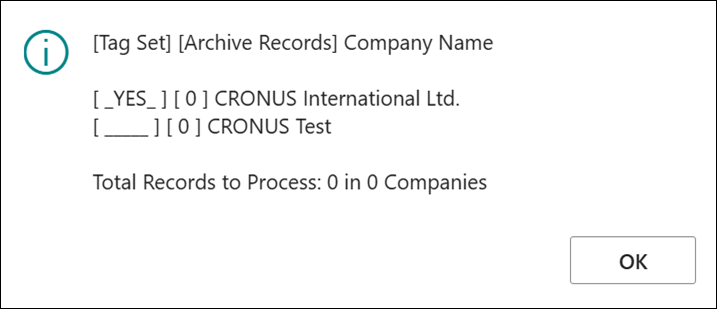
This means that you must run the Set Tag command for every company for which you require a manual upgrade. Unfortunately, this cannot be done for all companies in one run.
You may omit this step for companies where the number of Archive records is 0.
After your setup is complete, you will receive a different message, indicating that you can proceed with the next part of our decoupled upgrade.
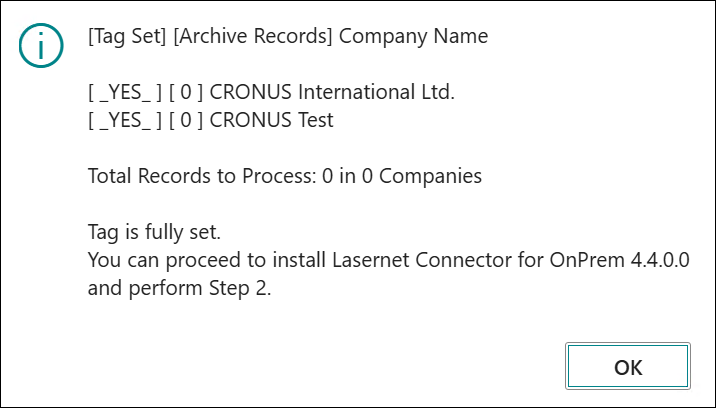
Download and install Lasernet BC Connector 4.4.0.0. The system will perform a normal upgrade, but will skip the Archive table conversion for those companies for which you previously set the tag.
Download and install the
Formpipe Software AB_Skip Upgrade FPL BC Archive for 4.4.0.0_2.0.0.0file attached to this article (see the bottom of the page).Open your BC environment. Then, navigate to Lasernet Document Management > Lasernet Connector Setup, click Actions, and select Upgrade Archive.
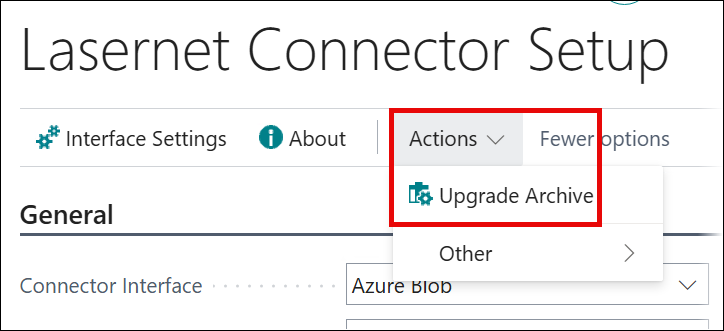
The following message about processed companies will be displayed:
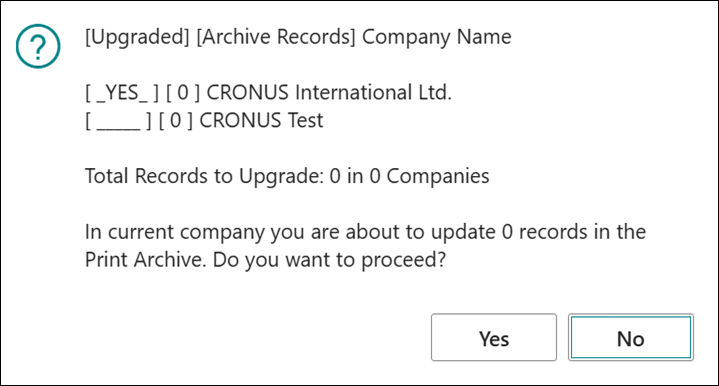
Click Yes. The conversion process will be run, committing every 100 modified records. Progress is updated every ten seconds.

Upon completion, the following message will be displayed:
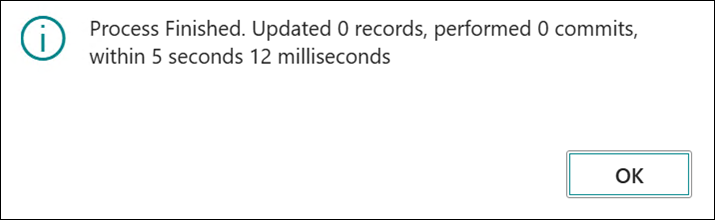
This process must be repeated for every company you need to upgrade. Unfortunately, this cannot be done for all companies in one run.
If no Archive records that need to be converted are present in any company, the following final message will be displayed:
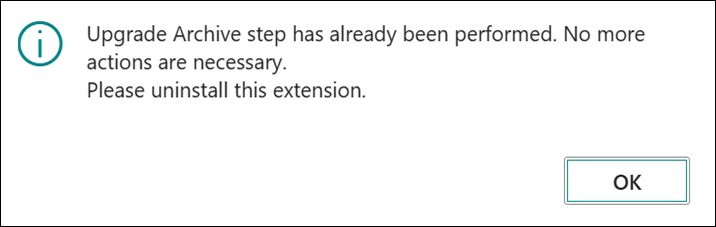
This decoupled upgrade process will take slightly longer than a normal upgrade, but it can be closely monitored.
We highly recommend performing this upgrade when no other users are using the FPL Print Archive BC table.
Note
If you are using the Cloud version of Lasernet BC Connector and wish to follow the decoupled upgrade process, use the
Formpipe Software AB_Skip Upgrade FPL BC Archive for 4.4.0.0 (Cloud)_1.0.0.0andFormpipe Software AB_Skip Upgrade FPL BC Archive for 4.4.0.0 (Cloud)_2.0.0.0files attached to this article (see the bottom of the page).