
Error Message: 'Company Does not Exist'
- 29 Jan 2026
- 1 Minute to read
- Contributors

- Print
- PDF
Error Message: 'Company Does not Exist'
- Updated on 29 Jan 2026
- 1 Minute to read
- Contributors
- Print
- PDF
Article summary
Did you find this summary helpful?
Thank you for your feedback
When printing SSRS reports natively or printing SSRS or replacement reports with the Lasernet Connector after upgrading to 10.0.26, users may be presented with the error:
Error
Company does not exist.
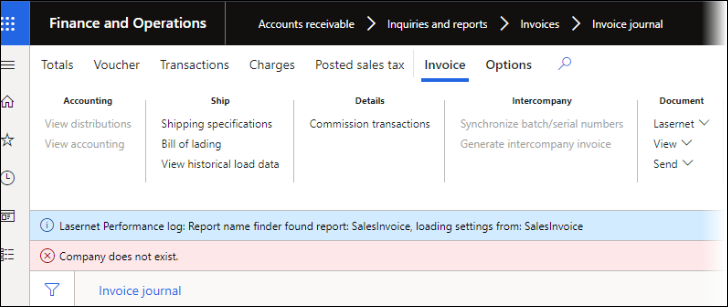
Microsoft has responded to the issue and confirmed it is related to:
Changes to SrsReportRdIDataContract do not support older packed data versions of report data that were stored in Usage Data.
Packed data on customer environment supported pack version 3, while the latest 10.0.26 code supports only pack versions 4 and 5.
In order to resolve the issue, delete controller classes from Usage data with an Element name that includes the report name and the word “Controller”, such as:
FreeTextInvoiceController
SalesInvoiceController
SalesConfirmController
