Deploy a Configuration to a Test Environment
- 26 May 2026
- 1 Minute to read
- Contributors


- Print
- PDF
Deploy a Configuration to a Test Environment
- Updated on 26 May 2026
- 1 Minute to read
- Contributors
- Print
- PDF
Article summary
Did you find this summary helpful?
Thank you for your feedback
Applies to: Lasernet Core 11
After you make changes to a Lasernet Core configuration, you will typically need to test that your changes work as you intend them to. To do this, you can use Deploy Workspace to deploy the configuration to a test Lasernet Core environment.
Deploy Workspace sends the configuration from the “workspace” to a selected test environment. This includes the latest, in-progress, uncommitted changes to the configuration.
Note
To “deploy” a configuration means to send it to a Lasernet Core environment, which will run the configuration.
Tip
Before you deploy the configuration to the test environment, ensure that you have saved all essential resource files to the workspace.
Note
For Lasernet Core 10 documentation about “patching” a server, see the Lasernet Config Server and Deployment Guide.
Deploy Workspace
To deploy the workspace to a test Lasernet Core environment, follow these steps:
In Lasernet Developer, open the configuration that you want to deploy for testing.
In the Lasernet Developer toolbar, click Deploy Workspace (see 1 in the image below).
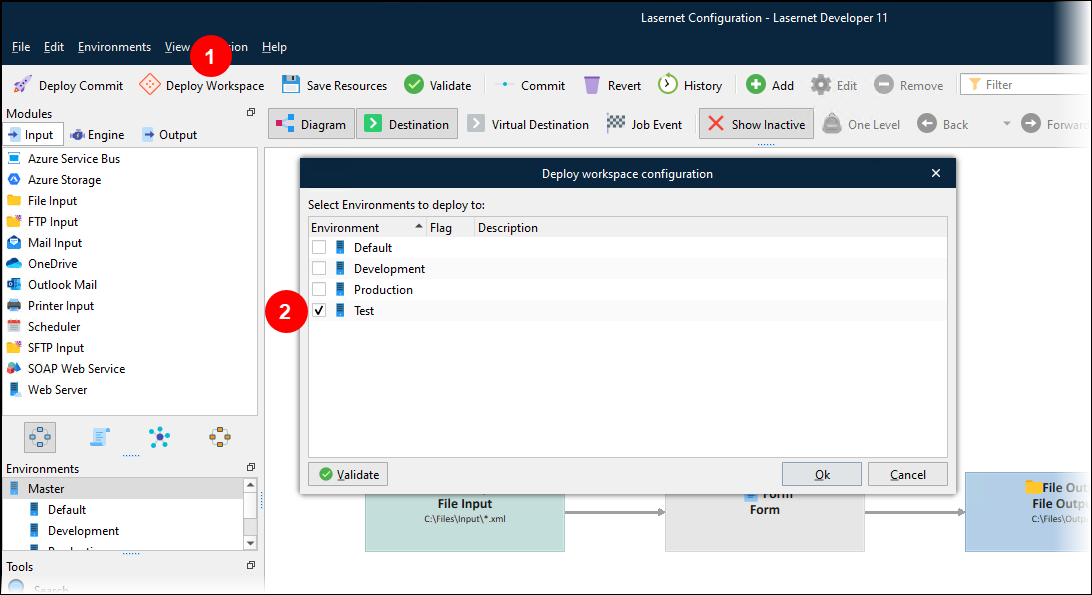
In the Deploy workspace configuration window, select the checkbox (2) for the test environments that you want to deploy the workspace to.
Click Ok. Lasernet Developer displays a progress bar for the deployment.
After Lasernet Config Server has deployed the configuration, click Close.
In Manage, the Deployment History area of an environment’s properties pane displays Revision: Workspace in the top (most recent) history item if that environment currently has the workspace deployed to it (instead of a configuration revision).
.png)
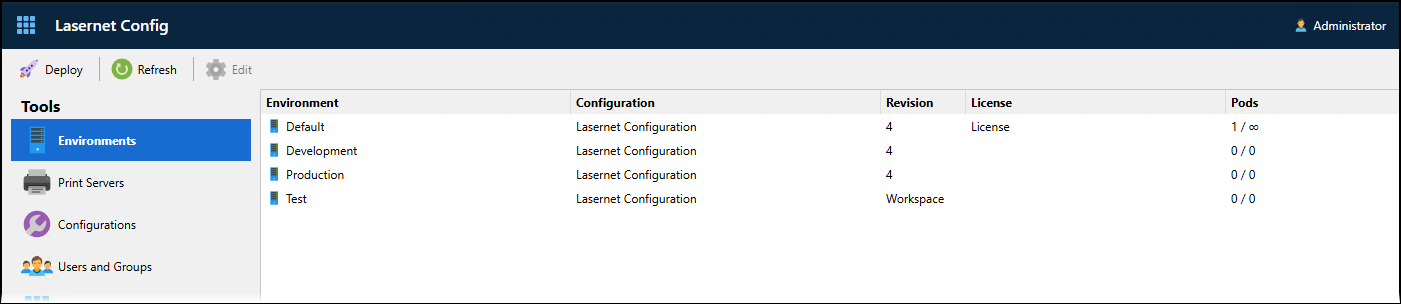
In the Lasernet Config web app, on the Environments page of the Lasernet Config web app, the Revision column contains Workspace for any environment that currently has the workspace deployed to it (instead of a configuration revision).