
CSV Modifier
- 14 Apr 2026
- 2 Minutes to read
- Contributors

- Print
- PDF
CSV Modifier
- Updated on 14 Apr 2026
- 2 Minutes to read
- Contributors
- Print
- PDF
Article summary
Did you find this summary helpful?
Thank you for your feedback
Applies to: Lasernet Core 11
The CSV modifier is used for transforming XML (eXtended Markup Language) to a CSV file (comma-separated) and vice versa. The modifier enables modern systems to interface with legacy systems.
The modifier can produce both column and character-separated files, plus XML (in a Lasernet Core-defined format) from CSV.
XML or JSON to CSV Settings 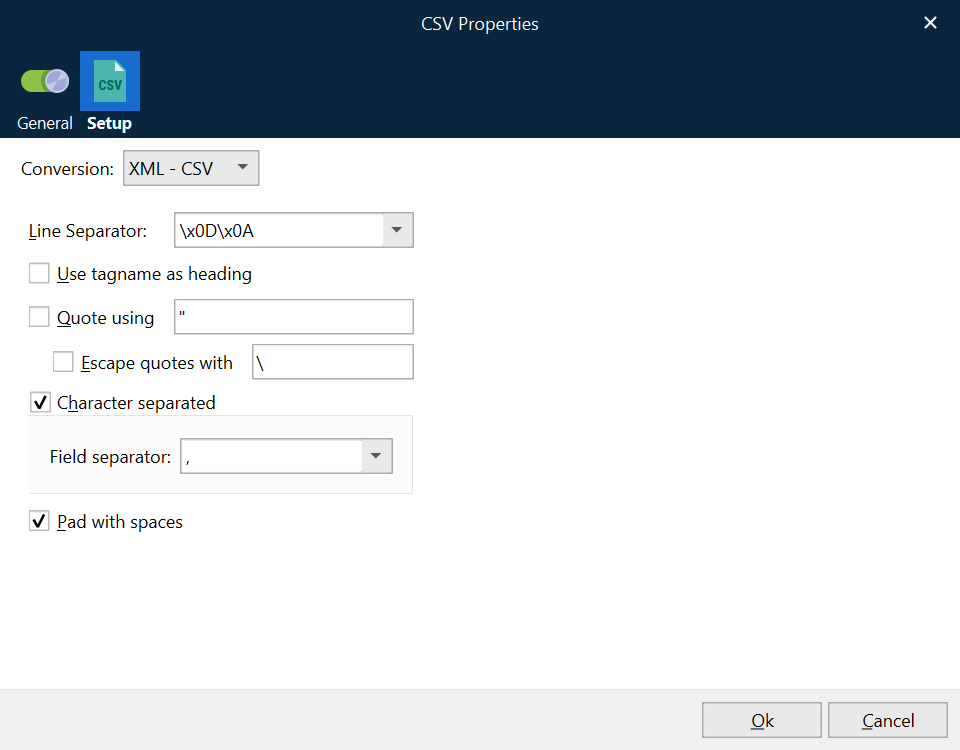
Conversion | Choose between converting between XML or JSON to CSV and CSV to XML or JSON. |
Line Separator | Determines what line separator to use between lines in the text file. |
Use tagname as heading | If checked, the modifier will create a header line where the names of the tags are used for naming the columns (see below). |
Quote using | If checked, a quote character should be specified, usually |
Escape quotes with | If checked, the modifier will search the text in each column for the character entered in Quote using and escape it with the character specified. |
Character separated | If checked, the modifier produces character-separated files. Enter the column separator, for example: comma, semicolon, colon, or tab. |
Pad with spaces | When checked, the modifier pads the text in the columns with spaces until they fill out the width determined by the XML file. |
CSV – XML or JSON Settings
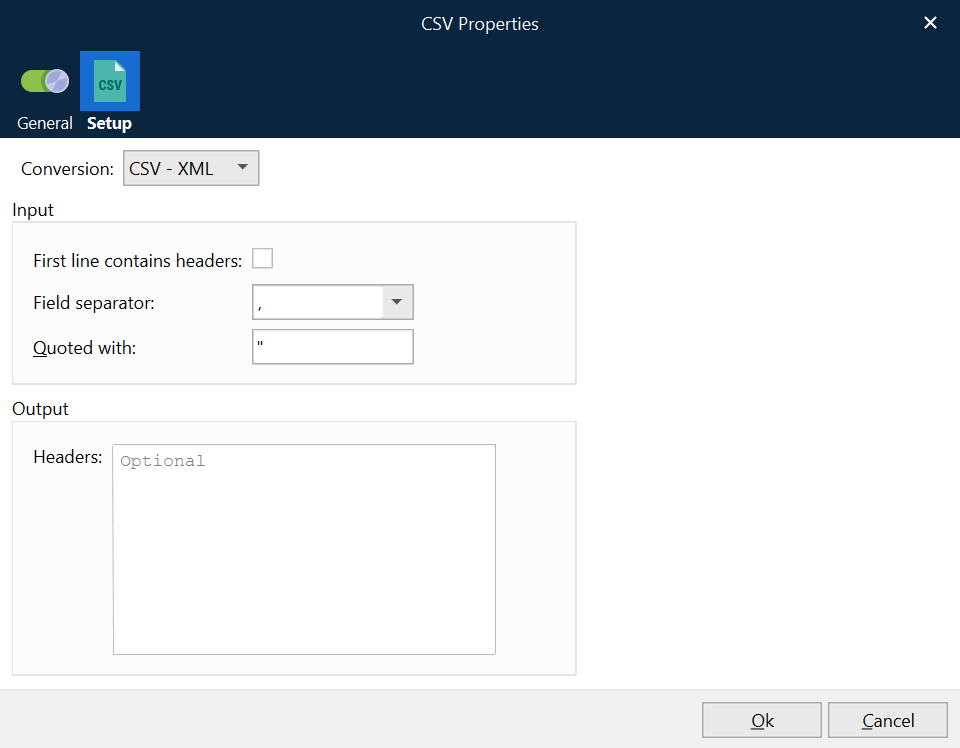
Conversion | Choose between converting between XML to CSV and CSV to XML. |
First line contains headers | Often the first line in the CSV contains the headers of the fields. Selecting this option will make Lasernet Core use the header names in the XML, plus skip the first line as it does not contain data. |
Field separator | Defines the separator between the fields in the CSV. |
Quoted with | Tells Lasernet Core that fields in the CSV are quoted and with which character. This is useful when a field separator occurs within a field. |
Headers | Optionally set the header names if not included in the CSV or if they are not correct. If not in the CSV or specified here, the fields will be named by Lasernet Core. |
XML Format
The modifier expects its XML input to be in a specific format. The same format is used for XML output.
<table>
  <ItemLine visible="0">
    <Field1 width="20" alignment="left">field value</Field1>
    <Field2 .....
  </ItemLine>
  <ItemLine>
     ....
  </ItemLine>
</table>
The name of the root tag (table) does not matter. For each line in the resulting text file, there must be one set of ItemLine tags.
The visible attribute can be used to determine whether the item should be put into the text file or not. If it is missing, the default value is 1.
For each ItemLine, there are several fields which contain the column data. For column-separated files, the width attribute is used for setting the width of the column. If this attribute is missing, the modifier assumes the default value of 20.
The alignment attribute can be set to either left or right. If missing, left is assumed.
Use tag names of the files for the header line, if desired.